Zero is a query-driven sync engine for TypeScript apps. It replicates Postgres into a SQLite replica inside `zero-cache`, then syncs subsets of rows to clients based on the queries your app runs. Client reads/writes hit local storage first (instant UI); `zero-cache` keeps clients up to date via logical replication.
Recommended reading order for wiring a Zero app: Install -> Schema -> Queries -> Auth -> Mutators -> ZQL -> Deployment/Config -> Debugging
## Key mental models
### Queries
- Clients do NOT send arbitrary queries to `zero-cache`.
- You define Queries and Mutators in code (`defineQueries`, `defineMutators`).
- The client runs its own ZQL optimistically against a local store (e.g. IDB), and `zero-cache` calls your server endpoints (`ZERO_QUERY_URL`) to resolve a name+args into ZQL/logic, where you also enforce permissions via `context`. `zero-cache` runs that returned ZQL against its SQLite replica, and returns the authoritative results to the client.
- Queries **must** be optimized, e.g. using `npx analyze-query`. The query plan commonly has `TEMP B-TREE` when it is not optimized. You should be cautious when adding complex/heavy queries that are not properly indexed in Postgres, since `zero-cache` derives indexes from upstream. See Slow Queries below.
### Mutators
- Mutators also run on the client optimistically first.
- The client can query the local store in a mutator, but a query must exist that is _active_ for the data to exist in the local store. See Reading Data for what "active" means.
- Mutations are then sent to `zero-cache`, which calls your server's `ZERO_MUTATE_URL` endpoint, where they run directly against Postgres upstream.
### Warnings/common pitfalls
- Zero types are registered globally with `declare module`.
- Treat query results as immutable (e.g. don't mutate returned objects from `useQuery`).
- Prefer client-generated random IDs passed into mutators over auto-increment IDs (e.g. using `uuidv7` or `nanoid`).
- Do not generate IDs inside mutators, since mutators run multiple times (sometimes twice on the client and once on the server).
- When auth errors occur, the client must reconnect manually using the Connection Status API.
- When developing locally, prefer creating migrations and executing them against the local database. Resetting the database during local development requires also deleting the SQLite replica and restarting `zero-cache`.
## Get Started
---
# Welcome to Zero
Source: https://zero.rocicorp.dev/docs/introduction
Zero makes web apps feel instant by syncing the data your UI needs into a local, normalized client datastore. Reads and writes hit that local store first, then sync continuously with your server in the background.
You control what syncs by writing normal queries in your app code, instead of syncing whole tables or maintaining static sync rules. Zero reuses cached data when it can and automatically falls back to the server when it needs more.
* [**Install**](https://zero.rocicorp.dev/docs/install): Add Zero to your existing application following our step-by-step guide. Time: 30 minutes
* [**Tutorial**](https://zero.rocicorp.dev/docs/tutorial): Learn how Zero works by following our guided tutorial building a music app. Time: 15 minutes
* [**Quickstarts**](https://zero.rocicorp.dev/docs/quickstart): Start a new app with one of our bare-bones templates. Time: 1 minute
* [**Samples**](https://zero.rocicorp.dev/docs/samples): Explore our more fully-featured samples to see what Zero can do. Time: Stay as long as you like
---
# Install Zero
Source: https://zero.rocicorp.dev/docs/install
This guide shows how to add Zero to an existing TypeScript-based web app. For a concrete end-to-end walkthrough, build the music app in the [tutorial](https://zero.rocicorp.dev/docs/tutorial).
## Integrate Zero
### Set Up Your Database
You'll need a Postgres database with logical replication enabled for development.
**Docker**
```bash
# IMPORTANT: logical WAL level is required for Zero
# to sync data to its SQLite replica
docker run -d --name zero-postgres \
-e POSTGRES_DB="zero" \
-e POSTGRES_PASSWORD="pass" \
-p 5432:5432 \
postgres:18 \
postgres -c wal_level=logical
```
**Postgres.app**
```bash
# Start Postgres.app first. Requires Postgres 15 or higher.
# If these already exist, you can skip those commands.
createuser -s postgres
createdb -O postgres zero
psql -d postgres -c "ALTER USER postgres WITH PASSWORD 'pass';"
psql -d postgres -c "ALTER SYSTEM SET wal_level = 'logical';"
# Restart Postgres.app, then verify:
psql -d postgres -c "SHOW wal_level;"
```
> 🧑💻 **Already using another Postgres provider?**: See [Provider Support](https://zero.rocicorp.dev/docs/connecting-to-postgres) and make sure `wal_level` is `logical`.
Create a `.env` file so your app server and `zero-cache-dev` use the same Postgres connection:
```bash
# Update to your app's database connection URL
ZERO_UPSTREAM_DB="postgres://postgres:pass@localhost:5432/zero"
```
### Install Zero
Add Zero and the validator used in these examples:
**npm**
```bash
npm install @rocicorp/zero zod
```
**pnpm**
```bash
pnpm add @rocicorp/zero zod
# Note: pnpm disables postinstall scripts by default for security.
# Approve @rocicorp/zero-sqlite3 before continuing:
pnpm approve-builds
# Or add to package.json, then reinstall and rebuild the native package:
# "pnpm": {
# "onlyBuiltDependencies": [
# "@rocicorp/zero-sqlite3"
# ]
# }
pnpm rebuild @rocicorp/zero-sqlite3
```
**bun**
```bash
bun add @rocicorp/zero zod
# Note: Bun disables postinstall scripts by default for security.
# Either approve the build:
bun pm trust @rocicorp/zero-sqlite3
# Or add to package.json, then rebuild the native packages:
# "trustedDependencies": ["@rocicorp/zero-sqlite3"]
```
**yarn**
```bash
yarn add @rocicorp/zero zod
# Note: Modern Yarn doesn't run postinstall scripts by default.
# Add to package.json, then rebuild the native packages:
# "dependenciesMeta": {
# "@rocicorp/zero-sqlite3": {
# "built": true
# }
# }
yarn rebuild @rocicorp/zero-sqlite3
```
These examples use Zod; any [Standard Schema](https://standardschema.dev/)-compatible validator works.
### Set Up Your Zero Schema
Zero uses a file called `schema.ts` to provide a type-safe query API.
If you use Drizzle or Prisma, you can generate the schema automatically. Otherwise, you can create it manually.
**Drizzle**
**npm**
```bash
npm install -D drizzle-zero
npx drizzle-zero generate --output src/zero/schema.ts
```
**pnpm**
```bash
pnpm add -D drizzle-zero
pnpm exec drizzle-zero generate --output src/zero/schema.ts
```
**bun**
```bash
bun add -D drizzle-zero
bunx drizzle-zero generate --output src/zero/schema.ts
```
**yarn**
```bash
yarn add -D drizzle-zero
yarn exec drizzle-zero generate --output src/zero/schema.ts
```
**Prisma**
**npm**
```bash
npm install -D prisma-zero
# Add this to prisma/schema.prisma:
# generator zero {
# provider = "prisma-zero"
# output = "../src/zero"
# }
npx prisma generate
```
**pnpm**
```bash
pnpm add -D prisma-zero
# Add this to prisma/schema.prisma:
# generator zero {
# provider = "prisma-zero"
# output = "../src/zero"
# }
pnpx prisma generate
```
**bun**
```bash
bun add -D prisma-zero
# Add this to prisma/schema.prisma:
# generator zero {
# provider = "prisma-zero"
# output = "../src/zero"
# }
bunx prisma generate
```
**yarn**
```bash
yarn add -D prisma-zero
# Add this to prisma/schema.prisma:
# generator zero {
# provider = "prisma-zero"
# output = "../src/zero"
# }
yarn prisma generate
```
**Manual**
```ts
// src/zero/schema.ts
import {
boolean,
createBuilder,
createSchema,
string,
table
} from '@rocicorp/zero'
const user = table('user')
.columns({
id: string(),
name: string(),
active: boolean()
})
.primaryKey('id')
export const schema = createSchema({
tables: [user]
})
export const zql = createBuilder(schema)
declare module '@rocicorp/zero' {
interface DefaultTypes {
schema: typeof schema
}
}
```
### Set Up the Zero Client
Zero has first-class support for React and SolidJS, and there is also a low-level API you can use in any TypeScript-based project. Choose the tab that most closely matches where your app creates its root layout or client instance.
**TanStack Start**
```tsx
// src/routes/__root.tsx
import {ZeroProvider} from '@rocicorp/zero/react'
import type {ZeroOptions} from '@rocicorp/zero'
import {
HeadContent,
Scripts,
createRootRoute
} from '@tanstack/react-router'
import type {ReactNode} from 'react'
import {schema} from '../zero/schema'
const opts: ZeroOptions = {
cacheURL: 'http://localhost:4848',
schema
}
export const Route = createRootRoute({
shellComponent: RootDocument
})
function RootDocument({children}: {children: ReactNode}) {
return (
{children}
)
}
```
**Next.js**
```tsx
// src/app/providers.tsx
'use client'
import {ZeroProvider} from '@rocicorp/zero/react'
import type {ZeroOptions} from '@rocicorp/zero'
import type {ReactNode} from 'react'
import {schema} from '../zero/schema'
const opts: ZeroOptions = {
cacheURL: 'http://localhost:4848',
schema
}
export function Providers({
children
}: {
children: ReactNode
}) {
return {children}
}
// src/app/layout.tsx
import type {ReactNode} from 'react'
import {Providers} from './providers'
export default function RootLayout({
children
}: {
children: ReactNode
}) {
return (
{children}
)
}
```
**SolidStart**
```tsx
// src/app.tsx
import {MetaProvider, Title} from '@solidjs/meta'
import {Router} from '@solidjs/router'
import {FileRoutes} from '@solidjs/start/router'
import {ZeroProvider} from '@rocicorp/zero/solid'
import type {ZeroOptions} from '@rocicorp/zero'
import {Suspense} from 'solid-js'
import {schema} from './zero/schema'
const opts: ZeroOptions = {
cacheURL: 'http://localhost:4848',
schema
}
export default function App() {
return (
(
Zero App{props.children}
)}
>
)
}
```
**TypeScript**
```tsx
// src/zero.ts
import {Zero} from '@rocicorp/zero'
import type {ZeroOptions} from '@rocicorp/zero'
import {schema} from './zero/schema'
const opts: ZeroOptions = {
cacheURL: 'http://localhost:4848',
schema
}
const zero = new Zero(opts)
export {zero}
```
## Sync Data
### Define Query
Shared reads are conventionally stored in `queries.ts`. Use `zql` from `schema.ts` to construct and return a ZQL query:
```tsx
// src/zero/queries.ts
import {defineQueries, defineQuery} from '@rocicorp/zero'
import {zql} from './schema'
export const queries = defineQueries({
allUsers: defineQuery(() => zql.user)
})
```
See [Reading Data](https://zero.rocicorp.dev/docs/queries) for more on filters, sorting, relationships, and permissions.
### Add Query Endpoint
Zero doesn't allow clients to send arbitrary ZQL to `zero-cache`.
Instead, Zero sends the query name and arguments to the `query` endpoint on your server, which responds to `zero-cache` with the authoritative ZQL. This prevents clients from reading arbitrary data and is the basis of permissions.
**TanStack Start**
```ts
// src/routes/api/query.ts
import {createFileRoute} from '@tanstack/react-router'
import {handleQueryRequest} from '@rocicorp/zero/server'
import {mustGetQuery} from '@rocicorp/zero'
import {queries} from '../../zero/queries'
import {schema} from '../../zero/schema'
export const Route = createFileRoute('/api/query')({
server: {
handlers: {
POST: async ({request}) => {
const result = await handleQueryRequest({
handler: (name, args) => {
const query = mustGetQuery(queries, name)
return query.fn({args})
},
schema,
request,
userID: null
})
return Response.json(result)
}
}
}
})
```
**Next.js**
```ts
// src/app/api/query/route.ts
import {handleQueryRequest} from '@rocicorp/zero/server'
import {mustGetQuery} from '@rocicorp/zero'
import {queries} from '../../../zero/queries'
import {schema} from '../../../zero/schema'
export async function POST(request: Request) {
const result = await handleQueryRequest({
handler: (name, args) => {
const query = mustGetQuery(queries, name)
return query.fn({args})
},
schema,
request,
userID: null
})
return Response.json(result)
}
```
**SolidStart**
```ts
// src/routes/api/query.ts
import type {APIEvent} from '@solidjs/start/server'
import {handleQueryRequest} from '@rocicorp/zero/server'
import {mustGetQuery} from '@rocicorp/zero'
import {queries} from '../../zero/queries'
import {schema} from '../../zero/schema'
export async function POST(event: APIEvent) {
const result = await handleQueryRequest({
handler: (name, args) => {
const query = mustGetQuery(queries, name)
return query.fn({args})
},
schema,
request: event.request,
userID: null
})
return Response.json(result)
}
```
**Hono**
```ts
// src/api/app.ts
import {Hono} from 'hono'
import {handleQueryRequest} from '@rocicorp/zero/server'
import {mustGetQuery} from '@rocicorp/zero'
import {queries} from '../zero/queries'
import {schema} from '../zero/schema'
const app = new Hono()
app.post('/api/query', async c => {
const result = await handleQueryRequest({
handler: (name, args) => {
const query = mustGetQuery(queries, name)
return query.fn({args})
},
schema,
request: c.req.raw,
userID: null
})
return c.json(result)
})
```
### Invoke Query
Querying for data is framework-specific. Most of the time, you will use a helper like `useQuery` that integrates into your framework's rendering model:
**React**
```tsx
import {useQuery} from '@rocicorp/zero/react'
import {queries} from './zero/queries'
const [users] = useQuery(queries.allUsers())
```
**SolidJS**
```tsx
import {useQuery} from '@rocicorp/zero/solid'
import {queries} from './zero/queries'
const [users] = useQuery(() => queries.allUsers())
```
**TypeScript**
```tsx
import {zero} from './zero'
import {queries} from './zero/queries'
const users = await zero.run(queries.allUsers())
```
### More about Queries
* [Filters, sorting, relationships, preloading, and more](https://zero.rocicorp.dev/docs/queries)
* [Server-driven authentication](https://zero.rocicorp.dev/docs/auth)
## Mutate Data
### Define Mutators
Data is written in Zero apps using mutators. Similar to queries, shared writes usually live in `mutators.ts`:
```tsx
// src/zero/mutators.ts
import {defineMutators, defineMutator} from '@rocicorp/zero'
import {z} from 'zod'
export const mutators = defineMutators({
activateUser: defineMutator(
z.object({id: z.string()}),
async ({args: {id}, tx}) => {
await tx.mutate.user.update({id, active: true})
}
)
})
```
You can use the [CRUD-style API](https://zero.rocicorp.dev/docs/mutators#writing-data) with `tx.mutate.
.()` to write data. You can also use `tx.run(zql.
.)` to run queries within your mutator.
Register the mutators where you create the Zero client:
**TanStack Start**
```tsx {3,9}
// src/routes/__root.tsx
import type {ZeroOptions} from '@rocicorp/zero'
import {mutators} from '../zero/mutators'
import {schema} from '../zero/schema'
const opts: ZeroOptions = {
cacheURL: 'http://localhost:4848',
schema,
mutators
}
```
**Next.js**
```tsx {3,9}
// src/app/providers.tsx
import type {ZeroOptions} from '@rocicorp/zero'
import {mutators} from '../zero/mutators'
import {schema} from '../zero/schema'
const opts: ZeroOptions = {
cacheURL: 'http://localhost:4848',
schema,
mutators
}
```
**SolidStart**
```tsx {3,9}
// src/app.tsx
import type {ZeroOptions} from '@rocicorp/zero'
import {mutators} from './zero/mutators'
import {schema} from './zero/schema'
const opts: ZeroOptions = {
cacheURL: 'http://localhost:4848',
schema,
mutators
}
```
**TypeScript**
```tsx {3,9}
// src/zero.ts
import type {ZeroOptions} from '@rocicorp/zero'
import {mutators} from './zero/mutators'
import {schema} from './zero/schema'
const opts: ZeroOptions = {
cacheURL: 'http://localhost:4848',
schema,
mutators
}
```
### Add Mutate Endpoint
Zero requires a `mutate` endpoint that runs on your server and connects directly to Postgres.
First, create a `dbProvider` with the Postgres adapter that matches your stack. These examples assume the selected database client is already installed in your app.
**Drizzle**
```ts
// src/zero/db-provider.ts
import {zeroDrizzle} from '@rocicorp/zero/server/adapters/drizzle'
import {drizzle} from 'drizzle-orm/node-postgres'
import {Pool} from 'pg'
import {schema} from './schema'
import * as drizzleSchema from '../drizzle/schema'
// If your app uses a different Drizzle driver, reuse your existing client.
const connectionString = process.env.ZERO_UPSTREAM_DB
if (!connectionString) {
throw new Error('ZERO_UPSTREAM_DB is not set')
}
const pool = new Pool({
connectionString
})
export const drizzleClient = drizzle(pool, {
schema: drizzleSchema
})
export const dbProvider = zeroDrizzle(schema, drizzleClient)
// Register global types for mutators on the server
declare module '@rocicorp/zero' {
interface DefaultTypes {
dbProvider: typeof dbProvider
}
}
```
**Kysely**
```ts
// src/zero/db-provider.ts
import {Kysely, PostgresDialect} from 'kysely'
import {zeroKysely} from '@rocicorp/zero/server/adapters/kysely'
import {Pool} from 'pg'
import {schema} from './schema'
import type {Database} from '../kysely/database'
const connectionString = process.env.ZERO_UPSTREAM_DB
if (!connectionString) {
throw new Error('ZERO_UPSTREAM_DB is not set')
}
const kysely = new Kysely({
dialect: new PostgresDialect({
pool: new Pool({
connectionString
})
})
})
export const dbProvider = zeroKysely(schema, kysely)
// Register global types for mutators on the server
declare module '@rocicorp/zero' {
interface DefaultTypes {
dbProvider: typeof dbProvider
}
}
```
**Prisma**
```ts
// src/zero/db-provider.ts
import {PrismaPg} from '@prisma/adapter-pg'
import {PrismaClient} from '@prisma/client'
import {zeroPrisma} from '@rocicorp/zero/server/adapters/prisma'
import {schema} from './schema'
const connectionString = process.env.ZERO_UPSTREAM_DB
if (!connectionString) {
throw new Error('ZERO_UPSTREAM_DB is not set')
}
const prisma = new PrismaClient({
adapter: new PrismaPg({
connectionString
})
})
export const dbProvider = zeroPrisma(schema, prisma)
// Register global types for mutators on the server
declare module '@rocicorp/zero' {
interface DefaultTypes {
dbProvider: typeof dbProvider
}
}
```
**node-postgres**
```ts
// src/zero/db-provider.ts
import {zeroNodePg} from '@rocicorp/zero/server/adapters/pg'
import {Pool} from 'pg'
import {schema} from './schema'
const connectionString = process.env.ZERO_UPSTREAM_DB
if (!connectionString) {
throw new Error('ZERO_UPSTREAM_DB is not set')
}
const pool = new Pool({
connectionString
})
export const dbProvider = zeroNodePg(schema, pool)
// Register global types for mutators on the server
declare module '@rocicorp/zero' {
interface DefaultTypes {
dbProvider: typeof dbProvider
}
}
```
**postgres.js**
```ts
// src/zero/db-provider.ts
import {zeroPostgresJS} from '@rocicorp/zero/server/adapters/postgresjs'
import postgres from 'postgres'
import {schema} from './schema'
const connectionString = process.env.ZERO_UPSTREAM_DB
if (!connectionString) {
throw new Error('ZERO_UPSTREAM_DB is not set')
}
const sql = postgres(connectionString)
export const dbProvider = zeroPostgresJS(schema, sql)
// Register global types for mutators on the server
declare module '@rocicorp/zero' {
interface DefaultTypes {
dbProvider: typeof dbProvider
}
}
```
Then use the `dbProvider` and helpers to define the mutate endpoint:
**TanStack Start**
```ts
// src/routes/api/mutate.ts
import {createFileRoute} from '@tanstack/react-router'
import {handleMutateRequest} from '@rocicorp/zero/server'
import {mustGetMutator} from '@rocicorp/zero'
import {mutators} from '../../zero/mutators'
import {dbProvider} from '../../zero/db-provider'
export const Route = createFileRoute('/api/mutate')({
server: {
handlers: {
POST: async ({request}) => {
const result = await handleMutateRequest({
dbProvider,
handler: transact =>
transact((tx, name, args) => {
const mutator = mustGetMutator(mutators, name)
return mutator.fn({args, tx})
}),
request,
userID: null
})
return Response.json(result)
}
}
}
})
```
**Next.js**
```ts
// src/app/api/mutate/route.ts
import {handleMutateRequest} from '@rocicorp/zero/server'
import {mustGetMutator} from '@rocicorp/zero'
import {mutators} from '../../../zero/mutators'
import {dbProvider} from '../../../zero/db-provider'
export async function POST(request: Request) {
const result = await handleMutateRequest({
dbProvider,
handler: transact =>
transact((tx, name, args) => {
const mutator = mustGetMutator(mutators, name)
return mutator.fn({args, tx})
}),
request,
userID: null
})
return Response.json(result)
}
```
**SolidStart**
```ts
// src/routes/api/mutate.ts
import type {APIEvent} from '@solidjs/start/server'
import {handleMutateRequest} from '@rocicorp/zero/server'
import {mustGetMutator} from '@rocicorp/zero'
import {mutators} from '../../zero/mutators'
import {dbProvider} from '../../zero/db-provider'
export async function POST(event: APIEvent) {
const result = await handleMutateRequest({
dbProvider,
handler: transact =>
transact((tx, name, args) => {
const mutator = mustGetMutator(mutators, name)
return mutator.fn({args, tx})
}),
request: event.request,
userID: null
})
return Response.json(result)
}
```
**Hono**
```ts
// src/api/app.ts
import {handleMutateRequest} from '@rocicorp/zero/server'
import {mustGetMutator} from '@rocicorp/zero'
import {mutators} from '../zero/mutators'
import {dbProvider} from '../zero/db-provider'
app.post('/api/mutate', async c => {
const result = await handleMutateRequest({
dbProvider,
handler: transact =>
transact((tx, name, args) => {
const mutator = mustGetMutator(mutators, name)
return mutator.fn({args, tx})
}),
request: c.req.raw,
userID: null
})
return c.json(result)
})
```
Mutators on the server allow for write permissions and can be different from the client implementation. You can also do work after a mutation runs on the server, like send notifications.
> 🔐 **Add auth if you need it**: These examples have only public queries and mutators, so they do not pass a context. In authenticated apps, you should validate auth in the request, derive context from the session, and pass the context to the mutate and query handlers. See [Authentication](https://zero.rocicorp.dev/docs/auth).
Start your app server in another terminal, then run `zero-cache` locally with `ZERO_QUERY_URL` and `ZERO_MUTATE_URL` configured. If your app uses a different origin, update `localhost:3000`.
**npm**
```bash
ZERO_QUERY_URL="http://localhost:3000/api/query" \
ZERO_MUTATE_URL="http://localhost:3000/api/mutate" \
npx zero-cache-dev
```
**pnpm**
```bash
ZERO_QUERY_URL="http://localhost:3000/api/query" \
ZERO_MUTATE_URL="http://localhost:3000/api/mutate" \
pnpm exec zero-cache-dev
```
**bun**
```bash
ZERO_QUERY_URL="http://localhost:3000/api/query" \
ZERO_MUTATE_URL="http://localhost:3000/api/mutate" \
bunx zero-cache-dev
```
**yarn**
```bash
ZERO_QUERY_URL="http://localhost:3000/api/query" \
ZERO_MUTATE_URL="http://localhost:3000/api/mutate" \
yarn exec zero-cache-dev
```
### Invoke Mutators
You can call a mutator with `zero.mutate`:
**React**
```tsx
import {useZero} from '@rocicorp/zero/react'
import {mutators} from './zero/mutators'
const zero = useZero()
const onClick = () => {
zero.mutate(mutators.activateUser({id: '1'}))
}
```
**SolidJS**
```tsx
import {useZero} from '@rocicorp/zero/solid'
import {mutators} from './zero/mutators'
const zero = useZero()
const onClick = () => {
zero().mutate(mutators.activateUser({id: '1'}))
}
```
**TypeScript**
```tsx
import {zero} from './zero'
import {mutators} from './zero/mutators'
await zero.mutate(mutators.activateUser({id: '1'}))
```
When you run the mutator, Zero writes to the local database, updates queries optimistically, and then syncs in the background to your mutate endpoint.
Your mutate endpoint writes to Postgres and zero-cache will instantly replicate those changes to other clients.
### More about Mutators
* [CRUD, server-specific code, permissions, and more](https://zero.rocicorp.dev/docs/mutators)
* [Server-driven auth and Context](https://zero.rocicorp.dev/docs/auth)
* [Learn how to deploy your app to production](https://zero.rocicorp.dev/docs/self-host)
---
# Tutorial
Source: https://zero.rocicorp.dev/docs/tutorial
Let's build a small music app with Zero from scratch. It's a nice way to get a feel for how Zero works and takes about 15 minutes to complete.
You will seed a Postgres database with artists and albums, run `zero-cache`, add a [query](https://zero.rocicorp.dev/docs/queries) and a [mutator](https://zero.rocicorp.dev/docs/mutators), and watch data sync across clients in realtime.
If you want to wire Zero into your own app, see [Installation](https://zero.rocicorp.dev/docs/install).
## Setup
### Create a Project
Start with a TypeScript frontend framework:
**TanStack Start**
**npm**
```bash
npx @tanstack/cli@latest create zero-music \
--package-manager npm --yes --no-intent
cd zero-music
```
**pnpm**
```bash
pnpm dlx @tanstack/cli@latest create zero-music \
--package-manager pnpm --yes --no-intent
cd zero-music
```
**bun**
```bash
bunx @tanstack/cli@latest create zero-music \
--package-manager bun --yes --no-intent
cd zero-music
```
**Next.js**
**npm**
```bash
npx create-next-app@latest zero-music --yes --use-npm
cd zero-music
```
**pnpm**
```bash
pnpm create next-app zero-music --yes --use-pnpm
cd zero-music
```
**bun**
```bash
npx create-next-app@latest zero-music --yes --use-bun
cd zero-music
```
**SolidStart**
**npm**
```bash
npm init solid -- zero-music basic --solidstart --ts --v2
cd zero-music
npm install
```
**pnpm**
```bash
pnpm create solid zero-music basic --solidstart --ts --v2
cd zero-music
pnpm install
```
**bun**
```bash
bun create solid zero-music basic --solidstart --ts --v2
cd zero-music
bun install
```
### Set Up Your Database
You'll need a Postgres database with logical replication enabled.
**Docker**
```bash
# IMPORTANT: logical WAL level is required for Zero
# to sync data to its SQLite replica
docker run -d --name zero-postgres \
-e POSTGRES_DB="zero" \
-e POSTGRES_PASSWORD="pass" \
-p 5432:5432 \
postgres:18 \
postgres -c wal_level=logical
```
**Postgres.app**
```bash
# Start Postgres.app first. Requires Postgres 15 or higher.
# If these already exist, you can skip those commands.
createuser -s postgres
createdb -O postgres zero
psql -d postgres -c "ALTER USER postgres WITH PASSWORD 'pass';"
psql -d postgres -c "ALTER SYSTEM SET wal_level = 'logical';"
# Restart Postgres.app, then verify:
psql -d postgres -c "SHOW wal_level;"
```
> 🧑💻 **Already using another Postgres provider?**: See [Connecting to Postgres](https://zero.rocicorp.dev/docs/connecting-to-postgres)and make sure `wal_level` is `logical`.
Then, create some music-themed tables and seed them with data (this step uses `psql` if you don't already have it).
```bash
# Creates new albums, artists, fans,
# and favorites tables with sample music data
curl -L https://raw.githubusercontent.com/rocicorp/zero-music/1-install/migrations/0000_seed_music.sql \
| psql postgres://postgres:pass@localhost:5432/zero
```
Create a `.env` file so your app server and `zero-cache-dev` use the same Postgres connection:
```bash
ZERO_UPSTREAM_DB="postgres://postgres:pass@localhost:5432/zero"
```
### Install and Run Zero-Cache
Add Zero and the dependencies used in this tutorial with your preferred package manager:
**npm**
```bash
npm install @rocicorp/zero zod pg
npm install -D @types/pg
```
**pnpm**
```bash
pnpm add @rocicorp/zero zod pg
pnpm add -D @types/pg
# Note: pnpm disables postinstall scripts by default for security.
# Approve @rocicorp/zero-sqlite3 before continuing:
pnpm approve-builds
# Or add to package.json, then rebuild the native packages:
# "pnpm": {
# "onlyBuiltDependencies": [
# "@rocicorp/zero-sqlite3"
# ]
# }
```
**bun**
```bash
bun add @rocicorp/zero zod pg
bun add -d @types/pg
# Note: Bun disables postinstall scripts by default for security.
# Either approve the build:
bun pm trust @rocicorp/zero-sqlite3
# Or add to package.json, then rebuild the native packages:
# "trustedDependencies": ["@rocicorp/zero-sqlite3"]
```
This tutorial uses Zod; any [Standard Schema](https://standardschema.dev/)-compatible validator works.
Start the development `zero-cache`:
**npm**
```bash
npx zero-cache-dev
```
**pnpm**
```bash
pnpm exec zero-cache-dev
```
**bun**
```bash
bunx zero-cache-dev
```
Zero will start listening on port 4848 and continuously replicate your upstream database into a SQLite replica, which is created by default at `zero.db`.
The replica is an implementation detail and you will not interact with it directly, but you can inspect the replica with [`zero-sqlite3`](https://zero.rocicorp.dev/docs/debug/replication#inspecting) in another terminal to see how zero-cache syncs data:
```bash
npx @rocicorp/zero-sqlite3 ./zero.db "SELECT title FROM albums ORDER BY id;"
# Abbey Road
# Kind of Blue
# Random Access Memories
# 21
# Revolver
```
Or try reading from `zero.db` while connected to Postgres at `postgres://postgres:pass@localhost:5432/zero`. If you change something in Postgres, you'll see it immediately show up in the replica:
```bash
# Uses watch, e.g.: brew install watch
watch -n 0.5 "npx @rocicorp/zero-sqlite3 ./zero.db \
'SELECT * FROM albums ORDER BY created_at;'"
```
[Zero-cache syncing between Postgres and SQLite](https://zero.rocicorp.dev/video/onboarding/zero-cache-sync.mp4)
## Integrate Zero
### Set Up Your Zero Schema
Zero uses a `schema.ts` file to provide a type-safe query API on the client.
Download the music-app schema:
```bash
mkdir -p src/zero
curl https://raw.githubusercontent.com/rocicorp/zero-music/1-install/packages/zero/src/schema.ts \
-o src/zero/schema.ts
```
> 🧑💻 **For a real app, use a generated schema**: This quickstart uses a premade `schema.ts` so you can stay focused on how Zero works. In a real app, you would usually generate `schema.ts` from your own Drizzle or Prisma schema, or manually add it alongside your application schema. See [Installation](https://zero.rocicorp.dev/docs/install#set-up-your-zero-schema) and [Zero Schema](https://zero.rocicorp.dev/docs/schema).
### Set Up the Zero Client
Zero has first-class support for React and SolidJS. There is also a low-level API you can use in any TypeScript-based project.
**TanStack Start**
```tsx
// src/routes/__root.tsx
import {ZeroProvider} from '@rocicorp/zero/react'
import type {ZeroOptions} from '@rocicorp/zero'
import {
HeadContent,
Scripts,
createRootRoute
} from '@tanstack/react-router'
import type {ReactNode} from 'react'
import {schema} from '../zero/schema'
const opts: ZeroOptions = {
cacheURL: 'http://localhost:4848',
schema
}
export const Route = createRootRoute({
shellComponent: RootDocument
})
function RootDocument({children}: {children: ReactNode}) {
return (
{children}
)
}
```
**Next.js**
```tsx
// src/app/providers.tsx
'use client'
import {ZeroProvider} from '@rocicorp/zero/react'
import type {ZeroOptions} from '@rocicorp/zero'
import type {ReactNode} from 'react'
import {schema} from '../zero/schema'
const opts: ZeroOptions = {
cacheURL: 'http://localhost:4848',
schema
}
export function Providers({
children
}: {
children: ReactNode
}) {
return {children}
}
// src/app/layout.tsx
import type {ReactNode} from 'react'
import {Providers} from './providers'
export default function RootLayout({
children
}: {
children: ReactNode
}) {
return (
{children}
)
}
```
**SolidStart**
```tsx
// src/app.tsx
import {MetaProvider, Title} from '@solidjs/meta'
import {Router} from '@solidjs/router'
import {FileRoutes} from '@solidjs/start/router'
import {ZeroProvider} from '@rocicorp/zero/solid'
import type {ZeroOptions} from '@rocicorp/zero'
import {Suspense} from 'solid-js'
import {schema} from './zero/schema'
const opts: ZeroOptions = {
cacheURL: 'http://localhost:4848',
schema
}
export default function App() {
return (
(
Zero Music{props.children}
)}
>
)
}
```
**TypeScript**
```tsx
// src/zero.ts
import {Zero} from '@rocicorp/zero'
import type {ZeroOptions} from '@rocicorp/zero'
import {schema} from './zero/schema'
const opts: ZeroOptions = {
cacheURL: 'http://localhost:4848',
schema
}
const zero = new Zero(opts)
export {zero}
```
## Sync Data
### Define Query
Let's add a way to sync albums by artist. In Zero, shared reads live in `queries.ts`.
```tsx
// src/zero/queries.ts
import {defineQueries, defineQuery} from '@rocicorp/zero'
import {z} from 'zod'
import {zql} from './schema'
export const queries = defineQueries({
albums: {
byArtist: defineQuery(
z.object({artistId: z.string()}),
({args: {artistId}}) =>
zql.albums
.where('artistId', artistId)
.orderBy('releaseYear', 'desc')
.limit(10)
.related('artist', q => q.one())
)
}
})
```
These are defined using Zero Query Language (ZQL) - it allows you to build queries with filters, sorts, relationships, and more:
[Code editor with ZQL autocomplete](https://zero.rocicorp.dev/video/onboarding/onboarding-zql-autocomplete.mp4)
See [Reading Data](https://zero.rocicorp.dev/docs/queries) for more on how ZQL works.
### Add Query Endpoint
Zero doesn't allow clients to send arbitrary ZQL to `zero-cache`.
Instead, Zero sends the query name and arguments to the `query` endpoint on your server, which responds to `zero-cache` with the authoritative ZQL. This prevents clients from reading arbitrary data and is the basis of permissions.
**TanStack Start**
```ts
// src/routes/api/query.ts
import {createFileRoute} from '@tanstack/react-router'
import {handleQueryRequest} from '@rocicorp/zero/server'
import {mustGetQuery} from '@rocicorp/zero'
import {queries} from '../../zero/queries'
import {schema} from '../../zero/schema'
export const Route = createFileRoute('/api/query')({
server: {
handlers: {
POST: async ({request}) => {
const result = await handleQueryRequest({
handler: (name, args) => {
const query = mustGetQuery(queries, name)
return query.fn({args})
},
schema,
request,
userID: null
})
return Response.json(result)
}
}
}
})
```
**Next.js**
```ts
// src/app/api/query/route.ts
import {handleQueryRequest} from '@rocicorp/zero/server'
import {mustGetQuery} from '@rocicorp/zero'
import {queries} from '../../../zero/queries'
import {schema} from '../../../zero/schema'
export async function POST(request: Request) {
const result = await handleQueryRequest({
handler: (name, args) => {
const query = mustGetQuery(queries, name)
return query.fn({args})
},
schema,
request,
userID: null
})
return Response.json(result)
}
```
**SolidStart**
```ts
// src/routes/api/query.ts
import type {APIEvent} from '@solidjs/start/server'
import {handleQueryRequest} from '@rocicorp/zero/server'
import {mustGetQuery} from '@rocicorp/zero'
import {queries} from '../../zero/queries'
import {schema} from '../../zero/schema'
export async function POST(event: APIEvent) {
const result = await handleQueryRequest({
handler: (name, args) => {
const query = mustGetQuery(queries, name)
return query.fn({args})
},
schema,
request: event.request,
userID: null
})
return Response.json(result)
}
```
Start your app server in another terminal so `zero-cache` can reach the query endpoint:
**npm**
```bash
npm run dev
```
**pnpm**
```bash
pnpm dev
```
**bun**
```bash
bun run dev
```
Restart `zero-cache` with `ZERO_QUERY_URL` so it knows about the new query endpoint:
**npm**
```bash
# Update localhost:3000 with your local server
ZERO_QUERY_URL="http://localhost:3000/api/query" \
npx zero-cache-dev
```
**pnpm**
```bash
# Update localhost:3000 with your local server
ZERO_QUERY_URL="http://localhost:3000/api/query" \
pnpm exec zero-cache-dev
```
**bun**
```bash
# Update localhost:3000 with your local server
ZERO_QUERY_URL="http://localhost:3000/api/query" \
bunx zero-cache-dev
```
### Invoke Query
Use the seeded data to fetch albums for The Beatles under `artist_1`.
**TanStack Start**
```tsx
// src/routes/index.tsx
import {createFileRoute} from '@tanstack/react-router'
import {useQuery} from '@rocicorp/zero/react'
import {queries} from '../zero/queries'
export const Route = createFileRoute('/')({
component: Home
})
function Home() {
const [albums] = useQuery(
queries.albums.byArtist({artistId: 'artist_1'})
)
return (
)
}
```
**SolidStart**
```tsx
// src/routes/index.tsx
import {For} from 'solid-js'
import {useQuery} from '@rocicorp/zero/solid'
import {queries} from '../zero/queries'
export default function Home() {
const [albums] = useQuery(() =>
queries.albums.byArtist({artistId: 'artist_1'})
)
return (
{album =>
{album.title}
}
)
}
```
**TypeScript**
```tsx
// src/albums.ts
import {zero} from './zero'
import {queries} from './zero/queries'
const albums = await zero.run(
queries.albums.byArtist({artistId: 'artist_1'})
)
console.log('albums', albums)
```
This query will run against the zero-cache replica and return `Abbey Road` and `Revolver`. The client will update its local datastore with these new albums, and future queries will run optimistically against the local data.
Also, Zero queries are reactive, so if you edit data in Postgres directly, you will see it replicate to the Zero replica and the UI:
[Zero-cache syncing between Postgres and SQLite and UI](https://zero.rocicorp.dev/video/onboarding/zero-cache-ui-sync.mp4)
## Mutate Data
### Define Mutators
Now let's add a write path that inserts a new album:
```tsx
// src/zero/mutators.ts
import {defineMutators, defineMutator} from '@rocicorp/zero'
import {z} from 'zod'
export const mutators = defineMutators({
albums: {
create: defineMutator(
z.object({
id: z.string(),
artistId: z.string(),
title: z.string(),
releaseYear: z.number()
}),
async ({args, tx}) => {
await tx.mutate.albums.insert({
...args,
createdAt: Date.now()
})
}
)
}
})
```
You can use the [CRUD-style API](https://zero.rocicorp.dev/docs/mutators#writing-data) with `tx.mutate.
.()` to write data. You can also use `tx.run(zql.
.)` to run queries within your mutator.
Register the mutators where you create the Zero client:
**TanStack Start**
```tsx {3,9}
// src/routes/__root.tsx
import type {ZeroOptions} from '@rocicorp/zero'
import {mutators} from '../zero/mutators'
import {schema} from '../zero/schema'
const opts: ZeroOptions = {
cacheURL: 'http://localhost:4848',
schema,
mutators
}
```
**Next.js**
```tsx {3,9}
// src/app/providers.tsx
import type {ZeroOptions} from '@rocicorp/zero'
import {mutators} from '../zero/mutators'
import {schema} from '../zero/schema'
const opts: ZeroOptions = {
cacheURL: 'http://localhost:4848',
schema,
mutators
}
```
**SolidStart**
```tsx {3,9}
// src/app.tsx
import type {ZeroOptions} from '@rocicorp/zero'
import {mutators} from './zero/mutators'
import {schema} from './zero/schema'
const opts: ZeroOptions = {
cacheURL: 'http://localhost:4848',
schema,
mutators
}
```
**TypeScript**
```tsx {3,9}
// src/zero.ts
import type {ZeroOptions} from '@rocicorp/zero'
import {mutators} from './zero/mutators'
import {schema} from './zero/schema'
const opts: ZeroOptions = {
cacheURL: 'http://localhost:4848',
schema,
mutators
}
```
### Add Mutate Endpoint
Zero requires a `mutate` endpoint that runs on your server and connects directly to Postgres.
> 🧑💻 **Why connect to Postgres?**: Mutations are written directly to Postgres and replicated to the client. Your other code that writes to the same tables will also sync instantly to the client.
First, create a `dbProvider` with `node-postgres`:
```ts
// src/zero/db-provider.ts
import {zeroNodePg} from '@rocicorp/zero/server/adapters/pg'
import {Pool} from 'pg'
import {schema} from './schema'
const connectionString = process.env.ZERO_UPSTREAM_DB
if (!connectionString) {
throw new Error('ZERO_UPSTREAM_DB is not set')
}
const pool = new Pool({
connectionString
})
export const dbProvider = zeroNodePg(schema, pool)
// Register global types for mutators on the server
declare module '@rocicorp/zero' {
interface DefaultTypes {
dbProvider: typeof dbProvider
}
}
```
Add the mutate endpoint itself:
**TanStack Start**
```ts
// src/routes/api/mutate.ts
import {createFileRoute} from '@tanstack/react-router'
import {handleMutateRequest} from '@rocicorp/zero/server'
import {mustGetMutator} from '@rocicorp/zero'
import {mutators} from '../../zero/mutators'
import {dbProvider} from '../../zero/db-provider'
export const Route = createFileRoute('/api/mutate')({
server: {
handlers: {
POST: async ({request}) => {
const result = await handleMutateRequest({
dbProvider,
handler: transact =>
transact((tx, name, args) => {
const mutator = mustGetMutator(mutators, name)
return mutator.fn({args, tx})
}),
request,
userID: null
})
return Response.json(result)
}
}
}
})
```
**Next.js**
```ts
// src/app/api/mutate/route.ts
import {handleMutateRequest} from '@rocicorp/zero/server'
import {mustGetMutator} from '@rocicorp/zero'
import {mutators} from '../../../zero/mutators'
import {dbProvider} from '../../../zero/db-provider'
export async function POST(request: Request) {
const result = await handleMutateRequest({
dbProvider,
handler: transact =>
transact((tx, name, args) => {
const mutator = mustGetMutator(mutators, name)
return mutator.fn({args, tx})
}),
request,
userID: null
})
return Response.json(result)
}
```
**SolidStart**
```ts
// src/routes/api/mutate.ts
import type {APIEvent} from '@solidjs/start/server'
import {handleMutateRequest} from '@rocicorp/zero/server'
import {mustGetMutator} from '@rocicorp/zero'
import {mutators} from '../../zero/mutators'
import {dbProvider} from '../../zero/db-provider'
export async function POST(event: APIEvent) {
const result = await handleMutateRequest({
dbProvider,
handler: transact =>
transact((tx, name, args) => {
const mutator = mustGetMutator(mutators, name)
return mutator.fn({args, tx})
}),
request: event.request,
userID: null
})
return Response.json(result)
}
```
Restart `zero-cache` with `ZERO_MUTATE_URL` configured:
**npm**
**tanstack**
```bash
ZERO_QUERY_URL="http://localhost:3000/api/query" \
ZERO_MUTATE_URL="http://localhost:3000/api/mutate" \
npx zero-cache-dev
```
**nextjs**
```bash
ZERO_QUERY_URL="http://localhost:3000/api/query" \
ZERO_MUTATE_URL="http://localhost:3000/api/mutate" \
npx zero-cache-dev
```
**solid**
```bash
ZERO_QUERY_URL="http://localhost:3000/api/query" \
ZERO_MUTATE_URL="http://localhost:3000/api/mutate" \
npx zero-cache-dev
```
**pnpm**
**tanstack**
```bash
ZERO_QUERY_URL="http://localhost:3000/api/query" \
ZERO_MUTATE_URL="http://localhost:3000/api/mutate" \
pnpm exec zero-cache-dev
```
**nextjs**
```bash
ZERO_QUERY_URL="http://localhost:3000/api/query" \
ZERO_MUTATE_URL="http://localhost:3000/api/mutate" \
pnpm exec zero-cache-dev
```
**solid**
```bash
ZERO_QUERY_URL="http://localhost:3000/api/query" \
ZERO_MUTATE_URL="http://localhost:3000/api/mutate" \
pnpm exec zero-cache-dev
```
**bun**
**tanstack**
```bash
ZERO_QUERY_URL="http://localhost:3000/api/query" \
ZERO_MUTATE_URL="http://localhost:3000/api/mutate" \
bunx zero-cache-dev
```
**nextjs**
```bash
ZERO_QUERY_URL="http://localhost:3000/api/query" \
ZERO_MUTATE_URL="http://localhost:3000/api/mutate" \
bunx zero-cache-dev
```
**solid**
```bash
ZERO_QUERY_URL="http://localhost:3000/api/query" \
ZERO_MUTATE_URL="http://localhost:3000/api/mutate" \
bunx zero-cache-dev
```
### Invoke Mutators
Now add a button to create an album:
**TanStack Start**
```tsx {3-4,12,17-26,30}
// src/routes/index.tsx
import {createFileRoute} from '@tanstack/react-router'
import {useQuery, useZero} from '@rocicorp/zero/react'
import {mutators} from '../zero/mutators'
import {queries} from '../zero/queries'
export const Route = createFileRoute('/')({
component: Home
})
function Home() {
const zero = useZero()
const [albums] = useQuery(
queries.albums.byArtist({artistId: 'artist_1'})
)
const onClick = () => {
zero.mutate(
mutators.albums.create({
id: crypto.randomUUID(),
artistId: 'artist_1',
title: 'Please Please Me',
releaseYear: 1963
})
)
}
return (
)
}
```
**TypeScript**
```tsx {3,6-13}
// src/albums.ts
import {zero} from './zero'
import {mutators} from './zero/mutators'
import {queries} from './zero/queries'
const client = await zero.mutate(
mutators.albums.create({
id: crypto.randomUUID(),
artistId: 'artist_1',
title: 'Please Please Me',
releaseYear: 1963
})
).client
const albums = await zero.run(
queries.albums.byArtist({artistId: 'artist_1'})
)
console.log(
'albums',
albums.map(album => album.title)
)
```
When you run the mutator, Zero writes to the local database, updates queries optimistically, and then syncs in the background to your mutate endpoint. `Please Please Me` will appear in the album list immediately.
Your mutate endpoint writes to Postgres and zero-cache will instantly replicate those changes to other clients:
[Zero syncing data between multiple clients](https://zero.rocicorp.dev/video/onboarding/zero-cache-multiple-clients.mp4)
That's it! You now have a simple, Zero-powered music app. Try opening multiple browser windows to see the realtime sync in action!
## Next Steps
* [Learn how to add auth](https://zero.rocicorp.dev/docs/auth)
* [Try adding Zero to your existing app](https://zero.rocicorp.dev/docs/install)
* [Play with fully-fleshed out samples](https://zero.rocicorp.dev/docs/samples)
---
# Quickstart
Source: https://zero.rocicorp.dev/docs/quickstart
Minimal starter apps for Zero with a variety of stacks.
If you want the guided tutorial instead, see [Tutorial](https://zero.rocicorp.dev/docs/tutorial).
## hello-zero-solid
Simple starter for Zero and SolidJS.
**Stack:** Vite/Hono/SolidJS **Source:** [https://github.com/rocicorp/hello-zero-solid](https://github.com/rocicorp/hello-zero-solid)**Features:** Instant reads and writes, realtime updates
## hello-zero-cf
Shows how to use Zero in a Cloudflare Worker environment.
[hello-zero-do demo](https://zero.rocicorp.dev/video/hello-zero-do.mp4)
This starter runs Zero in a React/Hono app within the Cloudflare worker environment. It uses Hono to implement authentication and Zero's API endpoints.
It also runs `zero-client` within a Durable Object and monitors changes to a Zero query. This can be used to do things like send notifications, update external services, and trigger other background work.
**Stack:** pnpm/Vite/Hono/React/Cloudflare Workers **Source:** [https://github.com/rocicorp/hello-zero-cf](https://github.com/rocicorp/hello-zero-cf)
## hello-zero
Simple starter for Zero and React.
**Stack:** Vite/Hono/React **Source:** [https://github.com/rocicorp/hello-zero](https://github.com/rocicorp/hello-zero)**Features:** Instant reads and writes, realtime updates.
---
# Samples
Source: https://zero.rocicorp.dev/docs/samples
## Gigabugs
A complete Linear-style bug tracker, populated with 1.2 million bugs, totalling over 1GB of sample data.
This demo shows off Zero's support for large datasets and partial sync, loading from cold start in \< 2s yet providing instant UI for almost all interactions.
But it's not *just* a demo. We also use a different instance of this app everyday as our actual bug tracker to continuously dogfood Zero.
**Demo:** [https://gigabugs.rocicorp.dev/](https://gigabugs.rocicorp.dev/)**Stack:** Vite/Fastify/React/AWS **Source:** [https://github.com/rocicorp/mono/tree/latest/apps/zbugs](https://github.com/rocicorp/mono/tree/latest/apps/zbugs)**Features:** Instant reads and writes, realtime updates, Github auth, write permissions, read permissions, complex filters, unread indicators, basic text search, emojis, short numeric bug IDs, notifications, and more.
## ztunes
An ecommerce store built with Zero, TanStack, Drizzle, and PlanetScale for Postgres.
**Demo:** [https://ztunes.rocicorp.dev/](https://ztunes.rocicorp.dev/)**Stack:** TanStack/Drizzle/Better Auth/Fly.io **Source:** [https://github.com/rocicorp/ztunes](https://github.com/rocicorp/ztunes)**Features:** 88k artists, 200k albums, single-command dev, full drizzle integration, text search, read permissions, write permissions.
## zslack
Simple Slack-like app built with Expo/React Native.
**Stack:** Expo/Hono/Drizzle/Bun **Source:** [https://github.com/rocicorp/zslack](https://github.com/rocicorp/zslack)**Features:** Native iOS/Android, instant reads and writes, realtime updates.
## onboarding
Barebones music-themed app, using Zero/Tanstack Start/Drizzle.
**Stack:** Tanstack/Drizzle/Bun **Source:** [https://github.com/rocicorp/onboarding](https://github.com/rocicorp/onboarding)**Features:** Barebones app, optimistic reads and writes, realtime sync.
## Learning Zero
---
Source: https://zero.rocicorp.dev/docs/sync
A Slightly Opinionated Tour of the Space
# What is Sync?
We say that Zero is a *sync engine*. But what even is that? And why does it matter?
> 🌈 **The more you know**: A *sync engine* is a type of software that keeps multiple copies of changing data consistent across devices and users. When the data changes, the sync engine ensures that all copies reflect those changes.
## Problem
Let's say you have some data that you want to read and write from multiple devices. The most common way to do this today is to put that data into a central database and expose access to it via APIs.
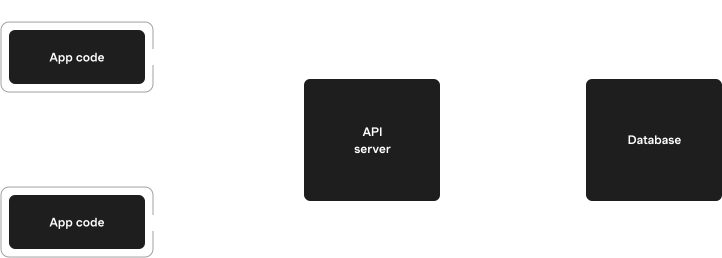
This works, but has downsides:
* **Slow access.** Every read and write has to go to the server, adding hundreds of milliseconds to each interaction.
* **Stale data.** API responses are immediately stale. The client has no way to know when to refresh them. Users may make decisions based on old information, and the views on different devices diverge over time.
* **Online-only.** If the server or the user's network connection is down, the app stops working completely.
## Solution
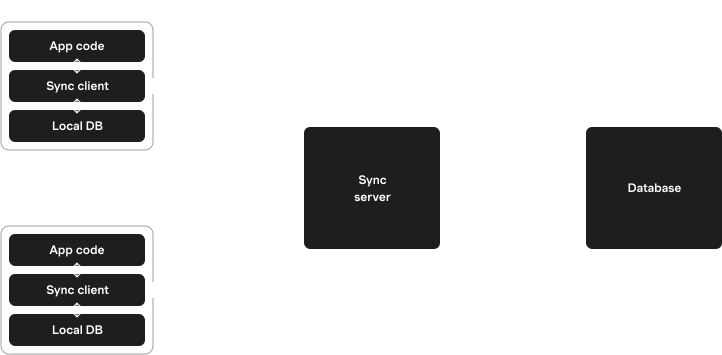
Sync engines can solve these problems by keeping a local copy of the data on each device.
The app reads and writes *only to the local copy*, not to the network. The sync engine pushes changes back and forth between the local copy and the server in the background, when connectivity allows.
> 🤔 **What about conflicts?**: If the sync engine allows writes from multiple devices, conflicts can occur. This is a central part of sync engine design, and different sync engines handle conflicts differently.
>
> Zero uses [server reconciliation](https://zero.rocicorp.dev/docs/mutators#architecture) – an elegant and flexible technique pioneered by the video game industry.
This architecture can enable:
* **Instant UI.** Reads and writes are to local storage, effectively instant.
* **Realtime updates.** By running the sync engine continuously, users can see updates from other devices and users in realtime. The data is always fresh.
* **Offline support.** Because data is stored locally, it is possible to support at least limited offline access. For example, Zero supports [read-only access while offline](https://zero.rocicorp.dev/docs/connection#offline), and other sync engines support some limited offline writes.
Sync engines also simplify the development of complex apps. Big parts of modern app development are just data plumbing: fetching data, updating data, caching data, invalidating caches, keeping different copies of data consistent, and so-on. A sync engine abstracts all this away and lets you focus on what your app actually does.
## History of Sync
Sync Engines have been around a long time.
The first mass-market sync engine was probably [Lotus Notes](https://en.wikipedia.org/wiki/HCL_Notes), released way back in 1989! Since then, there has been a steady trickle of important software built on sync engines:
* Microsoft Exchange (1996)
* Google Docs (2006)
* Dropbox (2007)
* Figma (2016)
* Superhuman (2017)
* Linear (2019)
But sync engines are very hard to build. Typically, a new custom sync engine is built for each application at great expense. Knowledge about the specific application and its data model must be built into each sync engine to correctly handle conflicts and partial sync.
There have also been some attempts at general-purpose sync engines:
* [Meteor](https://docs.meteor.com/) (2011) - a full-stack reactive sync platform.
* [Firebase Realtime Database](https://firebase.google.com/products/realtime-database) (2012) - a cloud-hosted database and that syncs.
* [PouchDB](https://pouchdb.com/) (2013) - a sync engine attachment for CouchDB.
* [Realm](https://github.com/realm) (2016) - a mobile database with sync capabilities.
* [Replicache](https://replicache.dev/) (2020) - The predecessor to Zero, a JavaScript library for building collaborative applications with real-time sync.
But all have suffered from one or more significant problems that have prevented widespread adoption:
* No support for fine-grained authorization
* Limited support for partial sync – users have to sync all data, even if they only need a small subset
* Required adoption of non-standard backend databases or data models
* Limited ability to put custom business logic on read or write paths
We are building Zero to address these limitations, and bring the benefits of sync to many more applications.
---
Source: https://zero.rocicorp.dev/docs/when-to-use
And When Not To – A Quick Guide
# When To Use Zero
Every tool has tradeoffs. This page will help you understand if Zero is a good fit for what you're building.
## Zero Might be a Good Fit
### You want to sync only a small subset of data to client
Zero's query-driven sync is a powerful solution for partial sync. You can define the data you want to sync with a set of Zero queries. By using partial sync, Zero apps can commonly load in \< 1s, yet still maintain the interaction perf of sync.
### You need fine-grained read or write permissions
Zero's [mutators](https://zero.rocicorp.dev/docs/mutators) allow you to run arbitrary authorization, validation, or business logic on the write path. You can enforce that a write depends on what group a user is in, what has been shared with them, their role, etc. [Read permissions](https://zero.rocicorp.dev/docs/auth#read-permissions) are very expressive, allowing similar control over what data is synced to the client.
### You are building a traditional client-server web app
Zero was designed from the ground up to be as close to a classic web app as a sync engine can be. If you have a traditional web app, you can try Zero side-by-side with your existing REST or GraphQL API, and incrementally migrate over time.
### You use PostgreSQL
Some tools in our space require you to use a non-standard backend database or data model. Zero works with PostgreSQL, and uses your existing schema.
### Your app is broadly "like Linear"
Zero is currently best suited for productivity apps with lots of interactivity.
### Interaction performance is very important to you
Zero was built by people obsessed with interaction performance. If you share this goal you'll be going with the grain of Zero's design choices.
## Zero Might Not be a Good Fit
### You need the privacy or data ownership benefits of local-first
Zero is not [local-first](https://www.inkandswitch.com/essay/local-first/). It's a client-server system with an authoritative server.
### You need to support offline writes or long periods offline
Zero doesn't support [offline writes](https://zero.rocicorp.dev/docs/connection#offline).
### You are building a native mobile app
Zero is written in TypeScript and only supports TypeScript clients.
### The total backend dataset is > \~100GB
Zero stores a replica of your database (at least the subset you want to be syncable to clients) in a SQLite database owned by zero-cache.
Zero's query engine is built assuming very fast local access to this replica (i.e., attached NVMe). But other setups are technically supported and work for smaller data.
The ultimate size limit on the database that Zero can work with is the size limit of this SQLite database. So [up to 45TB on EC2](https://aws.amazon.com/ec2/instance-types/) at time of writing.
However, most of our customers today use Zero with smaller datasets. We currently recommend Zero for use with datasets less than 100GB. If you want to work with larger datasets, please [reach out](https://discord.rocicorp.dev) and we can talk it through with you.
## Zero Might Not be a Good Fit **Yet**
Please see [our roadmap](https://zero.rocicorp.dev/docs/status#roadmap) for high-priority upcoming Zero features.
## Alternatives
If Zero isn't right for you, here are some good alternatives to consider:
* [Automerge](https://automerge.org/): Local-first, CRDT-based solution. Pioneering branch-based offline support.
* [Convex](https://www.convex.dev/): Not a sync engine (reads and writes are server-first), but a very nice reactive database that is in GA.
* [Ditto](https://www.ditto.com/): CRDT-based, with high quality offline support.
* [Electric](https://electric-sql.com/): Postgres-based sync engine with a SaaS cloud.
* [LiveStore](https://livestore.dev/): Interesting event sourced design from one of the founders of Prisma.
* [Jazz](https://jazz.tools/): Batteries-included local-first.
* [PowerSync](https://powersync.com/): Sync engine that works with Postgres, MySQL, and MongoDB.
---
# Project Status
Source: https://zero.rocicorp.dev/docs/status
> 🎉 **Zero to 1.0**: As of March 2026, Zero is generally available and fully-supported.
## Breaking Changes
While we cannot commit to *never* introducing breaking changes, our goal is to keep the API very stable from here on out. New features will be added in a backwards-compatible way, and deprecated features will be removed after a reasonable deprecation period.
## Roadmap
At this point, our roadmap is largely responsive. We are focused more on fixing reported bugs and improving performance of the existing features, and less on adding new features. That said there are still some big things we would like to do.
### 2026
Major things definitely planned for 2026:
* Get [Cloud Zero](https://zero.rocicorp.dev/#pricing) to full public availability
* [Column permissions](https://bugs.rocicorp.dev/p/zero/issue/3178)
* [Terabugs](https://bugs.rocicorp.dev/issue/3158)
### Soon
Things we would like to do in 2026, but are not committing to:
* [Aggregates](https://bugs.rocicorp.dev/issue/3040) (count, min, max, group-by)
* [SSR](https://bugs.rocicorp.dev/issue/3491)
* [JSON filters](https://bugs.rocicorp.dev/p/zero/issue/3385)
* First-class text search
## Using Zero
---
# Zero Schema
Source: https://zero.rocicorp.dev/docs/schema
Zero applications have both a *database schema* (the normal backend schema all web apps have) and a *Zero schema*.
The Zero schema is conventionally located in `schema.ts` in your app's source code. The Zero schema serves two purposes:
1. Provide typesafety for ZQL queries
2. Define first-class relationships between tables
The Zero schema is usually generated from your backend schema, but can be defined by hand for more control.
## Generating from Database
If you use Drizzle or Prisma ORM, you can generate `schema.ts` with [`drizzle-zero`](https://www.npmjs.com/package/drizzle-zero) or [`prisma-zero`](https://www.npmjs.com/package/prisma-zero):
**Drizzle**
**npm**
```bash
npm install -D drizzle-zero
npx drizzle-zero generate
```
**pnpm**
```bash
pnpm add -D drizzle-zero
pnpm exec drizzle-zero generate
```
**bun**
```bash
bun add -D drizzle-zero
bunx drizzle-zero generate
```
**yarn**
```bash
yarn add -D drizzle-zero
yarn exec drizzle-zero generate
```
**Prisma**
**npm**
```bash
npm install -D prisma-zero
# Add this to your prisma schema:
# generator zero {
# provider = "prisma-zero"
# }
npx prisma generate
```
**pnpm**
```bash
pnpm add -D prisma-zero
# Add this to your prisma schema:
# generator zero {
# provider = "prisma-zero"
# }
pnpx prisma generate
```
**bun**
```bash
bun add -D prisma-zero
# Add this to your prisma schema:
# generator zero {
# provider = "prisma-zero"
# }
bunx prisma generate
```
**yarn**
```bash
yarn add -D prisma-zero
# Add this to your prisma schema:
# generator zero {
# provider = "prisma-zero"
# }
yarn prisma generate
```
> 🧑💻 **Not seeing your generator?**: We'd love more! See the source for [drizzle-zero](https://github.com/rocicorp/drizzle-zero)and [prisma-zero](https://github.com/rocicorp/prisma-zero)as a guide, or reach out on [Discord](https://discord.rocicorp.dev/) with questions.
## Writing by Hand
You can also write Zero schemas by hand for full control.
### Table Schemas
Use the `table` function to define each table in your Zero schema:
```tsx
import {table, string, boolean} from '@rocicorp/zero'
const user = table('user')
.columns({
id: string(),
name: string(),
partner: boolean()
})
.primaryKey('id')
```
Column types are defined with the `boolean()`, `number()`, `string()`, `json()`, and `enumeration()` helpers. See [Column Types](https://zero.rocicorp.dev/docs/postgres-support#column-types) for how database types are mapped to these types.
#### Name Mapping
Use `from()` to map a TypeScript table or column name to a different database name:
```ts
const userPref = table('userPref')
// Map TS "userPref" to DB name "user_pref"
.from('user_pref')
.columns({
id: string(),
// Map TS "orgID" to DB name "org_id"
orgID: string().from('org_id')
})
```
#### Multiple Schemas
You can also use `from()` to access other Postgres schemas:
```ts
// Sync the "event" table from the "analytics" schema.
const event = table('event').from('analytics.event')
```
#### Optional Columns
Columns can be marked *optional*. This corresponds to the SQL concept `nullable`.
```tsx
const user = table('user')
.columns({
id: string(),
name: string(),
nickName: string().optional()
})
.primaryKey('id')
```
An optional column can store a value of the specified type or `null` to mean *no value*.
> **Null and undefined**: Note that `null` and `undefined` mean different things when working with Zero rows.
>
> * When reading, if a column is `optional`, Zero can return `null` for that field. `undefined` is not used at all when Reading from Zero.
> * When writing, you can specify `null` for an optional field to explicitly write `null` to the datastore, unsetting any previous value.
> * For `create` and `upsert` you can set optional fields to `undefined` (or leave the field off completely) to take the default value as specified by backend schema for that column. For `update` you can set any non-PK field to `undefined` to leave the previous value unmodified.
#### Enumerations
Use the `enumeration` helper to define a column that can only take on a specific set of values. This is most often used alongside an [`enum` Postgres column type](https://zero.rocicorp.dev/docs/postgres-support#column-types).
```tsx
import {table, string, enumeration} from '@rocicorp/zero'
const user = table('user')
.columns({
id: string(),
name: string(),
mood: enumeration<'happy' | 'sad' | 'taco'>()
})
.primaryKey('id')
```
#### Custom JSON Types
Use the `json` helper to define a column that stores a JSON-compatible value:
```tsx
import {table, string, json} from '@rocicorp/zero'
const user = table('user')
.columns({
id: string(),
name: string(),
settings: json<{theme: 'light' | 'dark'}>()
})
.primaryKey('id')
```
#### Compound Primary Keys
Pass multiple columns to `primaryKey` to define a compound primary key:
```ts
const user = table('user')
.columns({
orgID: string(),
userID: string(),
name: string()
})
.primaryKey('orgID', 'userID')
```
### Relationships
Use the `relationships` function to define relationships between tables. Use the `one` and `many` helpers to define singular and plural relationships, respectively:
```ts
const messageRelationships = relationships(
message,
({one, many}) => ({
sender: one({
sourceField: ['senderID'],
destField: ['id'],
destSchema: user
}),
replies: many({
sourceField: ['id'],
destSchema: message,
destField: ['parentMessageID']
})
})
)
```
This creates "sender" and "replies" relationships that can later be queried with the [`related` ZQL clause](https://zero.rocicorp.dev/docs/zql#relationships):
```ts
const messagesWithSenderAndReplies = z.query.messages
.related('sender')
.related('replies')
```
This will return an object for each message row. Each message will have a `sender` field that is a single `User` object or `null`, and a `replies` field that is an array of `Message` objects.
#### Many-to-Many Relationships
You can create many-to-many relationships by chaining the relationship definitions. Assuming `issue` and `label` tables, along with an `issueLabel` junction table, you can define a `labels` relationship like this:
```ts
const issueRelationships = relationships(
issue,
({many}) => ({
labels: many(
{
sourceField: ['id'],
destSchema: issueLabel,
destField: ['issueID']
},
{
sourceField: ['labelID'],
destSchema: label,
destField: ['id']
}
)
})
)
```
> **Only two levels of chaining are supported**: See [https://bugs.rocicorp.dev/issue/3454](https://bugs.rocicorp.dev/issue/3454).
#### Compound Keys Relationships
Relationships can traverse compound keys. Imagine a `user` table with a compound primary key of `orgID` and `userID`, and a `message` table with a related `senderOrgID` and `senderUserID`. This can be represented in your schema with:
```ts
const messageRelationships = relationships(
message,
({one}) => ({
sender: one({
sourceField: ['senderOrgID', 'senderUserID'],
destSchema: user,
destField: ['orgID', 'userID']
})
})
)
```
#### Circular Relationships
Circular relationships are fully supported:
```tsx
const commentRelationships = relationships(
comment,
({one}) => ({
parent: one({
sourceField: ['parentID'],
destSchema: comment,
destField: ['id']
})
})
)
```
### Database Schemas
Use `createSchema` to define the entire Zero schema:
```tsx
import {createSchema} from '@rocicorp/zero'
export const schema = createSchema({
tables: [user, medium, message],
relationships: [
userRelationships,
mediumRelationships,
messageRelationships
]
})
```
### Register Schema Type
Use `DefaultTypes` to register the your `Schema` type with Zero:
```ts
declare module '@rocicorp/zero' {
interface DefaultTypes {
schema: Schema
}
}
```
This prevents having to pass `Schema` manually to every Zero API.
## Schema Changes
Zero applications have three components that interact with the database schema: Postgres, the API server (query/mutate endpoints), and the client.
### Development
During development, you can make changes to all three components in any order:
* Change the Postgres schema
* Update the API server to use the new schema
* Update client code to use the new schema
If the Zero client ever detects that its schema is incompatible with the server, it disconnects and fires the [`onUpdateNeeded` event](#handling-old-clients). If the API server ever detects that it has an incompatible schema, it will fail with an error. Simply reloading the app fixes both issues.
### Production
Zero also supports downtime-free schema changes for use in production. To achieve this, the order you deploy in matters:
* **Expand** (adding things): Deploy providers before consumers. DB → API → Client.
* **Contract** (removing things): Deploy consumers before providers. Client → API → DB.
> **Test on staging first**: For production apps, we strongly recommend testing schema changes on a staging environment that has a production-like dataset before deploying to production.
### Expand Changes
When you're adding a column, table, or new mutator/query:
1. Deploy the database change and wait for it to replicate through `zero-cache`.
* In Cloud Zero, you can see replication status in the dashboard.
* In self-hosted `zero-cache`, check the logs.
* If there's [backfill](#backfill), wait for that to complete.
2. Deploy the API server.
3. Deploy the client.
> **Custom publications + Supabase**: If you use a [custom publication](https://zero.rocicorp.dev/docs/postgres-support#limiting-replication) with Supabase, you need to [manually notify`zero-cache`](https://zero.rocicorp.dev/docs/connecting-to-postgres#publication-changes)of changes to your publication.
For full-stack frameworks where the API and client deploy together, steps 2 and 3 are combined.
If your change doesn't affect the Postgres schema (for example, just adding a mutator that uses existing columns), skip step 1. If your change doesn't affect the API server, skip step 2.
> 👨🏫 **Incorrect deployment order will cause downtime**: If you deploy the API server before the schema change has replicated, mutators and/or queries will fail because they will refer to non-existent columns.
>
> If you deploy the client before the API change, the client will call mutators/queries that don't exist yet.
>
> Both these issues will cause Zero to go into an [error](https://zero.rocicorp.dev/docs/connection#error) state. The user can manually reload to recover from this as soon as the depended-upon component has been deployed.
### Contract Changes
When you're removing a column, table, or mutator/query:
1. Deploy the client (stop using the thing being removed).
2. Deploy the API server (stop providing the thing being removed).
3. Deploy the database change.
> **Handling old clients**: When a client connects to `zero-cache`, it sends the schema it was built against. If that schema is incompatible with what `zero-cache` has (for example if server has just contracted), the client receives an error and calls `onUpdateNeeded`:
>
> ```ts
> new Zero({
> // Optional. By default calls location.reload()
> onUpdateNeeded: reason => {
> if (reason.type === 'SchemaVersionNotSupported') {
> // Show a banner prompting the user to update
> }
> }
> })
> ```
>
> By default `onUpdateNeeded` calls `location.reload()` if available. On the web, this will reload the page and the user will get the new code.
>
> For native apps or web apps that want a smoother experience, provide a custom `onUpdateNeeded` callback.
### Compound Changes
Some changes are both expand and contract—like renaming a column or changing a mutator's interface.
For these, you run both patterns in sequence:
1. **Expand**: Add the new column/mutator. Optionally backfill data and add a trigger to keep the old column in sync.
2. **Contract**: Remove the old column/mutator.
### Examples
#### Adding a Column
Add a `bio` column to the `users` table:
1. **Add column to database**
```sql
ALTER TABLE users ADD COLUMN bio TEXT;
```
Wait for replication.
2. **Deploy API server**
* Add `bio` to schema.ts
* Add any new queries that read `bio`
* Add any new mutators that write to `bio`
* Deploy
3. **Deploy client**
* Update app code to display/edit `bio`
* Deploy
For full-stack frameworks, steps 2 and 3 are a single deploy.
Even when the API server and client are separate, they can be deployed in sequence by CI using a single PR. The client just can't be deployed until the API server is complete.
#### Removing a Column
Remove the `bio` column from the `users` table:
1. **Deploy client**
* Remove `bio` from app code
* Deploy
2. **Deploy API server**
* Remove mutators that write to `bio`
* Remove queries that read `bio`
* Remove `bio` from schema.ts
* Deploy
3. **Remove column from database**
```sql
ALTER TABLE users DROP COLUMN bio;
```
#### Renaming a Column
Rename `nickname` to `displayName`:
1. **Add new column with trigger**
```sql
ALTER TABLE users ADD COLUMN display_name TEXT;
UPDATE users SET display_name = nickname;
CREATE FUNCTION sync_display_name() RETURNS TRIGGER AS $$
BEGIN
IF TG_OP = 'INSERT' THEN
-- On insert, sync whichever column was provided
IF NEW.display_name IS NULL AND NEW.nickname IS NOT NULL THEN
NEW.display_name := NEW.nickname;
ELSIF NEW.nickname IS NULL AND NEW.display_name IS NOT NULL THEN
NEW.nickname := NEW.display_name;
END IF;
ELSE -- UPDATE
-- Sync whichever column changed
IF NEW.display_name IS DISTINCT FROM OLD.display_name AND
NEW.nickname IS NOT DISTINCT FROM OLD.nickname THEN
NEW.nickname := NEW.display_name;
ELSIF NEW.nickname IS DISTINCT FROM OLD.nickname AND
NEW.display_name IS NOT DISTINCT FROM OLD.display_name THEN
NEW.display_name := NEW.nickname;
END IF;
END IF;
RETURN NEW;
END;
$$ LANGUAGE plpgsql;
CREATE TRIGGER sync_display_name_trigger
BEFORE INSERT OR UPDATE ON users
FOR EACH ROW EXECUTE FUNCTION sync_display_name();
```
Wait for replication.
2. **Deploy app using new column**
* Add `displayName` to schema.ts
* Update app code to read/write `displayName`
* Update queries to read/write `displayName`
* Update mutators to use `displayName`
* Deploy API → Client
3. **Remove old column**
* Remove `nickname` from schema.ts
* Deploy Client → API
* Drop trigger and old column:
```sql
DROP TRIGGER sync_display_name_trigger ON users;
DROP FUNCTION sync_display_name();
ALTER TABLE users DROP COLUMN nickname;
```
#### Making a Column Optional
Change `nickname` from required to optional:
The safest approach is to treat this like a rename—create a new nullable column:
1. **Add new nullable column with trigger**
```sql
ALTER TABLE users ADD COLUMN nickname_v2 TEXT; -- nullable
UPDATE users SET nickname_v2 = nickname;
CREATE FUNCTION sync_nickname() RETURNS TRIGGER AS $$
BEGIN
IF TG_OP = 'INSERT' THEN
-- On insert, sync whichever column was provided
IF NEW.nickname_v2 IS NULL AND NEW.nickname IS NOT NULL THEN
NEW.nickname_v2 := NEW.nickname;
ELSIF NEW.nickname IS NULL AND NEW.nickname_v2 IS NOT NULL THEN
NEW.nickname := COALESCE(NEW.nickname_v2, ''); -- default for old clients
END IF;
ELSE -- UPDATE
-- Sync whichever column changed
IF NEW.nickname_v2 IS DISTINCT FROM OLD.nickname_v2 AND
NEW.nickname IS NOT DISTINCT FROM OLD.nickname THEN
NEW.nickname := COALESCE(NEW.nickname_v2, ''); -- default for old clients
ELSIF NEW.nickname IS DISTINCT FROM OLD.nickname AND
NEW.nickname_v2 IS NOT DISTINCT FROM OLD.nickname_v2 THEN
NEW.nickname_v2 := NEW.nickname;
END IF;
END IF;
RETURN NEW;
END;
$$ LANGUAGE plpgsql;
CREATE TRIGGER sync_nickname_trigger
BEFORE INSERT OR UPDATE ON users
FOR EACH ROW EXECUTE FUNCTION sync_nickname();
```
Wait for replication.
2. **Deploy app using new column**
* Add `nicknameV2` to schema.ts as `optional()`
* Update app code to handle nulls
* Deploy API → Client
3. **Remove old column**
* Remove `nickname` from schema.ts
* Rename `nickname_v2` to `nickname` if desired (another rename cycle), or keep the new name
* Deploy Client → API
* Drop trigger and old column
### Quick Reference
| Change | Deploy Order |
| ----------------------------- | --------------------------------------------- |
| Add column/table | DB → (wait) → API → Client |
| Remove column/table | Client (maybe wait for app update) → API → DB |
| Add mutator/query | API → Client |
| Remove mutator/query | Client → API |
| Change mutator implementation | API only |
| Change mutator interface | Add mutator → Client → Remove mutator |
| Rename column/table | Add new + Migrate → Remove old |
### Backfill
When you add a new column or table to your schema, initial data (from e.g., `GENERATED`, `DEFAULT`, `CURRENT_TIMESTAMP`, etc.) needs to be replicated to `zero-cache` and synced to clients.
Similarly, when adding an existing column to a [custom publication](https://zero.rocicorp.dev/docs/postgres-support#zero-cache-replication), that column's existing data needs to be replicated.
Zero handles both these cases through a process called *backfilling*.
Zero backfills existing data to the replica in the background after detecting a new column. The new column is not exposed to the client until all data has been backfilled, which may take some time depending on the amount of data.
### Monitoring Backfill Progress
To track backfill progress, check your `zero-cache` logs for messages about backfilling status.
If you're using [Cloud Zero](https://zerosync.dev/#pricing), backfill progress is displayed directly in the dashboard.
---
# Authentication
Source: https://zero.rocicorp.dev/docs/auth
Setting up auth in Zero apps has the following steps:
1. Set `userID` on the client
2. Define the `Context` type for permissions
3. Implement query and mutate endpoints
4. Log out
## Set userID on Client
Your app will already know the logged-in user from whatever auth provider you use. Pass this `userID` to Zero on construction:
**React**
```tsx
import {ZeroProvider} from '@rocicorp/zero/react'
return (
)
```
**SolidJS**
```tsx
import {ZeroProvider} from '@rocicorp/zero/solid'
return (
)
```
**TypeScript**
```ts
import {Zero} from '@rocicorp/zero'
import type {ZeroOptions} from '@rocicorp/zero'
const zero = new Zero({
userID
// ...
})
```
If the user is logged out, omit `userID`, or set to `undefined` / `null`:
**React**
```tsx
import {ZeroProvider} from '@rocicorp/zero/react'
return (
)
```
**SolidJS**
```tsx
import {ZeroProvider} from '@rocicorp/zero/solid'
return (
)
```
**TypeScript**
```ts
const zero = new Zero({
userID: null
// ...
})
```
Zero uses the `userID` field to segregate the client-side storage for each user. This allows users to quickly switch between multiple users and accounts without resyncing.
> 🧑🏫 **Users that have share computers have access to each others' data**: There is nothing that Zero can do about this – users can just open the folder where the data is stored and look inside it.
>
> If preventing this is important to you, set `kvStore: 'mem'` in your `ZeroOptions`. This uses in-memory storage instead, so data is not persisted on the device and is cleared on full reloads and browser restarts.
If you have more than one set of Zero data per-user (i.e., for different apps in the same domain), you can additionally use the `storageKey` parameter:
```ts
const opts: ZeroOptions = {
// ...
userID: 'user-123',
storageKey: 'my-app'
}
```
If specified, `storageKey` is concatenated along with `userID` and other internal Zero information to form a unique IndexedDB database name.
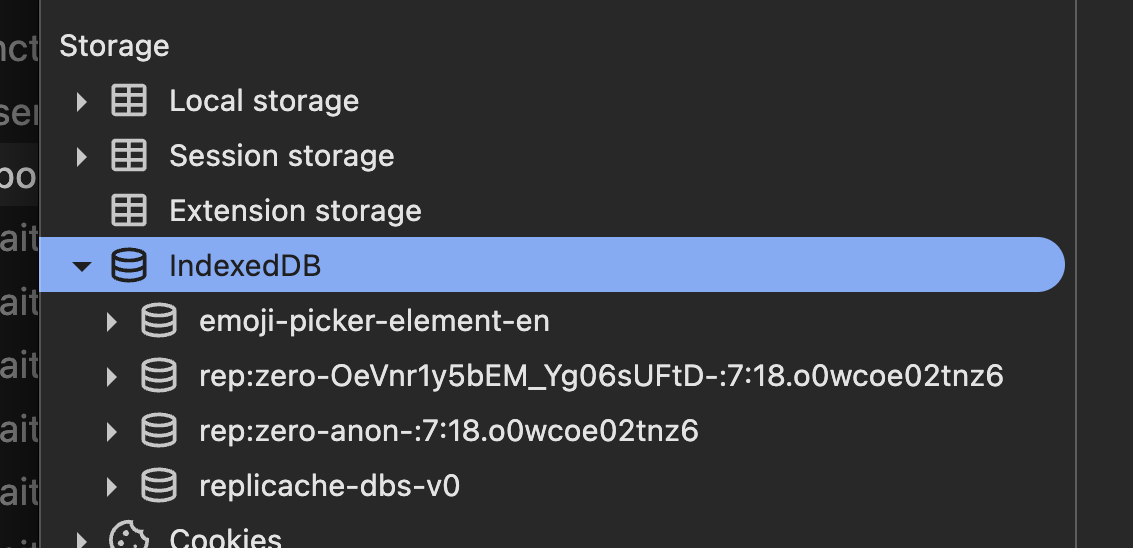
## Define the `Context` Type
When a user is authenticated, you will want to know who they are in your [queries](https://zero.rocicorp.dev/docs/queries) and [mutators](https://zero.rocicorp.dev/docs/mutators) to enforce permissions.
To do this, first define a `Context` type that includes the user's ID and any other relevant information, then register that type globally with Zero:
```ts
export type ZeroContext = {
id: string
}
declare module '@rocicorp/zero' {
interface DefaultTypes {
context: ZeroContext
}
}
```
Then pass an instance of this context when instantiating Zero on the client:
```tsx
const opts: ZeroOptions = {
// ...
userID: 'user-123',
context: {
id: 'user-123'
}
}
```
If your app also supports guest access, allow `Context` to be `undefined` (or `null`) when the request is unauthenticated, and pass `undefined` or `null` for the `userID`.
```ts
declare module '@rocicorp/zero' {
interface DefaultTypes {
context: ZeroContext | undefined
}
}
const opts: ZeroOptions = {
// ...
userID: undefined,
context: undefined
}
```
## Send Credentials
Both cookies and tokens are supported.
### Cookies
The most common way to authenticate Zero is with cookies.
To enable it, set the [`ZERO_QUERY_FORWARD_COOKIES`](https://zero.rocicorp.dev/docs/zero-cache-config#query-forward-cookies) and [`ZERO_MUTATE_FORWARD_COOKIES`](https://zero.rocicorp.dev/docs/zero-cache-config#mutate-forward-cookies) options to `true`:
```bash
# ... other env vars
export ZERO_QUERY_FORWARD_COOKIES="true"
export ZERO_MUTATE_FORWARD_COOKIES="true"
# run zero-cache, e.g. `npx zero-cache-dev`
```
Zero-cache will then forward all cookies sent to `cacheURL` to your [mutators](https://zero.rocicorp.dev/docs/mutators) and [queries](https://zero.rocicorp.dev/docs/queries) endpoints. Cookies will show up in the normal HTTP `Cookie` header and you can authenticate these endpoints just like you would any API request:
**Tanstack Start**
```ts
// src/routes/api/zero/query.ts
import {createFileRoute} from '@tanstack/react-router'
export const Route = createFileRoute('/api/zero/query')({
server: {
handlers: {
POST: async ({request}) => {
const session = await authenticate(
request.headers.get('Cookie')
)
// ... handle query ...
}
}
}
})
```
**Next.js**
```ts
// app/api/zero/query/route.ts
export async function POST(request: Request) {
const session = await authenticate(
request.headers.get('Cookie')
)
// ... handle query ...
}
```
**Solid Start**
```ts
// src/routes/api/zero/query.ts
import type {APIEvent} from '@solidjs/start/server'
export async function POST(event: APIEvent) {
const session = await authenticate(
event.request.headers.get('Cookie')
)
// ... handle query ...
}
```
**Hono**
```ts
// api/app.ts
import {Hono} from 'hono'
const app = new Hono()
app.post('/api/zero/query', async c => {
const request = c.req.raw
const session = await authenticate(
request.headers.get('Cookie')
)
// ... handle query ...
})
```
### Cookie Deployment
In order for cookie auth to work, the browser must send your frontend's cookies to `zero-cache`, so that `zero-cache` can forward them to your API.
During development, this works automatically as long as your frontend and `zero-cache` are both running on `localhost` with different ports. Browsers send cookies based on domain name, not port number, so cookies set by `localhost:3000` are also sent to `localhost:4848`.
For production you'll need to do two things:
1. Run `zero-cache` on a subdomain of your main site (e.g., `zero.example.com` if your main site is `example.com`). Consult your hosting provider's docs, or your favorite LLM for how to configure this.
2. Set cookies from your main site with the `Domain` attribute set to your root domain (e.g., `.example.com`). If you use a third-party auth provider, consult their docs on how to do this. For example, for Better Auth, this is done with the [`crossSubDomainCookies`](https://www.better-auth.com/docs/concepts/cookies#cross-subdomain-cookies) feature.
> ⚠️ **Never use SameSite=None for auth cookies**: Do not set `SameSite=None` on cookies used for authentication with Zero. Because Zero uses WebSockets, setting `SameSite=None` can expose your application to [Cross-Site WebSocket Hijacking (CSWSH)](https://christian-schneider.net/CrossSiteWebSocketHijacking.html) attacks.
>
> Use `SameSite=Lax` (the browser default) or `SameSite=Strict` instead.
### Tokens
Zero also supports token-based authentication.
If you have an opaque auth token, such as a JWT or a token from your auth provider, you can pass it to Zero's `auth` parameter:
**React**
```tsx
import {ZeroProvider} from '@rocicorp/zero/react'
return (
)
```
**SolidJS**
```tsx
import {ZeroProvider} from '@rocicorp/zero/solid'
return (
)
```
**TypeScript**
```ts
const zero = new Zero({
userID,
auth: token
// ...
})
```
Zero will forward this token to your [mutators](https://zero.rocicorp.dev/docs/mutators) and [queries](https://zero.rocicorp.dev/docs/queries) endpoints in an `Authorization: Bearer ` header:
**Tanstack Start**
```ts
// src/routes/api/zero/query.ts
import {createFileRoute} from '@tanstack/react-router'
export const Route = createFileRoute('/api/zero/query')({
server: {
handlers: {
POST: async ({request}) => {
const session = await authenticate(
request.headers.get('Cookie')
)
// ... handle query ...
}
}
}
})
```
**Next.js**
```ts
// app/api/zero/query/route.ts
export async function POST(request: Request) {
const session = await authenticate(
request.headers.get('Cookie')
)
// ... handle query ...
}
```
**Solid Start**
```ts
// src/routes/api/zero/query.ts
import type {APIEvent} from '@solidjs/start/server'
export async function POST(event: APIEvent) {
const session = await authenticate(
event.request.headers.get('Cookie')
)
// ... handle query ...
}
```
**Hono**
```ts
// api/app.ts
import {Hono} from 'hono'
const app = new Hono()
app.post('/api/zero/query', async c => {
const request = c.req.raw
const session = await authenticate(
request.headers.get('Cookie')
)
// ... handle query ...
})
```
## Implement API Endpoints
Create a Context object from the validated credentials and pass it to your [query](https://zero.rocicorp.dev/docs/queries#server-setup) and [mutator](https://zero.rocicorp.dev/docs/mutators#server-setup) functions.
### Query
**Tanstack Start**
```ts
// src/routes/api/zero/query.ts
import {createFileRoute} from '@tanstack/react-router'
import {handleQueryRequest} from '@rocicorp/zero/server'
import {mustGetQuery} from '@rocicorp/zero'
import {queries} from 'queries.ts'
import {schema} from 'schema.ts'
export const Route = createFileRoute('/api/zero/query')({
server: {
handlers: {
POST: async ({request}) => {
const session = await authenticate(
request.headers.get('Cookie')
)
const result = await handleQueryRequest({
handler: (name, args) => {
const query = mustGetQuery(queries, name)
return query.fn({
args,
ctx: session?.user
})
},
schema,
request,
userID: session?.user?.id
})
return Response.json(result)
}
}
}
})
```
**Next.js**
```ts
// app/api/zero/query/route.ts
import {handleQueryRequest} from '@rocicorp/zero/server'
import {mustGetQuery} from '@rocicorp/zero'
import {queries} from 'queries.ts'
import {schema} from 'schema.ts'
export async function POST(request: Request) {
const session = await authenticate(
request.headers.get('Cookie')
)
const result = await handleQueryRequest({
handler: (name, args) => {
const query = mustGetQuery(queries, name)
return query.fn({
args,
ctx: session?.user
})
},
schema,
request,
userID: session?.user?.id
})
return Response.json(result)
}
```
**Solid Start**
```ts
// src/routes/api/zero/query.ts
import type {APIEvent} from '@solidjs/start/server'
import {handleQueryRequest} from '@rocicorp/zero/server'
import {mustGetQuery} from '@rocicorp/zero'
import {queries} from 'queries.ts'
import {schema} from 'schema.ts'
export async function POST(event: APIEvent) {
const session = await authenticate(
event.request.headers.get('Cookie')
)
const result = await handleQueryRequest({
handler: (name, args) => {
const query = mustGetQuery(queries, name)
return query.fn({
args,
ctx: session?.user
})
},
schema,
request: event.request,
userID: session?.user?.id
})
return Response.json(result)
}
```
**Hono**
```ts
// api/app.ts
import {Hono} from 'hono'
import {handleQueryRequest} from '@rocicorp/zero/server'
import {mustGetQuery} from '@rocicorp/zero'
import {queries} from 'queries.ts'
import {schema} from 'schema.ts'
const app = new Hono()
app.post('/api/zero/query', async c => {
const request = c.req.raw
const session = await authenticate(
request.headers.get('Cookie')
)
const result = await handleQueryRequest({
handler: (name, args) => {
const query = mustGetQuery(queries, name)
return query.fn({
args,
ctx: session?.user
})
},
schema,
request,
userID: session?.user?.id
})
return c.json(result)
})
```
### Mutate
**Tanstack Start**
```ts
// src/routes/api/zero/mutate.ts
import {createFileRoute} from '@tanstack/react-router'
import {handleMutateRequest} from '@rocicorp/zero/server'
import {mustGetMutator} from '@rocicorp/zero'
import {mutators} from 'mutators.ts'
import {dbProvider} from 'db-provider.ts'
export const Route = createFileRoute('/api/zero/mutate')({
server: {
handlers: {
POST: async ({request}) => {
const session = await authenticate(
request.headers.get('Authorization')
)
const result = await handleMutateRequest({
dbProvider,
handler: transact =>
transact((tx, name, args) => {
const mutator = mustGetMutator(mutators, name)
return mutator.fn({
args,
tx,
ctx: session?.user
})
}),
request,
userID: session?.user?.id
})
return Response.json(result)
}
}
}
})
```
**Next.js**
```ts
// app/api/zero/mutate/route.ts
import {handleMutateRequest} from '@rocicorp/zero/server'
import {mustGetMutator} from '@rocicorp/zero'
import {mutators} from 'mutators.ts'
import {dbProvider} from 'db-provider.ts'
export async function POST(request: Request) {
const session = await authenticate(
request.headers.get('Authorization')
)
const result = await handleMutateRequest({
dbProvider,
handler: transact =>
transact((tx, name, args) => {
const mutator = mustGetMutator(mutators, name)
return mutator.fn({
args,
tx,
ctx: session?.user
})
}),
request,
userID: session?.user?.id
})
return Response.json(result)
}
```
**Solid Start**
```ts
// src/routes/api/zero/mutate.ts
import type {APIEvent} from '@solidjs/start/server'
import {handleMutateRequest} from '@rocicorp/zero/server'
import {mustGetMutator} from '@rocicorp/zero'
import {mutators} from 'mutators.ts'
import {dbProvider} from 'db-provider.ts'
export async function POST(event: APIEvent) {
const session = await authenticate(
event.request.headers.get('Authorization')
)
const result = await handleMutateRequest({
dbProvider,
handler: transact =>
transact((tx, name, args) => {
const mutator = mustGetMutator(mutators, name)
return mutator.fn({
args,
tx,
ctx: session?.user
})
}),
request: event.request,
userID: session?.user?.id
})
return Response.json(result)
}
```
**Hono**
```ts
// api/app.ts
import {Hono} from 'hono'
import {handleMutateRequest} from '@rocicorp/zero/server'
import {mustGetMutator} from '@rocicorp/zero'
import {mutators} from 'mutators.ts'
import {dbProvider} from './db-provider.ts'
const app = new Hono()
app.post('/api/zero/mutate', async c => {
const request = c.req.raw
const session = await authenticate(
request.headers.get('Authorization')
)
const result = await handleMutateRequest({
dbProvider,
handler: transact =>
transact((tx, name, args) => {
const mutator = mustGetMutator(mutators, name)
return mutator.fn({
args,
tx,
ctx: session?.user
})
}),
request,
userID: session?.user?.id
})
return c.json(result)
})
```
> **Why pass `userID` to `handleMutateRequest` and `handleQueryRequest`?**: Tabs in the same browser share synced data. This group of tabs is called a "client group", keyed by `clientGroupID`. New tabs join a client group by providing the `clientGroupID` during connection. Passing the server-verified `userID` to `handleMutateRequest` and `handleQueryRequest` lets Zero enforce that only tabs belonging to the original user can join.
## Updating Tokens
If you are using token auth and the user stays signed in as the same user, you can update the token without recreating Zero:
```ts
const nextToken = await fetchNewToken()
await zero.connection.connect({auth: nextToken})
```
When called while connected, Zero refreshes server-side auth context and re-transforms queries without reconnecting. The new token is also reused for later reconnects.
Use this only to refresh credentials for the current user. For logging out or logging in as a different user, recreate `Zero` with the new `userID` and `auth` values instead.
## Auth Failure and Refresh
To mark a request as unauthorized, return a `401` or `403` status code from your [queries](https://zero.rocicorp.dev/docs/queries) or [mutators](https://zero.rocicorp.dev/docs/mutators) endpoint.
```ts
const session = await authenticate(
request.headers.get('Authorization')
)
if (!session) {
// can be 401 or 403
return Response.json(
{error: 'Unauthorized'},
{status: 401}
)
}
// handle mutate/query request ...
```
This will cause Zero to disconnect from `zero-cache` and the [connection status](https://zero.rocicorp.dev/docs/connection) will change to `needs-auth`. For cookie auth, refresh the cookie and call `zero.connection.connect()`. For token auth, fetch a new token and call `zero.connection.connect({auth: newToken})`.
```tsx
function NeedsAuthDialog() {
const connectionState = useConnectionState()
const refreshCookie = async () => {
await login()
// no token needed since we use cookie auth
zero.connection.connect()
}
if (connectionState.name === 'needs-auth') {
return (
Authentication Required
)
}
return null
}
```
Or, if you are using token auth:
```tsx
function NeedsAuthDialog() {
const connectionState = useConnectionState()
const refreshAuthToken = async () => {
const token = await fetchNewToken()
// pass a new token to use when reconnecting to zero-cache
zero.connection.connect({auth: token})
}
if (connectionState.name === 'needs-auth') {
return (
Authentication Required
)
}
return null
}
```
## Permission Patterns
Zero does not have (or need) a first-class permission system like [RLS](https://supabase.com/docs/guides/database/postgres/row-level-security).
Instead, you implement permissions by authenticating the user in your [queries](https://zero.rocicorp.dev/docs/queries) and [mutators](https://zero.rocicorp.dev/docs/mutators) endpoints, and creating a [Context](#context) object that contains the user's ID and other information. This context is passed to your queries and mutators and used to control what data the user can access.
Here are a collection of common permissions patterns and how to implement them in Zero.
### Read Permissions
#### Only Owned Rows
```ts
// Use the context's user ID to filter the rows to only the
// ones owned by the user.
const myPosts = defineQuery(({ctx}) => {
return zql.post.where('authorID', ctx.id)
})
```
#### Owned or Shared Rows
```ts
// Use the context's user ID to filter the rows to only the
// ones owned by the user or shared with the user.
const allowedPosts = defineQuery(({ctx}) => {
return zql.post.where(({cmp, exists, or}) =>
or(
cmp('authorID', ctx.id),
exists('sharedWith', q => q.where('userID', ctx.id))
)
)
})
```
#### Owned Rows or All if Admin
```ts
const allowedPosts = defineQuery(({ctx}) => {
if (ctx.role === 'admin') {
return zql.post
}
return zql.post.where('authorID', ctx.id)
})
```
#### Deny by Returning No Rows
Read permissions in Zero are filter-based. If a user should not be able to see any rows for a query, return a query that matches no rows instead of throwing an error.
```ts
// The empty `or()` expression is always false,
// so this returns no rows.
const myPosts = defineQuery(({ctx}) => {
if (!ctx?.id) {
return zql.post.where(({or}) => or())
}
return zql.post.where('authorID', ctx.id)
})
```
### Write Permissions
#### Enforce Ownership
```ts
// All created items are owned by the user who created them.
const createPost = defineMutator(
z.object({
id: z.string(),
title: z.string(),
content: z.string()
}),
(tx, {ctx, args: {id, title, content}}) => {
return zql.post.insert({
id,
title,
content,
authorID: userID
})
}
)
```
#### Edit Owned Rows
```ts
const updatePost = defineMutator(
z.object({
id: z.string(),
content: z.string().optional()
}),
(tx, {ctx, args: {id, content}}) => {
const prev = await tx.run(
zql.post.where('id', id).one()
)
if (!prev) {
return
}
if (prev.authorID !== ctx.id) {
throw new Error('Access denied')
}
return zql.post.update({
id,
content
})
}
)
```
#### Edit Owned or Shared Rows
```ts
const updatePost = defineMutator(
z.object({
id: z.string(),
content: z.string().optional()
}),
(tx, {ctx, args: {id, content}}) => {
const prev = await tx.run(
zql.post
.where('id', id)
.related('sharedWith', q =>
q.where('userID', ctx.id)
)
.one()
)
if (!prev) {
return
}
if (
prev.authorID !== ctx.id &&
prev.sharedWith.length === 0
) {
throw new Error('Access denied')
}
return zql.post.update({
id,
content
})
}
)
```
#### Edit Owned or All if Admin
```ts
const updatePost = defineMutator(
z.object({
id: z.string(),
content: z.string().optional()
}),
(tx, {ctx, args: {id, content}}) => {
const prev = await tx.run(
zql.post.where('id', id).one()
)
if (!prev) {
return
}
if (ctx.role !== 'admin' && prev.authorID !== ctx.id) {
throw new Error('Access denied')
}
return zql.post.update({
id,
content
})
}
)
```
## Logging Out
When a user logs out, you should recreate `Zero` without `userID`, and consider what should happen to the synced data.
If you do nothing, the synced data will be left on the device. The next login will be a little faster because Zero doesn't have to resync that data from scratch. But also, the data will be left on the device indefinitely which could be undesirable for privacy and security.
If you instead want to clear data on logout, use `zero.delete()`:
```ts
await zero.delete()
```
This immediately closes the `Zero` instance and deletes all data from the browser's IndexedDB database.
---
Source: https://zero.rocicorp.dev/docs/queries
Reading and Syncing Data
# Queries
Queries are how you read and sync data with Zero. Here's a simple example:
```ts
// src/queries.ts
import {defineQueries, defineQuery} from '@rocicorp/zero'
import {z} from 'zod'
import {zql} from 'schema.ts'
export const queries = defineQueries({
postsByAuthor: defineQuery(
z.object({authorID: z.string()}),
({args: {authorID}}) =>
zql.post.where('authorID', authorID)
)
})
```
## Architecture
A copy of each query exists on both the client and on your server:
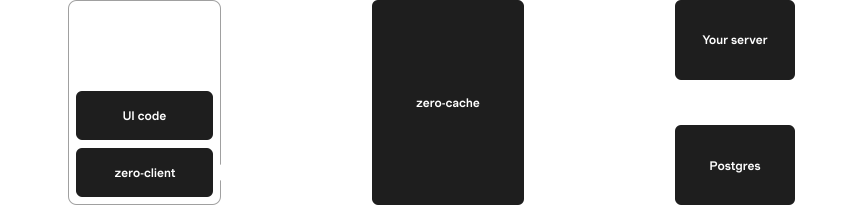
Often the implementations will be the same, and you can just share their code. This is easy with full-stack frameworks like TanStack Start or Next.js.
But the implementations don't have to be the same, or even compute the same result. For example, the server can add extra filters to enforce permissions that the client query does not.
### Life of a Query
When a query is invoked, it initially runs on the client, against the client-side datastore. Any matching data is returned immediately and the user sees instant results.
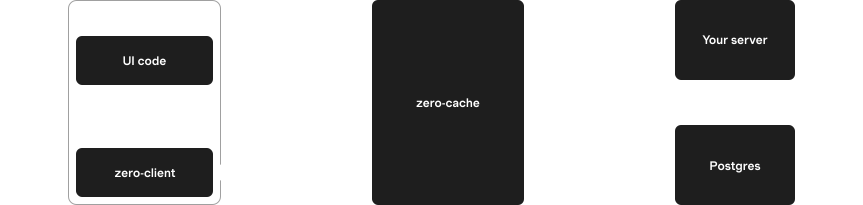
In the background, the name and arguments for the query are sent to zero-cache. Zero-cache calls the `queries` endpoint on your server to get the ZQL for the query. Your server looks up its implementation of the query, invokes it, and returns the resulting ZQL expression to zero-cache.
Zero-cache then runs this ZQL against the server-side data. The initial server result is sent back to the client and the client query updates in response.
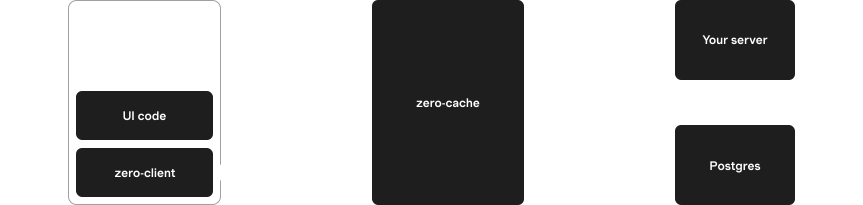
zero-cache receives updates from Postgres via logical replication. It updates affected queries and sends row changes back to the client, which updates the client query, and the user sees the changes.
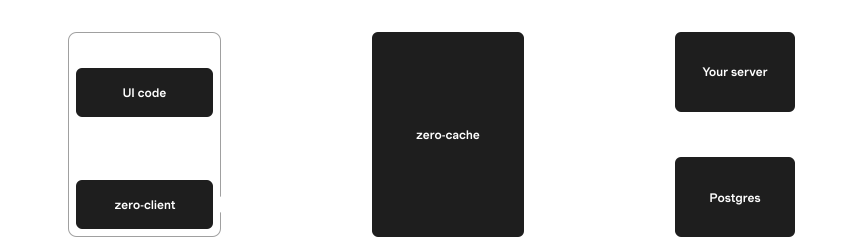
## Defining Queries
### Basics
Create a query using `defineQuery`.
The only required argument is a `QueryFn`, which must return a [ZQL](https://zero.rocicorp.dev/docs/zql) expression:
```ts
import {zql} from 'schema.ts'
const allPostsQueryDef = defineQuery(() => zql.post)
```
### Arguments
The `QueryFn` can take a single `args` parameter. To enable this, pass a *validator* to `defineQuery`:
```ts
import {zql} from 'schema.ts'
const postsByAuthor = defineQuery(
z.object({authorID: z.string().optional()}),
({args: {authorID}}) => {
let q = zql.post
if (authorID !== undefined) {
q = q.where('authorID', authorID)
}
return q
}
)
```
We use [Zod](https://zod.dev/) in these examples, but you can use any validation library that implements [Standard Schema](https://standardschema.dev/).
> **Why validators are required**: Zero queries run on both the client and [on your server](#server-setup). In the server case, the parameters come from the client and are untrusted. The validator ensures the data passed to your query is of the expected type.
### Query Registries
The result of `defineQuery` is a `QueryDefinition`. By itself this isn't super useful. You need to register it using `defineQueries`:
```ts
export const queries = defineQueries({
posts: {
all: allPostsQueryDef
}
})
```
Typically these are done together in one step:
```ts
export const queries = defineQueries({
posts: {
all: defineQuery(() => zql.post)
}
})
```
The result of `defineQueries` is called a `QueryRegistry`. Each field in the registry is a callable `Query` that you can use to read data:
```ts
import {zero} from 'zero.ts'
import {queries} from 'queries.ts'
const allPosts = await zero.run(queries.posts.all())
```
### Query Names
Each `Query` has a `queryName` which is computed by `defineQueries`. This name is later sent to your server to identify the query to run:
```ts
console.log(queries.posts.all.queryName)
// "posts.all"
```
### Context
Query parameters are supplied by the client application and passed to the server automatically by Zero. This makes them unsuitable for credentials, since the user could modify them.
For this reason, Zero queries also support the concept of a [`context` object](https://zero.rocicorp.dev/docs/auth#context).
Access your context with the `ctx` parameter to your query:
```ts
const myPostsQuery = defineQuery(({ctx: {userID}}) => {
// User cannot control context.userID, so this safely
// restricts the query to the user's own posts.
return zql.post.where('authorID', userID)
})
```
> 💡 **Without global DefaultTypes**: If you don't want to register your [Context](https://zero.rocicorp.dev/docs/auth#context) and [Schema](https://zero.rocicorp.dev/docs/schema#register-schema-type) types globally, you can use `defineQueryWithType` and `defineQueriesWithType`:
>
> ```ts
> import {
> defineQueriesWithType,
> defineQueryWithType
> } from '@rocicorp/zero'
> import type {Schema} from 'schema.ts'
> import type {ZeroContext} from 'context.ts'
>
> const defineQuery = defineQueryWithType<
> Schema,
> ZeroContext
> >()
> const defineQueries = defineQueriesWithType()
> ```
### queries.ts
By convention, all queries for an application are listed in a central `queries.ts` file. This allows them to be easily used on both the client and server:
```ts
import {defineQueries, defineQuery} from '@rocicorp/zero'
import {z} from 'zod'
import {zql} from './schema.ts'
export const queries = defineQueries({
posts: {
get: defineQuery(z.string(), id =>
zql.post.where('id', id)
),
byAuthor: defineQuery(
z.object({
authorID: z.string(),
includeDrafts: z.boolean().optional()
}),
({args: {authorID, includeDrafts}}) => {
let q = zql.post.where('authorID', authorID)
if (!includeDrafts) {
q = q.where('isDraft', false)
}
return q
}
)
}
})
```
You can use as many levels of nesting as you want to organize your queries.
As your application grows, you can move queries to different files to keep them organized:
```ts
// posts.ts
export const postQueries = {
get: defineQuery(z.string(), id =>
zql.post.where('id', id)
)
// ...
}
// users.ts
export const userQueries = {
byRole: defineQuery(z.string(), role =>
zql.user.where('role', role)
)
// ...
}
// queries.ts
import {postQueries} from './posts.ts'
import {userQueries} from './users.ts'
export const queries = defineQueries({
posts: postQueries,
users: userQueries
})
```
> ⚠️ **Use `defineQueries` at top level only**: Because `defineQueries` establishes the full name for each query (i.e., `posts.get`, `users.byRole`), it should only be used once at the top level of your `queries.ts` file.
## Server Setup
In order for queries to sync, you must provide an implementation of the `query` endpoint on your server. `zero-cache` calls this endpoint to resolve each query to [ZQL](https://zero.rocicorp.dev/docs/zql) that it can run.
### Registering the Endpoint
Use [`ZERO_QUERY_URL`](https://zero.rocicorp.dev/docs/zero-cache-config#query-url) to tell `zero-cache` where to find your `query` implementation:
```bash
export ZERO_QUERY_URL="http://localhost:3000/api/zero/query"
# run zero-cache, e.g. `npx zero-cache-dev`
```
### Implementing the Endpoint
You can use the `handleQueryRequest` and `mustGetQuery` functions to implement the endpoint.
**Tanstack Start**
```ts
// src/routes/api/zero/query.ts
import {createFileRoute} from '@tanstack/react-router'
import {handleQueryRequest} from '@rocicorp/zero/server'
import {mustGetQuery} from '@rocicorp/zero'
import {queries} from 'queries.ts'
import {schema} from 'schema.ts'
export const Route = createFileRoute('/api/zero/query')({
server: {
handlers: {
POST: async ({request}) => {
const result = await handleQueryRequest({
handler: (name, args) => {
const query = mustGetQuery(queries, name)
return query.fn({args})
},
schema,
request,
userID: null
})
return Response.json(result)
}
}
}
})
```
**Next.js**
```ts
// app/api/zero/query/route.ts
import {handleQueryRequest} from '@rocicorp/zero/server'
import {mustGetQuery} from '@rocicorp/zero'
import {queries} from 'queries.ts'
import {schema} from 'schema.ts'
export async function POST(request: Request) {
const result = await handleQueryRequest({
handler: (name, args) => {
const query = mustGetQuery(queries, name)
return query.fn({args})
},
schema,
request,
userID: null
})
return Response.json(result)
}
```
**Solid Start**
```ts
// src/routes/api/zero/query.ts
import type {APIEvent} from '@solidjs/start/server'
import {handleQueryRequest} from '@rocicorp/zero/server'
import {mustGetQuery} from '@rocicorp/zero'
import {queries} from 'queries.ts'
import {schema} from 'schema.ts'
export async function POST(event: APIEvent) {
const result = await handleQueryRequest({
handler: (name, args) => {
const query = mustGetQuery(queries, name)
return query.fn({args})
},
schema,
request: event.request,
userID: null
})
return Response.json(result)
}
```
**Hono**
```ts
// api/app.ts
import {handleQueryRequest} from '@rocicorp/zero/server'
import {mustGetQuery} from '@rocicorp/zero'
import {queries} from 'queries.ts'
import {schema} from 'schema.ts'
app.post('/api/zero/query', async c => {
const result = await handleQueryRequest({
handler: (name, args) => {
const query = mustGetQuery(queries, name)
return query.fn({args})
},
schema,
request: c.req.raw,
userID: null
})
return c.json(result)
})
```
`handleQueryRequest` accepts a standard `Request` and returns a JSON object which can be serialized and returned by your server framework of choice.
`mustGetQuery` looks up the query in the registry and throws an error if not found.
The `query.fn` function is your query implementation wrapped in the validator you provided.
> 🔐 **Add auth if you need it**: These examples have only public queries, so they do not pass a context. In authenticated apps, validate auth in the request, derive context from the session, and pass it to the query handler. See [Authentication](https://zero.rocicorp.dev/docs/auth).
### Custom Query URL
By default, Zero sends queries to the URL specified in the `ZERO_QUERY_URL` parameter in the zero-cache config.
However you can customize this on a per-client basis. To do so, list multiple comma-separated URLs in `ZERO_QUERY_URL`:
```bash
ZERO_QUERY_URL='https://api.example.com/query,https://api.staging.example.com/query'
```
Then choose one of those URLs by passing it to `queryURL` on the `Zero` constructor:
```ts
const zero = new Zero({
schema,
queries,
queryURL: 'https://api.staging.example.com/query'
})
```
### URL Patterns
The strings listed in `ZERO_QUERY_URL` can also be [`URLPatterns`](https://developer.mozilla.org/en-US/docs/Web/API/URL_Pattern_API):
```bash
ZERO_QUERY_URL="https://mybranch-*.preview.myapp.com/query"
```
This queries URL will allow clients to choose URLs like:
* `https://mybranch-aaa.preview.myapp.com/query` ✅
* `https://mybranch-bbb.preview.myapp.com/query` ✅
But rejects URLs like:
* `https://preview.myapp.com/query` ❌ (missing subdomain)
* `https://malicious.com/query` ❌ (different domain)
* `https://mybranch-123.preview.myapp.com/query/extra` ❌ (extra path)
* `https://mybranch-123.preview.myapp.com/other` ❌ (different path)
> 🥇 **Pro Tip (tm)**: Because URLPattern is a web standard, you can test them right in your browser:
>
> 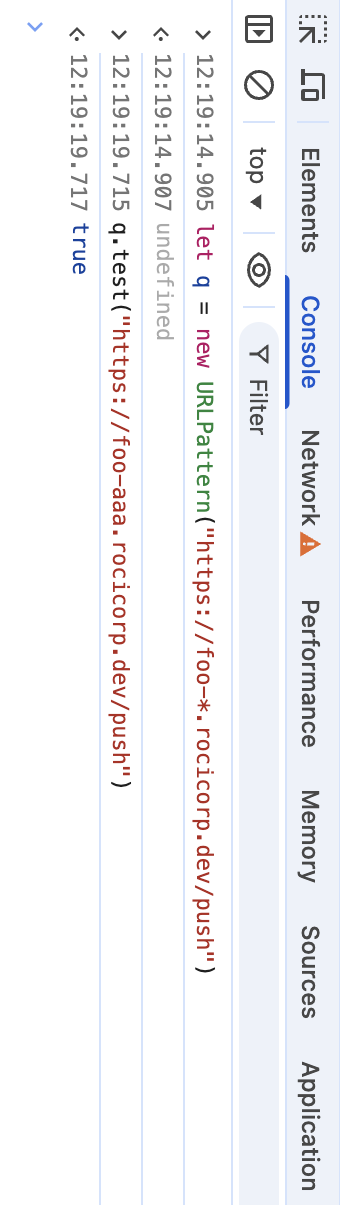
For more information, see the [URLPattern docs](https://developer.mozilla.org/en-US/docs/Web/API/URL_Pattern_API).
If you're configuring per-branch preview URLs (for example on Vercel), see [Preview Deployments](https://zero.rocicorp.dev/docs/previews) for the complete setup across both query and mutate endpoints.
## Running Queries
### Reactively
The most common way to use queries is with the `useQuery` reactive hooks from the [React](https://zero.rocicorp.dev/docs/react) or [SolidJS](https://zero.rocicorp.dev/docs/solidjs) bindings (or the equivalent low-level API):
**React**
```tsx
import {useQuery} from '@rocicorp/zero/react'
import {queries} from 'zero/queries.ts'
function App() {
const [posts] = useQuery(queries.posts.get('user123'))
return posts.map(post => (
{post.title}
))
}
```
**SolidJS**
```tsx
import {useQuery} from '@rocicorp/zero/solid'
import {queries} from 'zero/queries.ts'
function App() {
const [posts] = useQuery(() =>
queries.posts.get('user123')
)
return (
{post =>
{post.title}
}
)
}
```
**TypeScript**
```ts
import {queries} from 'zero/queries.ts'
import {zero} from 'zero.ts'
const postsView = zero.materialize(
queries.posts.byAuthorID('user123')
)
for (let post of postsView.data) {
console.log(post.title)
}
// updates as the underlying data changes
postsView.addListener(posts => {
console.log('posts', posts)
})
```
These functions allow you to automatically re-render UI when a query changes.
### Conditionally
Sometimes the inputs needed to construct a query are not available on the first render. For example, auth state or a route param might still be loading after a page refresh.
Both React and Solid support conditional queries by passing `undefined` until the query can be constructed:
**React**
```tsx
import {useQuery} from '@rocicorp/zero/react'
import {queries} from 'zero/queries.ts'
function Username({userID}: {userID: string | undefined}) {
const [user] = useQuery(
userID
? queries.users.getUser({
userID
})
: undefined
)
return user ?
}
)
}
```
### Once
You usually want to subscribe to a query in a reactive UI, but every so often you'll need to run a query just once. To do this, use `zero.run()`:
```tsx
const results = await zero.run(
queries.issues.byPriority('high')
)
```
By default, `run()` only returns results that are currently available on the client. That is, it returns the data that would be given for [`result.type === 'unknown'`](#partial-data).
If you want to wait for the server to return results, pass `{type: 'complete'}` to `run`:
```tsx
const results = await zero.run(
queries.issues.byPriority('high'),
{type: 'complete'}
)
```
### For Preloading
Almost all Zero apps will want to preload some data in order to maximize the feel of instantaneous UI transitions.
Because preload queries are often much larger than a screenful of UI, Zero provides a special `zero.preload()` method to avoid the overhead of materializing the result into JS objects:
```tsx
// Preload a large number of the inbox query results.
zero.preload(
queries.issues.inbox({
sort: 'created',
sortDirection: 'desc',
limit: 1000
})
)
```
## Missing Data
Because Zero returns local results immediately and server results asynchronously, displaying "not found" / 404 UI can be slightly tricky.
If you just use a simple existence check, you will often see the 404 UI flicker while the server result loads:
**React**
```tsx
const [issue] = useQuery(queries.issues.get('some-id'))
// ❌ This causes flickering of the UI
if (!issue) {
return
)}
)
```
**TypeScript**
```ts
const postsView = zero.materialize(
queries.posts.byAuthorID('user123')
)
postsView.addListener(posts => {
// ❌ This is updated as data comes in
console.log('posts', posts)
})
```
To do this correctly, only display the "not found" UI when the result type is `complete`. This way the 404 page is slow but pages with data are still just as fast:
**React**
```tsx
const [issue, issueResult] = useQuery(
queries.issues.get('some-id')
)
if (!issue && issueResult.type === 'complete') {
return
)
```
**TypeScript**
```ts
const postsView = zero.materialize(
queries.posts.byAuthorID('user123')
)
postsView.addListener((posts, resultType) => {
if (resultType === 'complete') {
console.log('posts', posts)
}
})
```
## Partial Data
Zero immediately returns the data for a query it has on the client, then falls back to the server for any missing data.
Sometimes it's useful to know the difference between these two types of results. To do so, use the `result` from `useQuery`:
**React**
```tsx
const [issues, issuesResult] = useQuery(
queries.issues.inbox()
)
if (issuesResult.type === 'complete') {
console.log('All data is present')
} else {
console.log('Some data is missing')
}
```
**SolidJS**
```tsx
const [issues, issuesResult] = useQuery(() =>
queries.issues.inbox()
)
if (issuesResult().type === 'complete') {
console.log('All data is present')
} else {
console.log('Some data is missing')
}
```
**TypeScript**
```ts
const view = zero.materialize(queries.issues.inbox())
view.addListener((issues, resultType) => {
if (resultType === 'complete') {
console.log('All data is present')
} else {
console.log('Some data is missing')
}
})
```
The possible values of `result.type` are currently `complete` and `unknown`.
The `complete` value is currently only returned when Zero has received the server result. In the future, Zero will be able to return this result type when it *knows* that all possible data for this query is already available locally. Additionally, we plan to add a `prefix` result for when the data is known to be a prefix of the complete result. See [Consistency](#consistency) for more information.
## Handling Errors
If the queries endpoint throws an application or parse error, `zero-cache` will report it to the client using the `type` and `error` fields on the query details object:
**React**
```tsx
const [posts, postsResult] = useQuery(
queries.posts.byAuthorID('user123')
)
if (postsResult.type === 'error') {
return (
)
```
**TypeScript**
```ts
// Materialize a view of a query
const postsView = queries.posts
.byAuthorID('user123')
.materialize()
postsView.addListener((posts, resultType, error) => {
if (resultType === 'error') {
console.error('Error loading posts', error)
}
})
```
> 🤔 **Query endpoint failures are not shown here**: See [Connection Status](https://zero.rocicorp.dev/docs/connection) for how HTTP or network errors from the queries endpoint are handled.
## Granular Updates
You can use the `materialize()` method to create a view that you can listen to for changes.
However, this will only tell you when the view has changed and give you the complete new result. It won't tell you *what* changed.
To know what changed, you can create your own custom `View` implementation:
```ts
// Inside the View class
// Instead of storing the change, we invoke some callback
push(change: Change): void {
switch (change.type) {
case 'add':
this.#onAdd?.(change)
break
case 'remove':
this.#onRemove?.(change)
break
case 'edit':
this.#onEdit?.(change)
break
case 'child':
this.#onChild?.(change)
break
default:
throw new Error(`Unknown change type: ${change['type']}`)
}
}
```
For examples, see the `View` implementations in [`zero-vue`](https://github.com/danielroe/zero-vue/blob/f25808d4b7d1ef0b8e01a5670d7e3050d6a64bbf/src/view.ts#L77-L89) or [`zero-solid`](https://github.com/rocicorp/mono/blob/51995101d0657519207f1c4695a8765b9016e07c/packages/zero-solid/src/solid-view.ts#L119-L131).
## Query Caching
Queries can be either *active* or *cached*. An active query is one that is currently being used by the application. Cached queries are not currently in use, but continue syncing in case they are needed again soon.
Queries are *deactivated* according to how they were created:
1. For `useQuery()`, the UI unmounts the component (which calls `destroy()` under the covers).
2. For `preload()`, the UI calls `cleanup()` on the return value of `preload()`.
3. For `run()`, queries are automatically deactivated immediately after the result is returned.
4. For `materialize()` queries, the UI calls `destroy()` on the view.
Additionally when a Zero instance closes, all active queries are automatically deactivated. This also happens when the containing page or script is unloaded.
### TTLs
Each query has a `ttl` that controls how long it stays cached.
> 💡 **The TTL clock only ticks while Zero is running**: If the user closes all tabs for your app, Zero stops running and the time that elapses doesn't count toward any TTLs.
>
> You do not need to account for such time when choosing a TTL – you only need to account for time your app is running *without* a query.
### TTL Defaults
In most cases, the default TTL should work well:
* `preload()` queries default to `ttl:'none'`, meaning they are not cached at all, and will stop syncing immediately when deactivated. But because `preload()` queries are typically registered at app startup and never shutdown, and [because the ttl clock only ticks while Zero is running](#the-ttl-clock-only-ticks-while-zero-is-running), this means that preload queries never get unregistered.
* Other queries have a default `ttl` of `5m` (five minutes).
### Setting Different TTLs
You can override the default TTL with the `ttl` parameter:
**React**
```tsx
const [user] = useQuery(
queries.posts.byAuthorID('user123'),
{ttl: '5m'}
)
// preload()
zero.preload(queries.posts.byAuthorID('user123'), {
ttl: '5m'
})
```
**SolidJS**
```tsx
const [user] = useQuery(
() => queries.posts.byAuthorID('user123'),
{ttl: '5m'}
)
// preload()
zero().preload(queries.posts.byAuthorID('user123'), {
ttl: '5m'
})
```
**TypeScript**
```ts
// run()
const user = await zero.run(
queries.posts.byAuthorID('user123'),
{ttl: '5m'}
)
// materialize()
const view = zero.materialize(
queries.posts.byAuthorID('user123'),
{ttl: '5m'}
)
// preload()
zero.preload(queries.posts.byAuthorID('user123'), {
ttl: '5m'
})
```
TTLs up to `10m` (ten minutes) are currently supported. The following formats are allowed:
| Format | Meaning |
| ------ | --------------------------------------------------------- |
| `none` | No caching. Query will immediately stop when deactivated. |
| `%ds` | Number of seconds. |
| `%dm` | Number of minutes. |
### Why Zero TTLs are Short
Zero queries are not free.
Just as in any database, queries consume resources on both the client and server. Memory is used to keep metadata about the query, and disk storage is used to keep the query's current state.
We do drop this state after we haven't heard from a client for awhile, but this is only a partial improvement. If the client returns, we have to re-run the query to get the latest data.
This means that we do not actually *want* to keep queries active unless there is a good chance they will be needed again soon.
The default Zero TTL values might initially seem too short, but they are designed to work well with the way Zero's TTL clock works and strike a good balance between keeping queries alive long enough to be useful, while not keeping them alive so long that they consume resources unnecessarily.
## Local-Only Queries
It can sometimes be useful to run queries only on the client. For example, to implement typeahead search, it really doesn't make sense to register a query with the server for every single keystroke.
Zero doesn't yet have a way to run named queries local-only, but you can run ZQL expressions locally by passing them anywhere a query is supported.
For example, to subscribe to a local-only query:
**React**
```tsx
// Queries the already synced data for issues,
// without syncing more data.
const [issues] = useQuery(
zql.issue.orderBy('created', 'desc').limit(10)
)
```
**SolidJS**
```tsx
// Queries the already synced data for issues,
// without syncing more data.
const [issues] = useQuery(() =>
zql.issue.orderBy('created', 'desc').limit(10)
)
```
**Typescript**
```ts
// Queries the already synced data for issues,
// without syncing more data.
const view = z.materialize(
zql.issue.orderBy('created', 'desc').limit(10)
)
view.addListener(issues => {
console.log('issues', issues)
})
```
## Custom Server Implementation
It is possible to implement the `ZERO_QUERY_URL` endpoint without using Zero's TypeScript libraries, or even in a different language entirely.
The endpoint receives a `POST` request with a JSON body of the form:
```ts
type QueriesRequestBody = {
id: string
name: string
args: readonly ReadonlyJSONValue[]
}[]
```
And responds with:
```ts
type QueriesResponseBody = (
| {
id: string
name: string
// See https://github.com/rocicorp/mono/blob/main/packages/zero-protocol/src/ast.ts
ast: AST
}
| {
error: 'app'
id: string
name: string
details: ReadonlyJSONValue
}
| {
error: 'zero'
id: string
name: string
details: ReadonlyJSONValue
}
| {
error: 'http'
id: string
name: string
status: number
details: ReadonlyJSONValue
}
)[]
```
## Consistency
Zero always syncs a consistent partial replica of the backend database to the client. This avoids many common consistency issues that come up in classic web applications. But there are still some consistency issues to be aware of when using Zero.
For example, imagine that you have a bug database w/ 10k issues. You preload the first 1k issues sorted by created.
The user then does a query of issues assigned to themselves, sorted by created. Among the 1k issues that were preloaded imagine 100 are found that match the query. Since the data we preloaded is in the same order as this query, we are guaranteed that any local results found will be a *prefix* of the server results.
The UX that result is nice: the user will see initial results to the query instantly. If more results are found server-side, those results are guaranteed to sort below the local results. There's no shuffling of results when the server response comes in.
Now imagine that the user switches the sort to ‘sort by modified’. This new query will run locally, and will again find some local matches. But it is now unlikely that the local results found are a prefix of the server results. When the server result comes in, the user will probably see the results shuffle around.
To avoid this annoying effect, what you should do in this example is also preload the first 1k issues sorted by modified desc. In general for any query shape you intend to do, you should preload the first `n` results for that query shape with no filters, in each sort you intend to use.
> **Zero does not sync duplicate rows**: Zero syncs the *union* of all active queries' results. You don't have to worry about syncing many sorts of the same query when it's likely the results will overlap heavily.
In the future, we will be implementing a consistency model that fixes these issues automatically. We will prevent Zero from returning local data when that data is not known to be a prefix of the server result. Once the consistency model is implemented, preloading can be thought of as purely a performance thing, and not required to avoid unsightly flickering.
---
Source: https://zero.rocicorp.dev/docs/mutators
Writing Data
# Mutators
Mutators are how you write data with Zero. Here's a simple example:
```ts
// src/mutators.ts
import {defineMutators, defineMutator} from '@rocicorp/zero'
import {z} from 'zod'
export const mutators = defineMutators({
updateIssue: defineMutator(
z.object({
id: z.string(),
title: z.string()
}),
async ({tx, args: {id, title}}) => {
if (title.length > 100) {
throw new Error(`Title is too long`)
}
await tx.mutate.issue.update({
id,
title
})
}
)
})
```
## Architecture
A copy of each mutator exists on both the client and on your server:
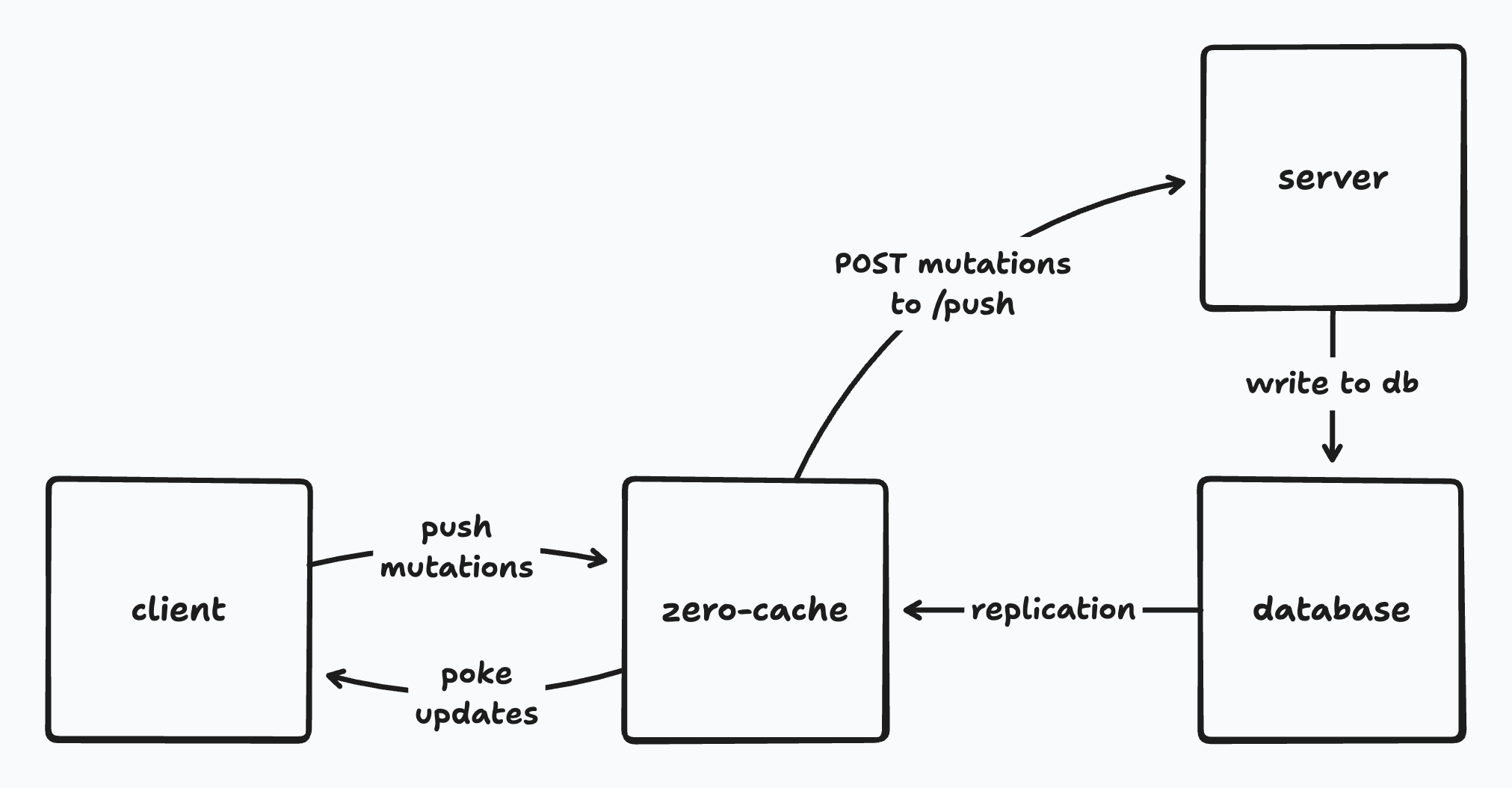
Often the implementations will be the same, and you can just share their code. This is easy with full-stack frameworks like TanStack Start or Next.js.
But the implementations don't have to be the same, or even compute the same result. For example, the server can add extra checks to enforce permissions, or send notifications or interact with other systems.
### Life of a Mutation
When a mutator is invoked, it initially runs on the client, against the client-side datastore. Any changes are immediately applied to open queries and the user sees the changes.
In the background, Zero sends a *mutation* (a record of the mutator having run with certain arguments) to your server's push endpoint. Your push endpoint runs the [push protocol](#custom-mutate-implementation), executing the server-side mutator in a transaction against your database and recording the fact that the mutation ran. The `@rocicorp/zero` package contains utilities to make it easy to implement this endpoint in TypeScript.
The changes to the database are then replicated to `zero-cache` using logical replication. `zero-cache` calculates the updates to active queries and sends rows that have changed to each client. It also sends information about the mutations that have been applied to the database.
Clients receive row updates and apply them to their local cache. Any pending mutations which have been applied to the server have their local effects rolled back. Client-side queries are updated and the user sees the changes.
## Defining Mutators
### Basics
Create a mutator using `defineMutator`.
The only required argument is a `MutatorFn`, which must be `async`:
```ts
import {defineMutator} from '@rocicorp/zero'
const myMutator = defineMutator(async () => {
// ...
})
```
> 🤔 **`async` !== slow**: Mutators almost always complete in the same frame on the client, within milliseconds. The reason they are marked `async` is because on the server, reading from the `tx`object goes over the network to Postgres.
### Writing Data
The `MutatorFn` receives a `tx` parameter which can be used to write data with a CRUD-style API. Each table in your Zero schema has a corresponding field on `tx.mutate`:
```ts
const myMutator = defineMutator(async ({tx}) => {
// This is here because there's a `user` table in your schema.
await tx.mutate.user.insert(...)
})
```
> ⚠️ **Always await writes in mutators**: Mutators almost always run in the same frame on the client, against local data. The reason mutators are marked `async` is because on the server, reading from the `tx`object goes over the network to Postgres. Also, in edge cases on the client, reads and writes can go to local storage (IndexedDB or SQLite).
#### Insert
Create new records with `insert`:
```tsx
tx.mutate.user.insert({
id: 'user-123',
username: 'sam',
language: 'js'
})
```
Optional fields can be set to `null` to explicitly set the new field to `null`. They can also be set to `undefined` to take the default value (which is often `null` but can also be some generated value server-side):
```tsx
// Sets language to `null` specifically
tx.mutate.user.insert({
id: 'user-123',
username: 'sam',
language: null
})
// Sets language to the default server-side value.
// Could be null, or some generated or constant default value too.
tx.mutate.user.insert({
id: 'user-123',
username: 'sam'
})
// Same as above
tx.mutate.user.insert({
id: 'user-123',
username: 'sam',
language: undefined
})
```
#### Upsert
Create new records or update existing ones with `upsert`:
```tsx
tx.mutate.user.upsert({
id: samID,
username: 'sam',
language: 'ts'
})
```
`upsert` supports the same `null` / `undefined` semantics for optional fields that `insert` does (see above).
#### Update
Update an existing record. Does nothing if the specified record (by PK) does not exist.
You can pass a partial object, leaving fields out that you don’t want to change. For example here we leave the username the same:
```tsx
// Leaves username field to previous value.
tx.mutate.user.update({
id: samID,
language: 'golang'
})
// Same as above
tx.mutate.user.update({
id: samID,
username: undefined,
language: 'haskell'
})
// Reset language field to `null`
tx.mutate.user.update({
id: samID,
language: null
})
```
#### Delete
Delete an existing record. Does nothing if specified record does not exist.
```tsx
tx.mutate.user.delete({
id: samID
})
```
### Arguments
The `MutatorFn` can take a single `args` parameter. To enable this, pass a *validator* to `defineMutator`:
```ts
import {defineMutator} from '@rocicorp/zero'
const initStats = defineMutator(
z.object({issueCount: z.number()}),
async ({tx, args: {issueCount}}) => {
if (issueCount < 0) {
throw new Error(`issueCount cannot be negative`)
}
await tx.mutate.stats.insert({
id: 'global',
issueCount
})
}
)
```
We use [Zod](https://zod.dev/) in these examples, but you can use any validation library that implements [Standard Schema](https://standardschema.dev/).
> 😈 **Mutators don't have to be pure**: It's most common for mutators to be a [pure function](https://en.wikipedia.org/wiki/Pure_function) of the database state plus arguments. But it's not *required*.
>
> Impure mutators can be useful, e.g., to consult some external system on the server for authorization or validation.
### Reading Data
You can read data within a mutator by passing [ZQL](https://zero.rocicorp.dev/docs/zql) to `tx.run`:
```ts
const updateIssue = defineMutator(
z.object({id: z.string(), title: z.string()}),
async ({tx, args: {id, title}}) => {
const issue = await tx.run(
zql.issue.where('id', id).one()
)
if (issue?.status === 'closed') {
throw new Error(`Cannot update closed issue`)
}
await tx.mutate.issue.update({
id,
title
})
}
)
```
You have the full power of ZQL at your disposal, including relationships, filters, ordering, and limits.
Reads and writes within a mutator are transactional, meaning that the datastore is guaranteed to not change while your mutator is running. And if the mutator throws, the entire mutation is rolled back.
> **Reading in mutators is always local**: Unlike [`zero.run()`](https://zero.rocicorp.dev/docs/queries#once), there is no `type` parameter that can be used to wait for server results inside mutators.
>
> This is because waiting for server results in mutators makes no sense – it would defeat the purpose of running optimistically to begin with.
>
> When a mutator runs on the client (`tx.location === "client"`), ZQL reads only return data already cached on the client. When mutators run on the server (`tx.location === "server"`), ZQL reads always return all data.
### Context
Mutator parameters are supplied by the client application and passed to the server automatically by Zero. This makes them unsuitable for credentials, since the user could modify them.
For this reason, Zero mutators also support the concept of a [`context` object](https://zero.rocicorp.dev/docs/auth#context).
Access your context with the `ctx` parameter to your mutator:
```ts
const createIssue = defineMutator(
z.object({id: z.string(), title: z.string()}),
async ({tx, ctx: {userID}, args: {id, title}}) => {
// Note: User cannot control ctx.userID, so this
// enforces authorship of created issue.
await tx.mutate.issue.insert({
id,
title,
authorID: userID
})
}
)
```
> 💡 **Without global `DefaultTypes`**: If you don't want to register your [Context](https://zero.rocicorp.dev/docs/auth#context) and [Schema](https://zero.rocicorp.dev/docs/schema#register-schema-type) types globally, you can use `defineMutatorWithType` and `defineMutatorsWithType`:
>
> **Drizzle**
>
> ```ts
> import {
> defineMutatorWithType,
> defineMutatorsWithType
> } from '@rocicorp/zero'
> import type {ZeroContext} from 'context.ts'
> import type {Schema} from 'schema.ts'
>
> import type {DrizzleTransaction} from '@rocicorp/zero/server/adapters/drizzle'
> import type {drizzleClient} from 'db-provider.ts'
>
> const defineMutator = defineMutatorWithType<
> Schema,
> ZeroContext,
> DrizzleTransaction
> >()
> const defineMutators = defineMutatorsWithType()
> ```
>
> **Kysely**
>
> ```ts
> import {
> defineMutatorWithType,
> defineMutatorsWithType
> } from '@rocicorp/zero'
> import type {ZeroContext} from 'context.ts'
> import type {Schema} from 'schema.ts'
>
> import type {KyselyTransaction} from '@rocicorp/zero/server/adapters/kysely'
> import type {Database} from 'db-provider.ts'
>
> const defineMutator = defineMutatorWithType<
> Schema,
> ZeroContext,
> KyselyTransaction
> >()
> const defineMutators = defineMutatorsWithType()
> ```
>
> **Prisma**
>
> ```ts
> import {
> defineMutatorWithType,
> defineMutatorsWithType
> } from '@rocicorp/zero'
> import type {ZeroContext} from 'context.ts'
> import type {Schema} from 'schema.ts'
>
> import type {PrismaTransaction} from '@rocicorp/zero/server/adapters/prisma'
> import type {PrismaClient} from '@prisma/client'
>
> const defineMutator = defineMutatorWithType<
> Schema,
> ZeroContext,
> PrismaTransaction
> >()
> const defineMutators = defineMutatorsWithType()
> ```
>
> **node-postgres**
>
> ```ts
> import {
> defineMutatorWithType,
> defineMutatorsWithType
> } from '@rocicorp/zero'
> import type {ZeroContext} from 'context.ts'
> import type {Schema} from 'schema.ts'
>
> import type {NodePgTransaction} from '@rocicorp/zero/server/adapters/pg'
>
> const defineMutator = defineMutatorWithType<
> Schema,
> ZeroContext,
> NodePgTransaction
> >()
> const defineMutators = defineMutatorsWithType()
> ```
>
> **postgres.js**
>
> ```ts
> import {
> defineMutatorWithType,
> defineMutatorsWithType
> } from '@rocicorp/zero'
> import type {ZeroContext} from 'context.ts'
> import type {Schema} from 'schema.ts'
>
> import type {PostgresJsTransaction} from '@rocicorp/zero/server/adapters/postgresjs'
>
> const defineMutator = defineMutatorWithType<
> Schema,
> ZeroContext,
> PostgresJsTransaction
> >()
> const defineMutators = defineMutatorsWithType()
> ```
### Mutator Registries
The result of `defineMutator` is a `MutatorDefinition`. By itself this isn't super useful. You need to register it using `defineMutators`:
```ts
export const mutators = defineMutators({
issue: {
update: updateIssue
}
})
```
Typically these are done together in one step:
```ts
export const mutators = defineMutators({
issue: {
update: defineMutator(
z.object({id: z.string(), title: z.string()}),
async ({tx, args: {id, title}}) => {
await tx.mutate.issue.update({
id,
title
})
}
)
}
})
```
The result of `defineMutators` is called a `MutatorRegistry`. Each field in the registry is a callable `Mutator` that you can use to perform mutations:
```ts
import {mutators} from 'mutators.ts'
zero.mutate(
mutators.issue.update({
id: 'issue-123',
title: 'New title'
})
)
```
### Mutator Names
Each `Mutator` has a `mutatorName` which is computed by `defineMutators`. When you run a mutator, Zero sends this name along with the arguments to your server to execute the [server-side](#server-setup) mutation.
```ts
console.log(mutators.issue.update.mutatorName)
// "issue.update"
```
### mutators.ts
By convention, mutators are listed in a central `mutators.ts` file. This allows them to be easily used on both the client and server:
```ts
import {defineMutators, defineMutator} from '@rocicorp/zero'
import {zql} from './schema.ts'
import {z} from 'zod'
export const mutators = defineMutators({
posts: {
create: defineMutator(
z.object({
id: z.string(),
title: z.string()
}),
async ({
tx,
context: {userID},
args: {id, title}
}) => {
await tx.mutate.post.insert({
id,
title,
authorID: userID
})
}
),
update: defineMutator(
z.object({
id: z.string(),
title: z.string().optional()
}),
async ({
tx,
context: {userID},
args: {id, title}
}) => {
const prev = await tx.run(
zql.post.where('id', id).one()
)
if (prev?.authorID !== userID) {
throw new Error(`Access denied`)
}
await tx.mutate.post.update({
id,
title,
authorID: userID
})
}
)
}
})
```
You can use as many levels of nesting as you want to organize your mutators.
As your application grows, you can move mutators to different files to keep them organized:
```ts
// posts.ts
export const postMutators = {
create: defineMutator(
z.object({
id: z.string(),
title: z.string(),
}),
async ({tx, context: {userID}, args: {id, title}}) => {
await tx.mutate.post.insert({
id,
title,
authorID: userID,
})
},
),
}
// user.ts
export const userMutators = {
updateRole: defineMutator(
z.object({
role: z.string(),
}),
async ({tx, ctx: {userID}, args: {role}}) => {
await tx.mutate.user.update({
id: userID,
role,
})
},
),
}
// mutators.ts
import {postMutators} from 'zero/mutators/posts.ts'
import {userMutators} from 'zero/mutators/users.ts'
export const mutators = defineMutators{{
posts: postMutators,
users: userMutators,
})
```
> ⚠️ **Use `defineMutators` at top level only**: `defineMutators` establishes the full name for each mutator (i.e., `posts.create`, `users.updateRole`), which is later sent to the [server](#server-setup).
>
> So this should only be used once at the top level of your `mutators.ts` file.
## Registration
Before you can use your mutators, you need to register them with Zero:
**React**
```tsx
import {ZeroProvider} from '@rocicorp/zero/react'
import type {ZeroOptions} from '@rocicorp/zero'
import {mutators} from 'zero/mutators.ts'
const opts: ZeroOptions = {
// ... cacheURL, schema, etc.
mutators
}
return (
)
```
**SolidJS**
```tsx
import {ZeroProvider} from '@rocicorp/zero/solid'
import type {ZeroOptions} from '@rocicorp/zero'
import {mutators} from 'zero/mutators.ts'
const opts: ZeroOptions = {
// ... cacheURL, schema, etc.
mutators
}
return (
)
```
**TypeScript**
```ts
import {Zero} from '@rocicorp/zero'
import type {ZeroOptions} from '@rocicorp/zero'
import {mutators} from 'zero/mutators.ts'
const opts: ZeroOptions = {
// ... cacheURL, schema, etc.
mutators
}
const zero = new Zero(opts)
```
> 🪖 **Knowing is half the battle**: Mutators need to be registered with Zero because Zero calls them during sync for conflict resolution.
>
> If you invoke a mutator that is not registered, Zero will throw an error.
## Server Setup
In order for mutations to sync, you must provide an implementation of the `mutate` endpoint on your server. `zero-cache` calls this endpoint to process each mutation.
### Registering the Endpoint
Use [`ZERO_MUTATE_URL`](https://zero.rocicorp.dev/docs/zero-cache-config#mutate-url) to tell `zero-cache` where to find your `mutate` implementation:
```bash
export ZERO_MUTATE_URL="http://localhost:3000/api/zero/mutate"
# run zero-cache, e.g. `npx zero-cache-dev`
```
### Implementing the Endpoint
You can use the `handleMutateRequest` and `mustGetMutator` functions to implement the endpoint. Plug in whatever `dbProvider` you set up (see [server-zql](https://zero.rocicorp.dev/docs/server-zql) or the install guide).
**Tanstack Start**
```ts
// src/routes/api/zero/mutate.ts
import {createFileRoute} from '@tanstack/react-router'
import {handleMutateRequest} from '@rocicorp/zero/server'
import {mustGetMutator} from '@rocicorp/zero'
import {mutators} from 'mutators.ts'
import {dbProvider} from 'db-provider.ts'
export const Route = createFileRoute('/api/zero/mutate')({
server: {
handlers: {
POST: async ({request}) => {
const result = await handleMutateRequest({
dbProvider,
handler: transact =>
transact((tx, name, args) => {
const mutator = mustGetMutator(mutators, name)
return mutator.fn({
args,
tx
})
}),
request,
userID: null
})
return Response.json(result)
}
}
}
})
```
**Next.js**
```ts
// app/api/zero/mutate/route.ts
import {handleMutateRequest} from '@rocicorp/zero/server'
import {mustGetMutator} from '@rocicorp/zero'
import {mutators} from 'mutators.ts'
import {dbProvider} from 'db-provider.ts'
export async function POST(request: Request) {
const result = await handleMutateRequest({
dbProvider,
handler: transact =>
transact((tx, name, args) => {
const mutator = mustGetMutator(mutators, name)
return mutator.fn({args, tx})
}),
request,
userID: null
})
return Response.json(result)
}
```
**Solid Start**
```ts
// src/routes/api/zero/mutate.ts
import type {APIEvent} from '@solidjs/start/server'
import {handleMutateRequest} from '@rocicorp/zero/server'
import {mustGetMutator} from '@rocicorp/zero'
import {mutators} from 'mutators.ts'
import {dbProvider} from 'db-provider.ts'
export async function POST(event: APIEvent) {
const result = await handleMutateRequest({
dbProvider,
handler: transact =>
transact((tx, name, args) => {
const mutator = mustGetMutator(mutators, name)
return mutator.fn({args, tx})
}),
request: event.request,
userID: null
})
return Response.json(result)
}
```
**Hono**
```ts
// api/app.ts
import {Hono} from 'hono'
import {handleMutateRequest} from '@rocicorp/zero/server'
import {mustGetMutator} from '@rocicorp/zero'
import {mutators} from 'mutators.ts'
import {dbProvider} from './db-provider.ts'
const app = new Hono()
app.post('/api/zero/mutate', async c => {
const result = await handleMutateRequest({
dbProvider,
handler: transact =>
transact((tx, name, args) => {
const mutator = mustGetMutator(mutators, name)
return mutator.fn({
args,
tx
})
}),
request: c.req.raw,
userID: null
})
return c.json(result)
})
```
> **Using a different bindings library**: Zero includes several built-in database adapters. You can also easily create your own. See [ZQL on the Server](https://zero.rocicorp.dev/docs/server-zql) for more information.
`handleMutateRequest` accepts a standard `Request` and returns a JSON object which can be serialized and returned by your server framework of choice.
`mustGetMutator` looks up the mutator in the registry and throws an error if not found.
The `mutator.fn` function is your mutator implementation wrapped in the validator you provided.
> 🔐 **Add auth if you need it**: These examples have only public mutators, so they do not pass a context. In authenticated apps, validate auth in the request, derive context from the session, and pass it to the mutate handler. See [Authentication](https://zero.rocicorp.dev/docs/auth).
### Handling Errors
The `handleMutateRequest` function skips any mutations that throw:
```ts
const result = await handleMutateRequest({
dbProvider,
handler: transact =>
transact(async (tx, name, args) => {
// The mutation is skipped and the next mutation runs as normal.
// The optimistic mutation on the client will be reverted.
throw new Error('bonk')
}),
request: c.req.raw,
userID: null
})
```
`handleMutateRequest` catches such errors and turns them into a structured response that gets sent back to the client. You can [recover the errors](#waiting-for-results) and show UI if you want.
It is also of course possible for the entire push endpoint to return an HTTP error, or to not reply at all:
**Tanstack Start**
```ts
export const Route = createFileRoute('/api/zero/mutate')({
server: {
handlers: {
POST: async () => {
throw new Error('zonk') // will trigger resend
}
}
}
})
```
**Next.js**
```ts
export async function POST() {
throw new Error('zonk') // will trigger resend
}
```
**Solid Start**
```ts
export async function POST() {
throw new Error('zonk') // will trigger resend
}
```
**Hono**
```ts
app.post('/api/zero/mutate', async c => {
// This will cause the client to resend all queued mutations.
throw new Error('zonk')
})
```
If Zero receives any response from the mutate endpoint other than HTTP 200, 401, or 403, it will disconnect and enter the [error state](https://zero.rocicorp.dev/docs/connection#error).
If Zero receives HTTP 401 or 403, the client will enter the needs auth state and require a manual reconnect. Use `zero.connection.connect()` for cookie auth or `zero.connection.connect({auth: newToken})` for token auth, then Zero will retry all queued mutations.
If you want a different behavior, it is possible to [implement the mutate endpoint](#custom-mutate-implementation) yourself and handle errors differently.
### Custom Mutate URL
By default, Zero sends mutations to the URL specified in the `ZERO_MUTATE_URL` parameter.
However you can customize this on a per-client basis. To do so, list multiple comma-separated URLs in the `ZERO_MUTATE_URL` parameter:
```bash
export ZERO_MUTATE_URL="https://api.example.com/mutate,https://api.staging.example.com/mutate"
```
Then choose one of those URLs by passing it to `mutateURL` on the `Zero` constructor:
```ts
const opts: ZeroOptions = {
// ...
mutateURL: 'https://api.staging.example.com/mutate'
}
```
### URL Patterns
The strings listed in `ZERO_MUTATE_URL` can also be [`URLPatterns`](https://developer.mozilla.org/en-US/docs/Web/API/URL_Pattern_API):
```bash
export ZERO_MUTATE_URL="https://mybranch-*.preview.myapp.com/mutate"
```
For more information, see the [URLPattern section of the Queries docs](https://zero.rocicorp.dev/docs/queries#url-patterns). It works the same way for mutations.
If you're configuring per-branch preview URLs (for example on Vercel), see [Preview Deployments](https://zero.rocicorp.dev/docs/previews) for the complete setup across both query and mutate endpoints.
### Server-Specific Code
To implement server-specific code, just run different mutators in your mutate endpoint. Server authority to the rescue!
`defineMutators` accepts a *baseMutators* parameter that makes this easy. The returned mutator registry will contain all the mutators from *baseMutators*, plus any new ones you define or override:
```ts
// server-mutators.ts
import {defineMutators, defineMutator} from '@rocicorp/zero'
import {z} from 'zod'
import {zql} from 'schema.ts'
import {mutators as sharedMutators} from 'mutators.ts'
export const serverMutators = defineMutators(
sharedMutators,
{
posts: {
// Overrides the shared mutator definition with same name.
update: defineMutator(
z.object({
id: z.string(),
title: z.string().optional(),
priority: z.number().optional()
}),
async ({
tx,
ctx: {userID},
args: {id, title, priority}
}) => {
// Run the shared mutator first.
await sharedMutators.posts.update.fn({
tx,
ctx,
args
})
// Record a history of this operation happening in an audit log table.
await tx.mutate.auditLog.insert({
issueId: id,
action: 'update-title',
timestamp: Date.getTime()
})
}
)
}
}
)
```
For simple things, we also expose a `location` field on the transaction object that you can use to branch your code:
```ts
const myMutator = defineMutator(async ({tx}) => {
if (tx.location === 'client') {
// Client-side code
} else {
// Server-side code
}
})
```
## Running Mutators
Once you have registered your mutators, you can invoke them with `zero.mutate`:
```ts
import {mutators} from 'mutators.ts'
zero.mutate(
mutators.issue.update({
id: crypto.randomUUID(),
title: 'New title'
})
)
```
> 🎲 **Client-generated random IDs recommended**: Client-generated random IDs from [crypto.randomUUID()](https://developer.mozilla.org/en-US/docs/Web/API/Crypto/randomUUID), [uuid](https://www.npmjs.com/package/uuid), [ulid](https://www.npmjs.com/package/ulid), or [nanoid](https://www.npmjs.com/package/nanoid) work much better with sync engines like Zero. See [IDs](https://zero.rocicorp.dev/docs/postgres-support#ids) for more details.
### Waiting for Results
We typically recommend that you "fire and forget" mutators.
Optimistic mutations make sense when the common case is that a mutation succeeds. If a mutation frequently fails, then showing the user an optimistic result isn't very useful, because it will likely be wrong.
That said there are cases where it is nice to know when a write succeeded on either the client or server.
One example is if you need to read a row directly after writing it. Zero's local writes are very fast (almost always \< 1 frame), but because Zero is backed by IndexedDB, writes are still *technically* asynchronous and reads directly after a write may not return the new data.
You can use the `.client` promise in this case to wait for a write to complete on the client side:
```ts
const write = zero.mutate(
mutators.issue.insert({
id: crypto.randomUUID(),
title: 'New title'
})
)
// issue-123 not guaranteed to be present here. read1 may be undefined.
const read1 = await zero.run(
queries.issue.byId('issue-123').one()
)
// Await client write – almost always less than 1 frame, and same
// macrotask, so no browser paint will occur here.
const res = await write.client
if (res.type === 'error') {
console.error('Mutator failed on client', res.error)
}
// issue-123 definitely can be read now.
const read2 = await zero.run(
queries.issue.byId('issue-123').one()
)
```
You can also wait for the server write to succeed:
```ts
const write = zero.mutate(
mutators.issue.insert({
id: crypto.randomUUID(),
title: 'New title'
})
)
const clientRes = await write.client
if (clientRes.type === 'error') {
throw new Error(
`Mutator failed on client`,
clientRes.error
)
}
// optimistic write guaranteed to be present here, but not
// server write.
const read1 = await zero.run(
queries.issue.byId('issue-123').one()
)
// Await server write – this involves a round-trip.
const serverRes = await write.server
if (serverRes.type === 'error') {
throw new Error(
`Mutator failed on server`,
serverRes.error
)
}
// issue-123 is written to server and any results are
// synced to this client.
// read2 could potentially be undefined here, for example if the
// server mutator rejected the write.
const read2 = await zero.run(
queries.issue.byId('issue-123').one()
)
```
If the client-side mutator fails, the `.server` promise is also rejected with the same error. You don't have to listen to both promises, the server promise covers both cases.
> **Returning data from mutators**: There is not yet a way to return data from mutators in the success case. [Let us know](https://discord.rocicorp.dev/)if you need this.
## Permissions
Because mutators are just normal TypeScript functions that run server-side, there is no need for a special permissions system. You can implement whatever permission checks you want using plain TypeScript code.
See [Permissions](https://zero.rocicorp.dev/docs/auth#permission-patterns) for more information.
## Dropping Down to Raw SQL
The `ServerTransaction` interface has a `dbTransaction` property that exposes the underlying database connection. This allows you to run raw SQL queries directly against the database.
This is useful for complex queries, or for using Postgres features that Zero doesn't support yet:
```ts
const markAllAsRead = defineMutator(
z.object({
userId: z.string()
}),
async ({tx, args: {userId}}) => {
// shared stuff ...
if (tx.location === 'server') {
// `tx` is now narrowed to `ServerTransaction`.
// Do special server-only stuff with raw SQL.
await tx.dbTransaction.query(
`
UPDATE notification
SET read = true
WHERE user_id = $1
`,
[userId]
)
}
}
)
```
See [ZQL on the Server](https://zero.rocicorp.dev/docs/server-zql) for more information.
## Notifications and Async Work
The best way to handle notifications and async work is a [transactional outbox](https://docs.aws.amazon.com/prescriptive-guidance/latest/cloud-design-patterns/transactional-outbox.html). This ensures that notifications actually do eventually get sent, without holding open database transactions to talk over the network. This can be implemented very easily in Zero by writing notifications to an `outbox` table as part of your mutator, then processing that table periodically with a background job.
However sometimes it's still nice to do a quick and dirty async send as part of a mutation, for example early on in development, or to record metrics. For this, the `createMutators` pattern is useful:
```ts
// server-mutators.ts
import {defineMutator} from '@rocicorp/zero'
import z from 'zod'
import {zql} from 'schema.ts'
import {mutators as clientMutators} from 'mutators.ts'
// Instead of defining server mutators as a constant,
// define them as a function of a list of async tasks.
export function createMutators(
asyncTasks: Array<() => Promise>
) {
return defineMutators(clientMutators, {
issue: {
update: defineMutator(
z.object({
id: z.string(),
title: z.string()
}),
async (tx, {id, title}) => {
await tx.mutate.issue.update({id, title})
asyncTasks.push(() => sendEmailToSubscribers(id))
}
)
}
})
}
```
Then in your mutate handler:
**Tanstack Start**
```ts
export const Route = createFileRoute('/api/zero/mutate')({
server: {
handlers: {
POST: async ({request}) => {
const asyncTasks: Array<() => Promise> = []
const mutators = createMutators(asyncTasks)
const result = await handleMutateRequest({
dbProvider,
handler: transact =>
transact((tx, name, args) => {
const mutator = mustGetMutator(mutators, name)
return mutator.fn({
tx,
args
})
}),
request,
userID: null
})
// Run all async tasks
// If any fail, do not block the response, since the
// mutation result has already been written to the database.
await Promise.allSettled(
asyncTasks.map(task => task())
)
return Response.json(result)
}
}
}
})
```
**Next.js**
```ts
export async function POST(request: Request) {
const asyncTasks: Array<() => Promise> = []
const mutators = createMutators(asyncTasks)
const result = await handleMutateRequest({
dbProvider,
handler: transact =>
transact((tx, name, args) => {
const mutator = mustGetMutator(mutators, name)
return mutator.fn({tx, args})
}),
request,
userID: null
})
// Run all async tasks
// If any fail, do not block the response, since the
// mutation result has already been written to the database.
await Promise.allSettled(asyncTasks.map(task => task()))
return Response.json(result)
}
```
**Solid Start**
```ts
export async function POST(event: APIEvent) {
const asyncTasks: Array<() => Promise> = []
const mutators = createMutators(asyncTasks)
const result = await handleMutateRequest({
dbProvider,
handler: transact =>
transact((tx, name, args) => {
const mutator = mustGetMutator(mutators, name)
return mutator.fn({tx, args})
}),
request: event.request,
userID: null
})
// Run all async tasks
// If any fail, do not block the response, since the
// mutation result has already been written to the database.
await Promise.allSettled(asyncTasks.map(task => task()))
return Response.json(result)
}
```
**Hono**
```ts
app.post('/api/zero/mutate', async c => {
const asyncTasks: Array<() => Promise> = []
const mutators = createMutators(asyncTasks)
const result = await handleMutateRequest({
dbProvider,
handler: transact =>
transact((tx, name, args) => {
const mutator = mustGetMutator(mutators, name)
return mutator.fn({
tx,
args
})
}),
request: c.req.raw,
userID: null
})
// Run all async tasks
// If any fail, do not block the response, since the
// mutation result has already been written to the database.
await Promise.allSettled(asyncTasks.map(task => task()))
return c.json(result)
})
```
## Custom Mutate Implementation
You can manually implement the mutate endpoint in any programming language.
This will be documented in the future, but you can refer to the [handleMutateRequest](https://github.com/rocicorp/mono/blob/main/packages/zero-server/src/process-mutations.ts) source code for an example for now.
---
Source: https://zero.rocicorp.dev/docs/zql
Zero Query Language
# ZQL
Inspired by SQL, ZQL is expressed in TypeScript with heavy use of the builder pattern. If you have used [Drizzle](https://orm.drizzle.team/) or [Kysely](https://kysely.dev/), ZQL will feel familiar.
ZQL queries are composed of one or more *clauses* that are chained together into a *query*.
## Create a Builder
To get started, use `createBuilder`.
If you use [`drizzle-zero`](https://www.npmjs.com/package/drizzle-zero) or [`prisma-zero`](https://www.npmjs.com/package/prisma-zero), this happens automatically and an instance is stored in the `zql` constant exported from `schema.ts`:
```ts
import {zql} from 'schema.ts'
// zql.myTable.where(...)
```
Otherwise, create an instance manually:
```ts
// schema.ts
// ...
export const zql = createBuilder(schema)
```
## Select
ZQL queries start by selecting a table. There is no way to select a subset of columns; ZQL queries always return the entire row, if permissions allow it.
```ts
import {zql} from 'zero.ts'
// Returns a query that selects all rows and columns from the
// issue table.
zql.issue
```
This is a design tradeoff that allows Zero to better reuse the row locally for future queries. This also makes it easier to share types between different parts of the code.
> 🧑🏫 **Data returned from ZQL should be considered immutable**: This means you should not modify the data directly. Instead, clone the data and modify the clone.
>
> ZQL caches values and returns them multiple times. If you modify a value returned from ZQL, you will modify it everywhere it is used. This can lead to subtle bugs.
>
> JavaScript and TypeScript lack true immutable types so we use `readonly` to help enforce it. But it's easy to cast away the `readonly` accidentally.
## Ordering
You can sort query results by adding an `orderBy` clause:
```tsx
zql.issue.orderBy('created', 'desc')
```
Multiple `orderBy` clauses can be present, in which case the data is sorted by those clauses in order:
```tsx
// Order by priority descending. For any rows with same priority,
// then order by created desc.
zql.issue
.orderBy('priority', 'desc')
.orderBy('created', 'desc')
```
All queries in ZQL have a default final order of their primary key. Assuming the `issue` table has a primary key on the `id` column, then:
```tsx
// Actually means: zql.issue.orderBy('id', 'asc');
zql.issue
// Actually means: zql.issue.orderBy('priority', 'desc').orderBy('id', 'asc');
zql.issue.orderBy('priority', 'desc')
```
## Limit
You can limit the number of rows to return with `limit()`:
```tsx
zql.issue.orderBy('created', 'desc').limit(100)
```
## Paging
You can start the results at or after a particular row with `start()`:
{/* prettier-ignore */}
```tsx
let start: IssueRow | undefined
while (true) {
let q = zql.issue
.orderBy('created', 'desc')
.limit(100)
if (start) {
q = q.start(start)
}
const batch = await q.run()
console.log('got batch', batch)
if (batch.length < 100) {
break
}
start = batch[batch.length - 1]
}
```
By default `start()` is *exclusive* - it returns rows starting **after** the supplied reference row. This is what you usually want for paging. If you want *inclusive* results, you can do:
```tsx
zql.issue.start(row, {inclusive: true})
```
## Getting a Single Result
If you want exactly zero or one results, use the `one()` clause. This causes ZQL to return `Row|undefined` rather than `Row[]`.
{/* prettier-ignore */}
```tsx
const result = await zql.issue
.where('id', 42)
.one()
.run()
if (!result) {
console.error('not found')
}
```
`one()` overrides any `limit()` clause that is also present.
## Relationships
You can query related rows using *relationships* that are defined in your [Zero schema](https://zero.rocicorp.dev/docs/schema).
```tsx
// Get all issues and their related comments
zql.issue.related('comments')
```
Relationships are returned as hierarchical data. In the above example, each row will have a `comments` field, which is an array of the corresponding comments rows.
You can fetch multiple relationships in a single query:
```tsx
zql.issue
.related('comments')
.related('reactions')
.related('assignees')
```
### Refining Relationships
By default all matching relationship rows are returned, but this can be refined. The `related` method accepts an optional second function which is itself a query.
```tsx
zql.issue.related(
'comments',
// It is common to use the 'q' shorthand variable for this parameter,
// but it is a _comment_ query in particular here, exactly as if you
// had done zql.comment.
q =>
q
.orderBy('modified', 'desc')
.limit(100)
.start(lastSeenComment)
)
```
This *relationship query* can have all the same clauses that top-level queries can have.
> **Order and limit not supported in junction relationships**: Using `orderBy` or `limit` in a relationship that goes through a junction table (i.e., a many-to-many relationship) is not currently supported and will throw a runtime error. See [bug 3527](https://bugs.rocicorp.dev/issue/3527).
>
> You can sometimes work around this by making the junction relationship explicit, depending on your schema and usage.
### Nested Relationships
You can nest relationships arbitrarily:
```tsx
// Get all issues, first 100 comments for each (ordered by modified,desc),
// and for each comment all of its reactions.
zql.issue.related('comments', q =>
q
.orderBy('modified', 'desc')
.limit(100)
.related('reactions')
)
```
## Where
You can filter a query with `where()`:
```tsx
zql.issue.where('priority', '=', 'high')
```
The first parameter is always a column name from the table being queried. TypeScript completion will offer available options (sourced from your [Zero Schema](https://zero.rocicorp.dev/docs/schema)).
### Comparison Operators
Where supports the following comparison operators:
| Operator | Allowed Operand Types | Description |
| ---------------------------------------- | ----------------------------- | ------------------------------------------------------------------------ |
| `=` , `!=` | boolean, number, string | JS strict equal (===) semantics |
| `<` , `<=`, `>`, `>=` | number | JS number compare semantics |
| `LIKE`, `NOT LIKE`, `ILIKE`, `NOT ILIKE` | string | SQL-compatible `LIKE` / `ILIKE` |
| `IN` , `NOT IN` | boolean, number, string | RHS must be array. Returns true if rhs contains lhs by JS strict equals. |
| `IS` , `IS NOT` | boolean, number, string, null | Same as `=` but also works for `null` |
TypeScript will restrict you from using operators with types that don’t make sense – you can’t use `>` with `boolean` for example.
> **Don't see the operator you need?**: [Let us know](https://discord.rocicorp.dev/)! Many are easy to add.
### Equals is the Default Comparison Operator
Because comparing by `=` is so common, you can leave it out and `where` defaults to `=`.
```tsx
zql.issue.where('priority', 'high')
```
### Comparing to `null`
As in SQL, ZQL’s `null` cannot be compared with `=`, `!=`, `<`, or any other normal comparison operator. Comparing any value to `null` with such operators is always false:
| Comparison | Result |
| -------------- | ------- |
| `42 = null` | `false` |
| `42 < null` | `false` |
| `42 > null` | `false` |
| `42 != null` | `false` |
| `null = null` | `false` |
| `null != null` | `false` |
These semantics feel a bit weird, but they are consistent with SQL. The reason SQL does it this way is to make join semantics work: if you’re joining `employee.orgID` on `org.id` you do **not** want an employee in no organization to match an org that hasn’t yet been assigned an ID.
For when you purposely do want to compare to `null` ZQL supports `IS` and `IS NOT` operators that also work just like in SQL:
```ts
// Find employees not in any org.
zql.employee.where('orgID', 'IS', null)
// Find employees in an org other than 42 OR employees in NO org
zql.employee.where('orgID', 'IS NOT', 42)
```
TypeScript will prevent you from comparing to `null` with other operators.
### Comparing to `undefined`
As a convenience, you can pass `undefined` to `where`:
```ts
zql.issue.where('priority', issue?.priority)
```
This comparison is always false, so the above query always returns no results.
### Compound Filters
The argument to `where` can also be a callback that returns a complex expression:
```tsx
// Get all issues that have priority 'critical' or else have both
// priority 'medium' and not more than 100 votes.
zql.issue.where(({cmp, and, or, not}) =>
or(
cmp('priority', 'critical'),
and(
cmp('priority', 'medium'),
not(cmp('numVotes', '>', 100))
)
)
)
```
`cmp` is short for *compare* and works the same as `where` at the top-level except that it can’t be chained and it only accepts comparison operators (no relationship filters – see below).
Note that chaining `where()` is also a one-level `and`:
{/* prettier-ignore */}
```tsx
// Find issues with priority 3 or higher, owned by aa
zql.issue
.where('priority', '>=', 3)
.where('owner', 'aa')
```
### Comparing Literal Values
The `where` clause always expects its first parameter to be a column name as a string. Same with the `cmp` helper:
```ts
// "foo" is a column name, not a string:
zql.issue.where('foo', 'bar')
// "foo" is a column name, not a string:
zql.issue.where(({cmp}) => cmp('foo', 'bar'))
```
To compare to a literal value, use the `cmpLit` helper:
```ts
zql.issue.where(cmpLit('foobar', 'foo' + 'bar'))
```
This is particularly useful for implementing [permissions](https://zero.rocicorp.dev/docs/auth#read-permissions), because the first parameter can be a field of your [context](https://zero.rocicorp.dev/docs/auth#context):
```ts
zql.issue.where(cmpLit(ctx.role, 'admin'))
```
### Relationship Filters
Your filter can also test properties of relationships. Currently the only supported test is existence:
```tsx
// Find all orgs that have at least one employee
zql.organization.whereExists('employees')
```
The argument to `whereExists` is a relationship, so just like other relationships, it can be refined with a query:
```tsx
// Find all orgs that have at least one cool employee
zql.organization.whereExists('employees', q =>
q.where('location', 'Hawaii')
)
```
As with querying relationships, relationship filters can be arbitrarily nested:
```tsx
// Get all issues that have comments that have reactions
zql.issue.whereExists('comments', q =>
q.whereExists('reactions')
)
```
The `exists` helper is also provided which can be used with `and`, `or`, `cmp`, and `not` to build compound filters that check relationship existence:
```tsx
// Find issues that have at least one comment or are high priority
zql.issue.where({cmp, or, exists} =>
or(
cmp('priority', 'high'),
exists('comments'),
),
)
```
## Type Helpers
You can get the TypeScript type of the result of a query using the `QueryResultType` helper:
{/* prettier-ignore */}
```ts
import type {QueryResultType} from '@rocicorp/zero'
const complexQuery = zql.issue.related(
'comments',
q => q.related('author')
)
type MyComplexResult = QueryResultType
// MyComplexResult is: readonly IssueRow & {
// readonly comments: readonly (CommentRow & {
// readonly author: readonly AuthorRow|undefined;
// })[];
// }[]
```
You can get the type of a single row with `QueryRowType`:
```ts
import type {QueryRowType} from '@rocicorp/zero'
type MySingleRow = QueryRowType
// MySingleRow is: readonly IssueRow & {
// readonly comments: readonly (CommentRow & {
// readonly author: readonly AuthorRow|undefined;
// })[];
// }
```
## Planning
Zero automatically plans queries, selecting the best indexes and join orders in most cases.
### Inspecting Query Plans
You can inspect the plan that Zero generates for any ZQL query [using the inspector](https://zero.rocicorp.dev/docs/debug/inspector#analyzing-queries).
### Manually Flipping Joins
The process Zero uses to optimize joins is called "join flipping", because it involves "flipping" the order of joins to minimize the number of rows processed.
Typically the Zero planner will pick the joins to flip automatically. But in some rare cases, you may want to manually specify the join order. This can be done by passing the `flip:true` option to `whereExists`:
```tsx
// Find the first 100 documents that user 42 can edit,
// ordered by created desc. Because each user is an editor
// of only a few documents, flip:true is much faster than
// flip:false.
zql.documents.whereExists('editors',
e => e.where('userID', 42),
{flip: true}
),
.orderBy('created', 'desc')
.limit(100)
```
Or with `exists`:
```tsx
// Find issues created by user 42 or that have a comment
// by user 42. Because user 42 has commented on only a
// few issues, flip:true is much faster than flip:false.
zql.issue.where({cmp, or, exists} =>
or(
cmp('creatorID', 42),
exists('comments',
c => c.where('creatorID', 42),
{flip: true}),
),
)
```
You can manually flip just one or a few of the `whereExists` clauses in a query, leaving the rest to be planned automatically.
## Scalar Subqueries
Scalar subqueries are an optimization for `exists` queries. Instead of doing a join at query time, Zero pre-resolves the subquery and rewrites it as a simple equality check.
To use scalar subqueries, add `{scalar: true}` to your `whereExists` call:
```tsx
// Instead of joining to find issues where project.name = 'zero'
// Zero resolves this server-side to: where('projectId', '123')
zql.issue.whereExists(
'project',
q => q.where('name', 'zero'),
{scalar: true}
)
```
Or with `exists`:
```tsx
zql.issue.where({cmp, exists} =>
exists('project',
q => q.where('name', 'zero'),
{scalar: true},
),
)
```
### Why It Matters
Joins are expensive. Sometimes they are needed, but for something like "give me all issues where the owner's name is Alice", you don't need a full join — you just need Alice's ID. The scalar optimization pre-fetches that ID and rewrites your query as `where('ownerId', aliceId)`. This can improve query performance significantly.
It also allows planning to work better. Since the ID is known at planning time, Zero/SQLite can choose better indexes.
### Trade-offs
The query needs to be "rehydrated" (re-run) whenever the scalar subquery result changes.
This is fine for relatively stable lookup data like user IDs or project IDs, but you probably wouldn't want it for rapidly-changing data.
Also, scalar subqueries only work when the subquery is guaranteed to return at most one row (hence "scalar"). Zero checks that your subquery constrains a unique index and will throw an error if it doesn't.
### Future Work
Scalar subqueries are not currently integrated with Zero's planner. You need to manually choose when to use them.
---
# ZQL on the Server
Source: https://zero.rocicorp.dev/docs/server-zql
The Zero package includes utilities to run ZQL on the server directly against your upstream Postgres database.
This is useful for many reasons:
* It allows [mutators](https://zero.rocicorp.dev/docs/mutators) to read data using ZQL to check permissions or invariants.
* You can use ZQL to implement standard REST endpoints, allowing you to share code with mutators.
* In the future ([but not yet implemented](#ssr)), this can support server-side rendering.
> `ZQLDatabase` currently does a read of your postgres schema before every transaction. This is fine for most usages, but for high scale it may become a problem. [Let us know](https://bugs.rocicorp.dev/issue/3799) if you need a fix for this.
## Creating a Database
To run ZQL on the server, you will create a `ZQLDatabase` instance. Zero ships with several built-in factories for popular Postgres libraries and ORMs.
**Drizzle**
```ts
// app/api/mutate/db-provider.ts
import {zeroDrizzle} from '@rocicorp/zero/server/adapters/drizzle'
import {schema} from '../../zero/schema.ts'
import * as drizzleSchema from '../../drizzle/schema.ts'
// pass a drizzle client instance. for example:
export const drizzleClient = drizzle(pool, {
schema: drizzleSchema
})
export const dbProvider = zeroDrizzle(schema, drizzleClient)
// Register the database provider for type safety
declare module '@rocicorp/zero' {
interface DefaultTypes {
dbProvider: typeof dbProvider
}
}
```
**Kysely**
```ts
// app/api/mutate/db-provider.ts
import {Kysely, PostgresDialect} from 'kysely'
import {zeroKysely} from '@rocicorp/zero/server/adapters/kysely'
import {Pool} from 'pg'
import {schema} from '../../zero/schema.ts'
interface Database {
user: {
id: string
name: string | null
status: 'active' | 'inactive'
}
}
const kysely = new Kysely({
dialect: new PostgresDialect({
pool: new Pool({
connectionString: process.env.ZERO_UPSTREAM_DB!
})
})
})
export const dbProvider = zeroKysely(schema, kysely)
// Register the database provider for type safety
declare module '@rocicorp/zero' {
interface DefaultTypes {
dbProvider: typeof dbProvider
}
}
```
**Prisma**
```ts
// app/api/mutate/db-provider.ts
import {PrismaPg} from '@prisma/adapter-pg'
import {PrismaClient} from '@prisma/client'
import {zeroPrisma} from '@rocicorp/zero/server/adapters/prisma'
import {schema} from '../../zero/schema.ts'
const prisma = new PrismaClient({
adapter: new PrismaPg({
connectionString: process.env.ZERO_UPSTREAM_DB!
})
})
export const dbProvider = zeroPrisma(schema, prisma)
// Register the database provider for type safety
declare module '@rocicorp/zero' {
interface DefaultTypes {
dbProvider: typeof dbProvider
}
}
```
**node-postgres**
```ts
// app/api/mutate/db-provider.ts
import {zeroNodePg} from '@rocicorp/zero/server/adapters/pg'
import {Pool} from 'pg'
import {schema} from '../../zero/schema.ts'
const pool = new Pool({
connectionString: process.env.ZERO_UPSTREAM_DB!
})
export const dbProvider = zeroNodePg(schema, pool)
// You can also pass a client instead of a pool:
//
// const client = new Client({
// connectionString: process.env.ZERO_UPSTREAM_DB!
// })
// await client.connect()
// export const dbProvider = zeroNodePg(schema, client)
// Register the database provider for type safety
declare module '@rocicorp/zero' {
interface DefaultTypes {
dbProvider: typeof dbProvider
}
}
```
**postgres.js**
```ts
// app/api/mutate/db-provider.ts
import {zeroPostgresJS} from '@rocicorp/zero/server/adapters/postgresjs'
import postgres from 'postgres'
import {schema} from '../../zero/schema.ts'
const sql = postgres(process.env.ZERO_UPSTREAM_DB!)
export const dbProvider = zeroPostgresJS(schema, sql)
// Register the database provider for type safety
declare module '@rocicorp/zero' {
interface DefaultTypes {
dbProvider: typeof dbProvider
}
}
```
Within your mutators, you can access the underlying transaction via `tx.dbTransaction.wrappedTransaction`:
**Drizzle**
```ts
// mutators.ts
export const mutators = defineMutators({
createUser: defineMutator(
z.object({id: z.string(), name: z.string()}),
async ({tx, args: {id, name}}) => {
if (tx.location === 'server') {
await tx.dbTransaction.wrappedTransaction
.insert(drizzleSchema.user)
.values({id, name})
}
}
)
})
```
**Kysely**
```ts
// mutators.ts
export const mutators = defineMutators({
createUser: defineMutator(
z.object({id: z.string(), name: z.string()}),
async ({tx, args: {id, name}}) => {
if (tx.location === 'server') {
await tx.dbTransaction.wrappedTransaction
.insertInto('user')
.values({id, name, status: 'active'})
.execute()
}
}
)
})
```
**Prisma**
```ts
// mutators.ts
export const mutators = defineMutators({
createUser: defineMutator(
z.object({id: z.string(), name: z.string()}),
async ({tx, args: {id, name}}) => {
if (tx.location === 'server') {
await tx.dbTransaction.wrappedTransaction.user.create(
{
data: {
id,
name,
status: 'active'
}
}
)
}
}
)
})
```
**node-postgres**
```ts
// mutators.ts
export const mutators = defineMutators({
createUser: defineMutator(
z.object({id: z.string(), name: z.string()}),
async ({tx, args: {id, name}}) => {
if (tx.location === 'server') {
await tx.dbTransaction.wrappedTransaction.query(
'insert into "user" (id, name) values ($1, $2) returning *',
[id, name]
)
}
}
)
})
```
**postgres.js**
```ts
// mutators.ts
export const mutators = defineMutators({
createUser: defineMutator(
z.object({id: z.string(), name: z.string()}),
async ({tx, args: {id, name}}) => {
if (tx.location === 'server') {
await tx.dbTransaction.wrappedTransaction<
{id: string; name: string}[]
>`insert into "user" (id, name)
values (${id}, ${name})
returning *`
}
}
)
})
```
### Custom Database
To implement support for some other Postgres bindings library, you will implement the `DBConnection` interface.
See the implementations for the [existing adapters](https://github.com/rocicorp/mono/tree/main/packages/zero-server/src/adapters) for examples.
## Running ZQL
Once you have an instance of `ZQLDatabase`, use the `transaction()` method to run ZQL:
```ts
await dbProvider.transaction(async tx => {
// await tx.mutate...
// await tx.query...
// await myMutator.fn({tx, ctx, args})
})
```
## SSR
Zero doesn't yet have the wiring setup in its bindings layers to really nicely support server-side rendering ([patches welcome though!](https://bugs.rocicorp.dev/issue/3491)).
For now, we don't recommend using Zero with SSR. Use your framework's recommended pattern to prevent SSR execution:
**TanStack Start**
```tsx
import {lazy} from 'react'
// Use React lazy to defer loading the ZeroProvider
const ZeroProvider = lazy(() =>
import('@rocicorp/zero/react').then(mod => ({
default: mod.ZeroProvider
}))
)
function Root() {
return (
)
}
```
**Next.js**
```tsx
// Mark client-only components
'use client'
import {ZeroProvider} from '@rocicorp/zero/react'
export default function Root() {
return (
)
}
```
**SolidStart**
```tsx
import {clientOnly} from '@solidjs/start'
const ZeroProvider = clientOnly(async () => {
// Optionally dynamic import to code-split
return import('@rocicorp/zero/solid').then(mod => ({
default: mod.ZeroProvider
}))
})
export default function Root() {
return (
)
}
```
---
# Connection Status
Source: https://zero.rocicorp.dev/docs/connection
## Overview
Zero manages a persistent connection to `zero-cache` with the following lifecycle:
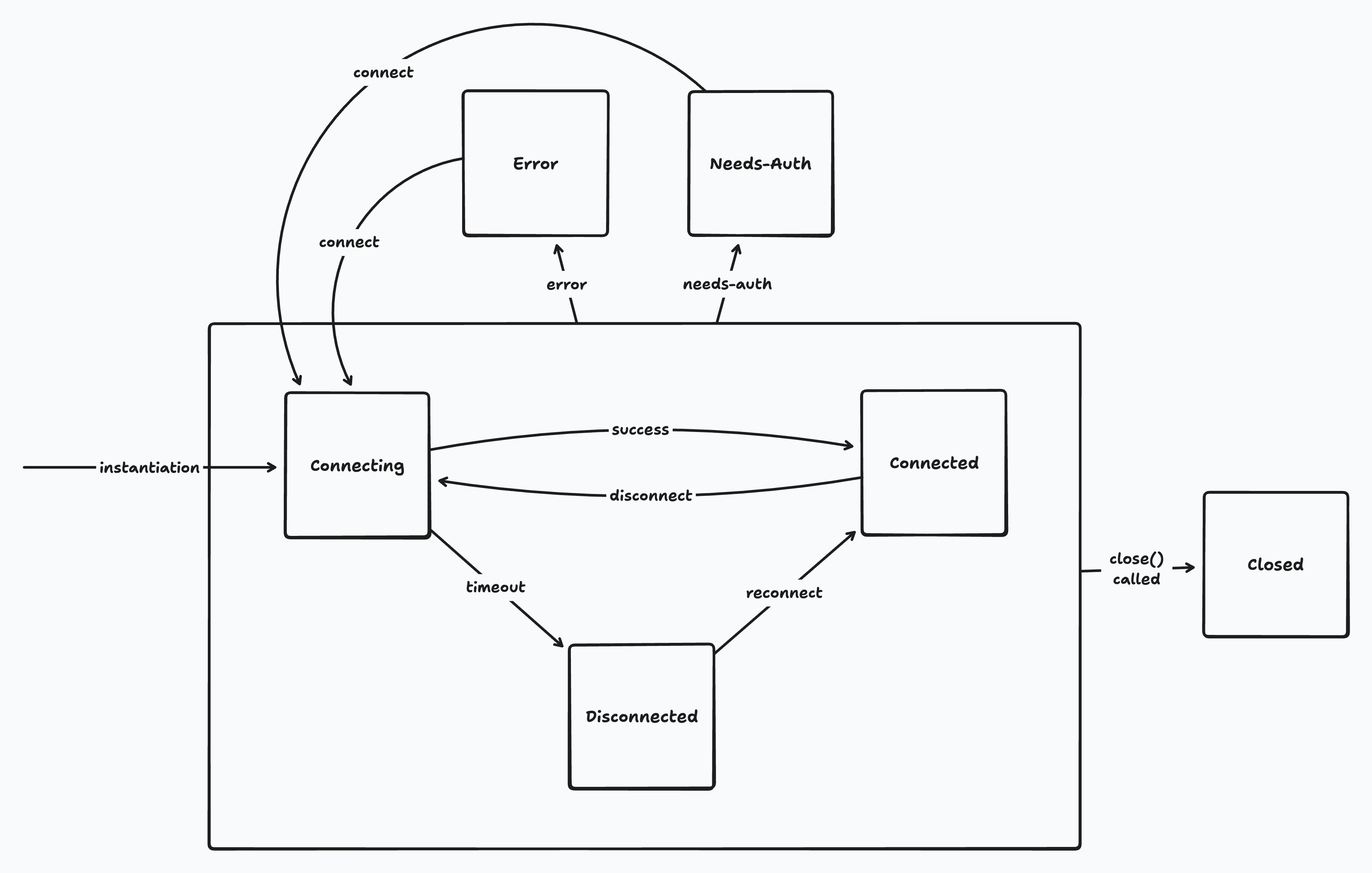
## Usage
The current connection state is available in the `zero.connection.state` property. This is subscribable and also has reactive hooks for React and SolidJS:
**React**
```tsx
import {useConnectionState} from '@rocicorp/zero/react'
function ConnectionStatus() {
const state = useConnectionState()
switch (state.name) {
case 'connecting':
return
Connecting...
case 'connected':
return
Connected
case 'disconnected':
return
Offline
case 'error':
return
Error
case 'needs-auth':
return
Session expired
default:
return null
}
}
```
**SolidJS**
```tsx
import {useConnectionState} from '@rocicorp/zero/solid'
function ConnectionStatus() {
const state = useConnectionState()
return (
Connecting...
Connected
Offline
Error
Session expired
)
}
```
**TypeScript**
```ts
zero.connection.state.subscribe(state => {
switch (state.name) {
case 'connecting':
console.log(`Connecting... ${state.reason}`)
break
case 'connected':
console.log('Connected')
break
case 'disconnected':
console.log(`Disconnected ${state.reason}`)
break
case 'error':
console.log(`Error ${state.reason}`)
break
case 'needs-auth':
console.log('Session expired')
break
default:
return null
}
})
```
## Offline
Zero [does not support offline writes](#why-zero-doesnt-support-offline-writes). When the client is in the `disconnected`, `error`, or `needs-auth` states, reads from synced data continue to work, but writes are rejected.
| State | Reads | Writes |
| -------------- | ----- | ---------- |
| `connecting` | ✅ | ✅ (queued) |
| `connected` | ✅ | ✅ |
| `disconnected` | ✅ | ❌ |
| `error` | ✅ | ❌ |
| `needs-auth` | ✅ | ❌ |
| `closed` | ❌ | ❌ |
## Offline UI
While Zero is in the `disconnected`, `error`, or `needs-auth` states, you should prevent the user from inputting data to your application to avoid data loss.
Zero automates this as best it can by rejecting writes in these states. But there can still be cases where the user can lose work – for example by typing into a textarea that is only written to Zero when the user presses a button.
The easiest way to implement this is with a modal overlay that covers the entire screen and tells the user to reconnect. However, you could also continue to let the user use the app read-only, and only disable inputs.
## Details
### Connecting
Zero starts in the `connecting` state.
While `connecting`, Zero repeatedly tries to connect to `zero-cache`. After 1 minute of failed attempts, it transitions to `disconnected`. This timeout can be configured with the `disconnectTimeoutMs` constructor parameter:
```tsx
const opts: ZeroOptions = {
// ...
disconnectTimeoutMs: 1000 * 60 * 10 // 10 minutes
}
```
Reads and writes are allowed to Zero mutators while `connecting`. The writes are queued and are sent when the connection succeeds.
If the connection fails, the writes remain queued and are sent the next time Zero connects.
This is intended to paper over short connectivity glitches, such as server restarts, walking into an elevator, etc.
> 🦖 **Zero is not designed for long periods offline**: While you can increase the `disconnectTimeoutMs` to allow for longer periods of offline operation, this has caveats and is not recommended. Please see [offline](#why-zero-doesnt-support-offline-writes) for more information.
### Connected
Once Zero connects to `zero-cache` and syncs the first time, it transitions to the `connected` state.
### Disconnected
After the `disconnectTimeoutMs` elapses while in the `connecting` state, Zero transitions to `disconnected`. Zero also transitions to `disconnected` when the tab is hidden for `hiddenTabDisconnectDelay` (default 5 minutes).
While `disconnected`, Zero continues to try to reconnect to `zero-cache` every 5 seconds.
Reads are allowed while `disconnected`, but writes are rejected and return an offline error. See [Offline](#offline) for more information.
### Error
If `zero-cache` itself crashes, or if the [mutate](https://zero.rocicorp.dev/docs/mutators) or [query](https://zero.rocicorp.dev/docs/queries) endpoints return a network or HTTP error, Zero transitions to the `error` state.
This type of error is unlikely to resolve just by retrying, so Zero doesn't try. The app can retry the connection manually by calling `zero.connection.connect()`.
Reads are allowed while in the `error` state, but writes are rejected.
You can forward connection errors to Sentry (or any error-monitoring tool) by subscribing to `zero.connection.state`. You can wrap `reason` in an `Error` and report it:
```ts
import * as Sentry from '@sentry/browser'
zero.connection.state.subscribe(state => {
if (state.name !== 'error') return
Sentry.withScope(scope => {
scope.setTag('zero.connection.state', state.name)
scope.setExtra('zero.connection.reason', state.reason)
Sentry.captureException(
new Error(`Zero connection error: ${state.reason}`)
)
})
})
```
### Needs-Auth
If the [mutate](https://zero.rocicorp.dev/docs/mutators) or [query](https://zero.rocicorp.dev/docs/queries) endpoints return a 401 or 403 status code, Zero transitions to the `needs-auth` state.
For cookie auth, refresh the cookie and call `zero.connection.connect()`.
For token auth, fetch a new token and call `zero.connection.connect({auth: newToken})` to refresh the token in place without recreating the client. If you are using `ZeroProvider`, it will do this for you when the `auth` value changes from one token to another.
Reads are allowed while in the `needs-auth` state, but writes are rejected.
See [Authentication](https://zero.rocicorp.dev/docs/auth#auth-failure-and-refresh) for more information.
### Closed
Zero transitions to the `closed` state when you call `zero.close()`.
Most applications will never call `close()`, and even if they do, they should not still be using Zero at that time. So in practice, you should never see this state in a running application.
Reads and writes are both rejected while Zero is in the `closed` state.
## Why Zero Doesn't Support Offline Writes
Supporting offline writes in collaborative applications is inherently difficult, and no sync engine or CRDT algorithm can automatically solve it for you. Despite what their marketing says 😉.
### Example
Imagine two users are editing an article about cats. One goes offline and does a bunch of work on the article, while the other decides that the article should actually be about dogs and rewrites it. When the offline user reconnects, there is no way that any software algorithm can automatically resolve their conflict. One or the other of them is going to be upset.
This is a trivial data model with a single field, and is already unsolvable. Real-world applications are much worse:
* Foreign keys and other constraints can pass while offline, but break when the user reconnects.
* Custom business logic and authorization rules can pass while offline, but break when the user reconnects.
* The application's schema can change while offline, and the user's data may not be processable by the new schema.
Just take your own schema and ask yourself what should really happen if one user takes their device offline for a week and makes arbitrarily complex changes while other users are working online.
### Tradeoffs
It is of course *possible* to create applications that support offline writes well (Git exists!). But it requires significant tradeoffs. For example, you could:
* Disallow destructive operations (i.e., users can create tasks while offline, but cannot edit or delete them).
* Support custom UX to allow users to fork and merge conflicts when they occur.
* Restrict offline writes to a single device.
* Accept potential user data loss.
### Zero's Position
While we recognize that offline writes would be useful, the reality is that for most of the apps we want to support, the user is online the vast majority of the time and the cost to support offline is extremely high. There is simply more value in making the online experience great first, and that's where we're focused right now.
We would like to [revisit this in the future](https://bugs.rocicorp.dev/p/zero/issue/246605), but it's not a priority right now.
---
Source: https://zero.rocicorp.dev/docs/rest
Creating REST APIs for Zero Applications
# REST
If you need a traditional REST surface (for webhooks, third-party integrations, CLI tools, etc), you can easily generate one from your Zero mutator registry without having to duplicate any code.
This is optional. Zero clients do not use this API. They still use `zero.mutate(...)` and your `ZERO_MUTATE_URL` endpoint.
## Pattern
1. Keep mutators as the source of truth.
2. Add a server route that maps REST paths to mutator names.
3. Look up the mutator with `mustGetMutator` and execute `mutator.fn(...)`.
4. Reuse the same validator schemas for docs generation (OpenAPI).
For example:
* `POST /api/mutators/cart/add` maps to mutator name `cart.add`
* `POST /api/mutators/cart/remove` maps to mutator name `cart.remove`
This pattern works nicely because Zero mutators have more requirements than regular APIs. Namely they require an open transaction to be passed in. So it's easier to generate REST APIs from mutators than the reverse.
## TanStack Start Example
```ts
// app/routes/api/mutators/$.ts
import {createServerFileRoute} from '@tanstack/react-start/server'
import {mustGetMutator} from '@rocicorp/zero'
import {mutators} from 'zero/mutators'
export const ServerRoute = createServerFileRoute(
'/api/mutators/$'
).methods({
POST: async ({params, request}) => {
const name = params._splat?.split('/').join('.')
if (!name) {
return Response.json(
{error: 'Mutator name required'},
{status: 400}
)
}
const args = await request.json()
const mutator = mustGetMutator(mutators, name)
await dbProvider.transaction(async tx => {
await mutator.fn({
tx,
args
})
})
return Response.json({ok: true})
}
})
```
## OpenAPI Generation
For API discovery, expose an OpenAPI document (for example `/api/openapi.json`) generated from your mutator registry.
Typical setup:
* discover mutator names at runtime
* generate one `POST` operation per mutator path
* include request/response schemas
* serve Swagger UI from `/api/docs`
> 💡 **Keep validators separately exportable**: `defineMutators()` returns callable mutators, but does not expose validator schemas on the resulting registry object.
>
> If you want schema-driven docs, export your validator map separately and reuse those schema objects in `defineMutator(...)`.
## Full Working Example
See the `ztunes` sample for a full implementation:
* Source: [https://github.com/rocicorp/ztunes](https://github.com/rocicorp/ztunes)
* Swagger docs: [https://ztunes.rocicorp.dev/api/docs](https://ztunes.rocicorp.dev/api/docs)
## Postgres
---
# Connecting to Postgres
Source: https://zero.rocicorp.dev/docs/connecting-to-postgres
In the future, Zero will work with many different backend databases. Today only Postgres is supported. Specifically, Zero requires Postgres v15.0 or higher, and support for [logical replication](https://www.postgresql.org/docs/current/logical-replication.html).
Here are some common Postgres options and what we know about their support level:
| Postgres | Support Status |
| ------------------------ | ----------------------------------------------- |
| AWS RDS | ✅ |
| AWS Aurora | ✅ v15.6+ |
| PlanetScale for Postgres | ✅ See [notes below](#planetscale-for-postgres) |
| Neon | ✅ See [notes below](#neon) |
| Google Cloud SQL | ✅ See [notes below](#google-cloud-sql) |
| Postgres.app | ✅ |
| Postgres 15+ Docker | ✅ |
| Supabase | ⚠️ See [notes below](#supabase) |
| Fly.io Managed Postgres | ⚠️ See [notes below](#flyio) |
| Render | ⚠️ See [notes below](#render) |
| Heroku | 🤷♂️ No [event triggers](#event-triggers) |
## Event Triggers
Zero uses Postgres “ [Event Triggers](https://www.postgresql.org/docs/current/sql-createeventtrigger.html)” when possible to implement high-quality, efficient [schema migration](https://zero.rocicorp.dev/docs/schema#schema-changes).
Some hosted Postgres providers don't provide access to Event Triggers.
Zero still works out of the box with these providers, but for correctness, any schema change triggers a full reset of all server-side and client-side state. For small databases (\< 10GB) this can be OK, but for bigger databases you should either [manually tell Zero about the schema change](#schema-change-hooks) or choose a provider with event trigger support.
## Configuration
### WAL Level
The Postgres `wal_level` config parameter has to be set to `logical`. You can check what level your pg has with this command:
```bash
psql -c 'SHOW wal_level'
```
If it doesn’t output `logical` then you need to change the wal level. To do this, run:
```bash
psql -c "ALTER SYSTEM SET wal_level = 'logical';"
```
Then restart Postgres. On most pg systems you can do this like so:
```bash
data_dir=$(psql -t -A -c 'SHOW data_directory')
pg_ctl -D "$data_dir" restart
```
After your server restarts, show the `wal_level` again to ensure it has changed:
```bash
psql -c 'SHOW wal_level'
```
### Bounding WAL Size
For development databases, you can set a `max_slot_wal_keep_size` value in Postgres. This will help limit the amount of WAL kept around.
This is a configuration parameter that bounds the amount of WAL kept around for replication slots, and [invalidates the slots that are too far behind](https://www.postgresql.org/docs/current/runtime-config-replication.html#GUC-MAX-SLOT-WAL-KEEP-SIZE).
Zero-cache will automatically detect if the replication slot has been invalidated and re-sync replicas from scratch.
This configuration can cause problems like `slot has been invalidated because it exceeded the maximum reserved size` and is not recommended for production databases.
## Provider-Specific Notes
### PlanetScale for Postgres
You should use the `default` role that PlanetScale provides, because PlanetScale user-defined roles cannot create replication slots.
Planetscale Postgres defaults `max_connections` to 25, which can easily be exhausted by Zero's connection pools. This will result in an error like `remaining connection slots are reserved for roles with the SUPERUSER attribute`. You should increase this value in the Parameters section of the PlanetScale dashboard to 100 or more.
Make sure to only use a direct connection for the `ZERO_UPSTREAM_DB`, and use pooled URLs for `ZERO_CVR_DB`, `ZERO_CHANGE_DB`, and your API (see [Deployment](https://zero.rocicorp.dev/docs/self-host)).
### Neon
#### Logical Replication
Neon supports logical replication, but you need to enable it in the Neon console for your branch/endpoint.
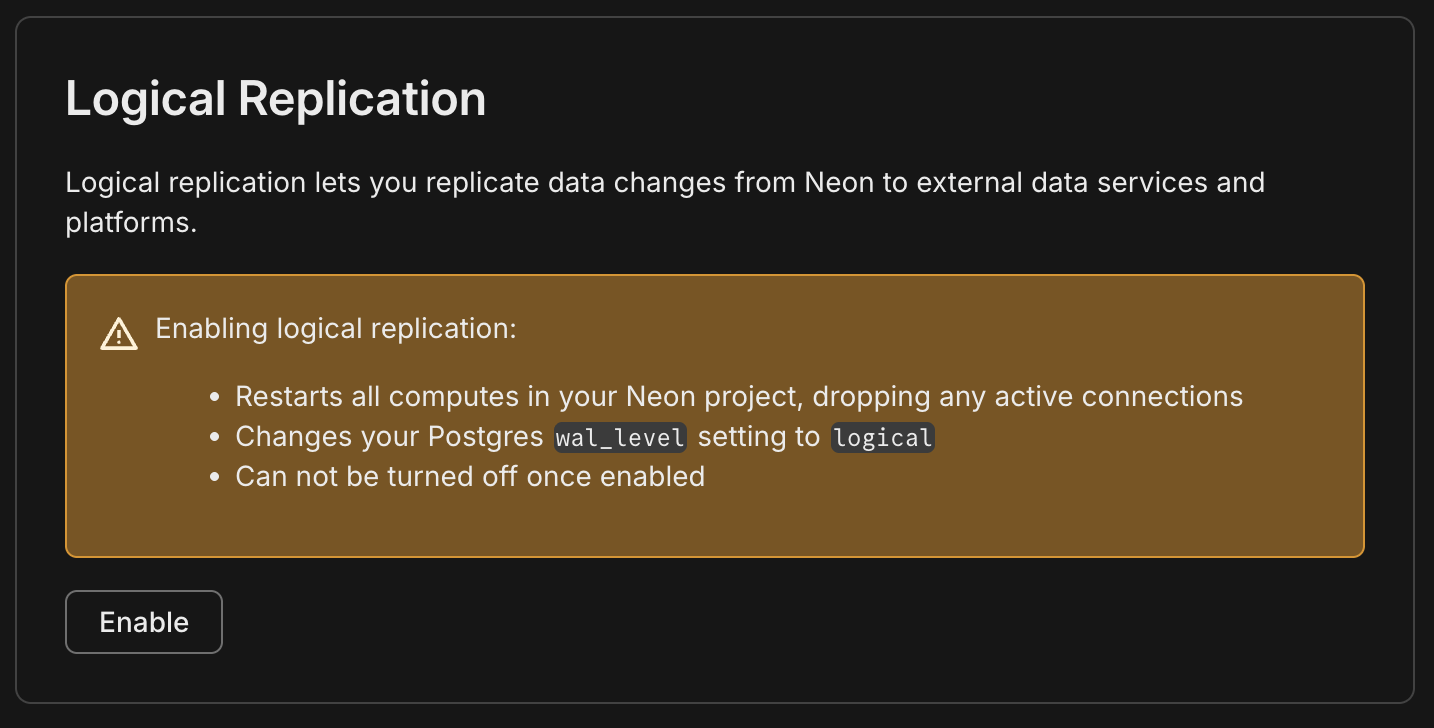
#### Branching
Neon fully supports Zero, but you should be aware of how Neon's pricing model and Zero interact: because Zero keeps an open connection to Postgres to replicate changes, as long as zero-cache is running, Postgres will be running and you will be charged by Neon.
For production databases that have enough usage to always be running anyway, this is fine. But for smaller applications that would otherwise not always be running, this can create a surprisingly high bill. You may want to choose a provider that charge a flat monthly rate instead.
Also some users choose Neon because they hope to use branching for previews. This can work, but if not done with care, Zero can end up keeping each Neon *preview* branch running too 😳.
For the recommended approach to preview URLs, see [Previews](https://zero.rocicorp.dev/docs/previews).
### Fly.io
#### Networking
Fly Managed Postgres is the latest offering from Fly.io, and it is private-network-only by default. If zero-cache runs outside Fly, connect via Fly WireGuard or run a proxy like [fly-mpg-proxy](https://github.com/fly-apps/fly-mpg-proxy).
Fly does not support TLS on its private network. If `zero-cache` connects to Postgres over the Fly private network (including WireGuard), add `sslmode=disable` to your connection strings.
#### Permissions
Fly Managed Postgres does not provide superuser access, so `zero-cache` cannot create [event triggers](#event-triggers).
Also, some publication operations (like `FOR TABLES IN SCHEMA ...` / `FOR ALL TABLES`) can be permission-restricted. If `zero-cache` can't create its default publication, create one listing tables explicitly and set the [app publication](https://zero.rocicorp.dev/docs/zero-cache-config#app-publications).
#### Pooling
You should use Fly's pgBouncer endpoint for `ZERO_CVR_DB` and `ZERO_CHANGE_DB`.
### Supabase
Supabase requires at least 15.8.1.083 for event trigger support. If you have a lower 15.x, Zero will still work but [schema updates will be slower](#event-triggers). See Supabase's docs for upgrading your Postgres version.
Zero must use the "Direct Connection" string:
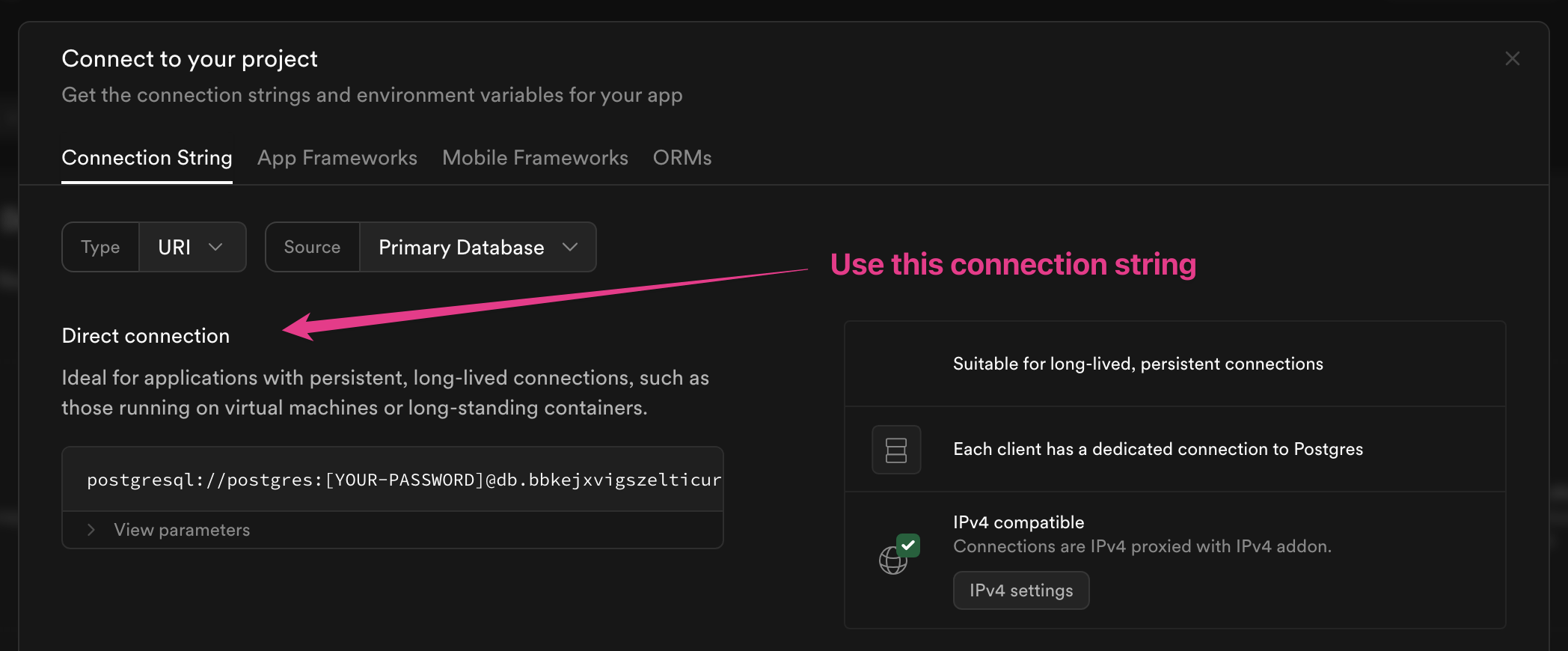
This is because Zero sets up a logical replication slot, which is only supported with a direct connection.
For `ZERO_CVR_DB` and `ZERO_CHANGE_DB`, prefer Supabase's **session** pooler. The transaction pooler can break prepared statements and cause errors like `26000 prepared statement ... does not exist`.
#### Publication Changes
Supabase [does not fire DDL event triggers](https://github.com/supabase/supautils/issues/123) for `ALTER PUBLICATION`. Call a [schema change hook](#schema-change-hooks) after the `ALTER PUBLICATION` to replicate the change.
#### IPv4
You may also need to assign an IPv4 address to your Supabase instance:
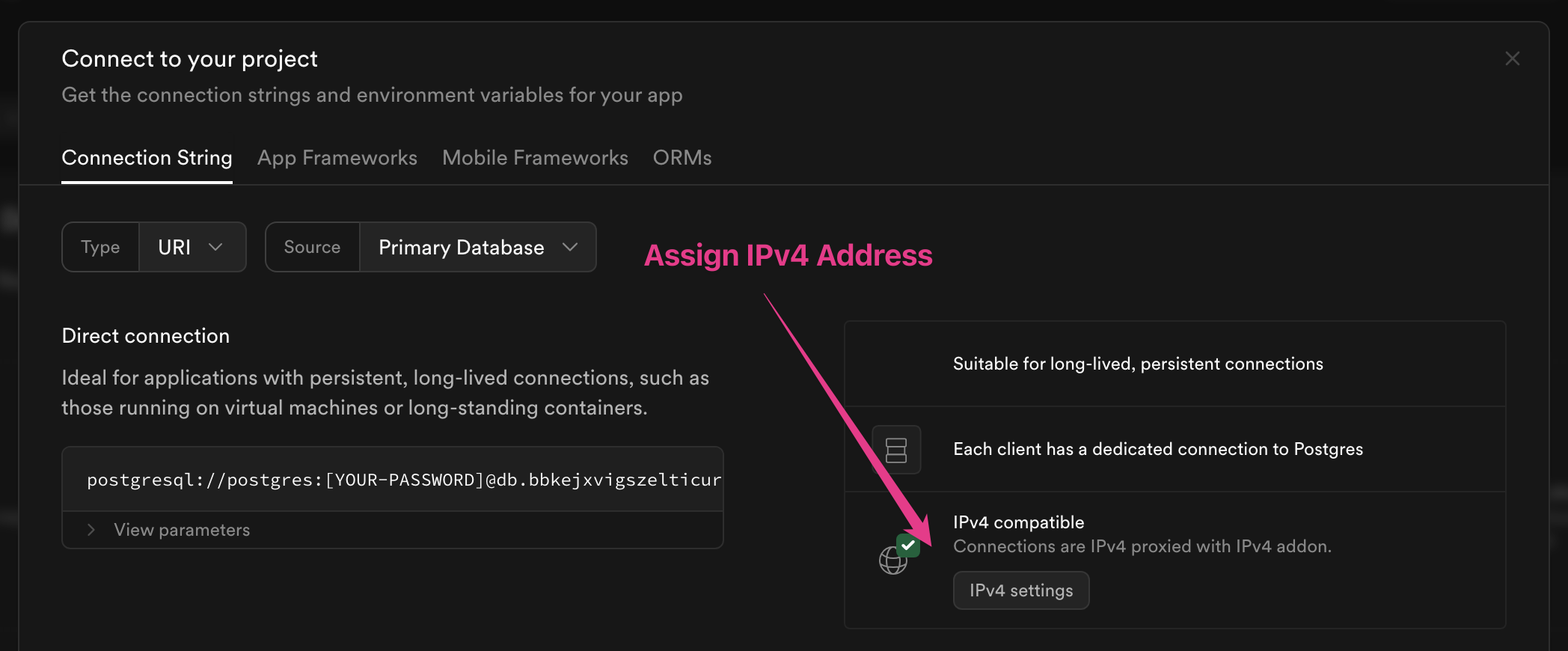
This will be required if you cannot use IPv6 from wherever `zero-cache` is running. Most cloud providers support IPv6, but some do not. For example, if you are running `zero-cache` in AWS, it is possible to use IPv6 but difficult. [Hetzner](https://www.hetzner.com/) offers cheap hosted VPS that supports IPv6.
IPv4 addresses are only supported on the Pro plan and are an extra $4/month.
### Render
Render *can* work with Zero, but requires admin/support-side setup, and does not support a few core Zero features.
App roles can't create [event triggers](#event-triggers), so schema changes will fall back to full resets unless you use [schema change hooks](#schema-change-hooks).
You also must ensure `wal_level=logical` by creating a Render support ticket.
Render does not provide superuser access, but you can submit another support ticket to ask Render to create a publication with `FOR ALL TABLES` for you, and then set that publication in [App Publications](https://zero.rocicorp.dev/docs/zero-cache-config#app-publications).
### Google Cloud SQL
Zero works with Google Cloud SQL out of the box. In many configurations, when you connect with a user that has sufficient privileges, `zero-cache` will create its default publication automatically.
If your Cloud SQL user does not have permission to create publications, you can still use Zero by [creating a publication manually](https://zero.rocicorp.dev/docs/postgres-support#limiting-replication) and then specifying that publication name in [App Publications](https://zero.rocicorp.dev/docs/zero-cache-config#app-publications) when running `zero-cache`.
On Google Cloud SQL for PostgreSQL, enable logical decoding by turning on the instance flag `cloudsql.logical_decoding`. You do not set `wal_level` directly on Cloud SQL. See Google's documentation for details: [Configure logical replication](https://cloud.google.com/sql/docs/postgres/replication/configure-logical-replication).
## Schema Change Hooks
For providers that don't support or allow [event triggers](#event-triggers), Zero provides a manual hook you can call after a schema change to avoid a full reset.
To enable the hook, first opt into manual DDL detection by setting `ddlDetection` to `true` in Zero's upstream shard config. With the default [app id](https://zero.rocicorp.dev/docs/zero-cache-config#app-id) of `zero` and the default shard `0`, that looks like:
```sql
UPDATE zero_0."shardConfig" SET "ddlDetection" = true;
```
Then call `update_schemas()` after any DDL statements:
```sql
SELECT zero_0.update_schemas();
```
It is important to call `update_schemas()` after the DDL statements but before any dependent data changes. A good way to do this is to wrap the DDL and the `update_schemas()` call in a single transaction:
```sql
BEGIN;
ALTER TABLE foo ADD COLUMN bar TEXT;
CREATE INDEX foo_bar_idx ON foo(bar);
SELECT zero_0.update_schemas();
COMMIT;
```
> **COMMENT ON PUBLICATION workaround**: You can also tell Zero about publication changes specifically by following the `ALTER PUBLICATION` with a `COMMENT ON PUBLICATION` statement:
>
> ```sql
> ALTER PUBLICATION zero_pub ADD TABLE ...;
> COMMENT ON PUBLICATION zero_pub IS 'anything';
> ```
>
> It is still supported, but was replaced by `update_schemas()` because the latter is catches changes to any DDL, not just publication changes.
---
# Supported Postgres Features
Source: https://zero.rocicorp.dev/docs/postgres-support
Postgres has a massive feature set, and Zero supports a growing subset of it.
## Object Names
* Table and column names must begin with a letter or underscore
* This can be followed by letters, numbers, underscores, and hyphens
* Regex: `/^[A-Za-z_]+[A-Za-z0-9_-]*$/`
* The column name `_0_version` is reserved for internal use
## Object Types
* Tables are synced.
* Views are not synced.
* `generated as identity` columns are synced.
* In Postgres 18+, `generated stored` columns are synced. In lower Postgres versions they aren't.
* Indexes aren't *synced* per-se, but we do implicitly add indexes to the replica that match the upstream indexes. In the future, this will be customizable.
## Column Types
> ⚠️ **No ZQL operators for arrays yet**: Zero will sync arrays to the client, but there is no support for filtering or joining on array elements yet in ZQL.
Other Postgres column types aren’t supported. They will be ignored when replicating (the synced data will be missing that column) and you will get a warning when `zero-cache` starts up.
If your schema has a pg type not listed here, you can support it in Zero by using a trigger to map it to some type that Zero can support. For example if you have a [GIS polygon type](https://www.postgresql.org/docs/current/datatype-geometric.html#DATATYPE-POLYGON) in the column `my_poly polygon`, you can use a trigger to map it to a `my_poly_json json` column. You could either use another trigger to map in the reverse direction to support changes for writes, or you could use a [mutator](https://zero.rocicorp.dev/docs/mutators) to write to the polygon type directly on the server.
Let us know if the lack of a particular column type is hindering your use of Zero. It can likely be added.
## Column Defaults
Default values are allowed in the Postgres schema, but there currently is no way to use them from a Zero app.
An `insert()` mutation requires all columns to be specified, except when columns are nullable (in which case, they default to null). Since there is no way to leave non-nullable columns off the insert on the client, there is no way for PG to apply the default. This is a known issue and will be fixed in the future.
## IDs
It is strongly recommended to use client-generated random strings like [crypto.randomUUID()](https://developer.mozilla.org/en-US/docs/Web/API/Crypto/randomUUID), [uuid](https://www.npmjs.com/package/uuid), [ulid](https://www.npmjs.com/package/ulid), [nanoid](https://www.npmjs.com/package/nanoid), etc for primary keys. This makes optimistic creation and updates much easier.
> **Why are client-generated IDs better?**: Imagine that the PK of your table is an auto-incrementing integer. If you optimistically create an entity of this type, you will have to give it some ID – the type will require it locally, but also if you want to optimistically create relationships to this row you’ll need an ID.
>
> You could sync the highest value seen for that table, but there are race conditions and it is possible for that ID to be taken by the time the creation makes it to the server. Your database can resolve this and assign the next ID, but now the relationships you created optimistically will be against the wrong row. Blech.
>
> GUIDs makes a lot more sense in synced applications.
>
> If your table has a natural key you can use that and it has less problems. But there is still the chance for a conflict. Imagine you are modeling orgs and you choose domainName as the natural key. It is possible for a race to happen and when the creation gets to the server, somebody has already chosen that domain name. In that case, the best thing to do is reject the write and show the user an error.
If you want to have a short auto-incrementing numeric ID for UX reasons (i.e., a bug number), that is possible - see [this video](https://discord.com/channels/830183651022471199/1288232858795769917/1298114323272568852).
## Primary Keys
Each table synced with Zero must have either a primary key or at least one unique index. This is needed so that Zero can identify rows during sync, to distinguish between an edit and a remove/add.
Multi-column primary and foreign keys are supported.
## Limiting Replication
There are two levels of replication to consider with Zero: replicating from Postgres to zero-cache, and from zero-cache to the Zero browser client.
### zero-cache replication
By default, Zero creates a Postgres [*publication*](https://www.postgresql.org/docs/current/sql-createpublication.html) that publishes all tables in the `public` schema to zero-cache.
To limit which tables or columns are replicated to zero-cache, you can create a Postgres `publication` with the tables and columns you want:
```sql
CREATE PUBLICATION zero_data FOR TABLE users (col1, col2, col3, ...), issues, comments;
```
Then, specify this publication in the [App Publications](https://zero.rocicorp.dev/docs/zero-cache-config#app-publications) `zero-cache` option.
### Browser client replication
You can use [Read Permissions](https://zero.rocicorp.dev/docs/auth#read-permissions) to control which rows are synced from the `zero-cache` replica to actual clients (e.g., web browsers).
Currently, Permissions can limit which tables and rows can be replicated to the client. In the near future, you'll also be able to use Permissions to limit syncing individual columns. Until then, you will need to create a publication to control which columns are synced to zero-cache.
## Schema changes
All Postgres schema changes are supported. See [Schema Migrations](https://zero.rocicorp.dev/docs/schema#schema-changes).
## Integrations
---
# React
Source: https://zero.rocicorp.dev/docs/react
Zero has built-in support for React. Here's what basic usage looks like.
## Setup
Use the `ZeroProvider` component to setup Zero. It takes care of creating and destroying `Zero` instances reactively:
```tsx
import {createRoot} from 'react-dom/client'
import {ZeroProvider} from '@rocicorp/zero/react'
import {useSession} from 'my-session-provider'
import App from './App.tsx'
import {schema} from 'schema.ts'
import {mutators} from 'mutators.ts'
const cacheURL = import.meta.env.VITE_PUBLIC_ZERO_CACHE_URL!
export default function Root() {
const session = useSession()
const userID = session?.userID
const auth = session?.accessToken
const context = userID ? {userID} : undefined
return (
)
}
```
If you use token auth, pass it with `auth={session?.jwt}`. If you use cookie auth, omit the parameter entirely.
When `auth` changes from one string to another, `ZeroProvider` refreshes auth in place with `zero.connection.connect({auth})`. When `auth` is added or removed, or `userID` changes, it recreates the `Zero` instance.
When the user is logged out, omit the `userID` entirely.
You can also pass a `Zero` instance to the `ZeroProvider` if you want to control the lifecycle of the `Zero` instance yourself:
```tsx
// ZeroProvider just sets up the context, it doesn't manage
// the lifecycle of the Zero instance.
```
When you pass `zero={zero}`, `ZeroProvider` only provides React Context. It does not manage auth updates for that instance, so if you are using token auth, call `zero.connection.connect({auth: newToken})` yourself or recreate the instance when the user changes.
## Usage
Use `useQuery` to run queries:
```tsx
import {useQuery} from '@rocicorp/zero/react'
import {queries} from 'queries.ts'
function Posts() {
const [posts] = useQuery(
queries.posts.byStatus({status: 'draft'})
)
return (
<>
{posts.map(p => (
{p.title} ({p.comments.length} comments)
))}
)
}
```
For conditional queries, such as queries that depend on auth state or route params that may not be loaded yet, see [Conditional Queries](https://zero.rocicorp.dev/docs/queries#conditionally).
Use `useZero` to get access to the `Zero` instance, for example to run mutators:
```tsx
import {useZero} from '@rocicorp/zero/react'
import {mutators} from 'mutators.ts'
function CompleteButton({issueID}: {issueID: string}) {
const zero = useZero()
const onClick = () => {
zero.mutate(mutators.issues.complete({id: issueID}))
}
return
}
```
## Suspense
The `useSuspenseQuery` hook is exactly like `useQuery`, except it supports React Suspense.
```tsx
const [issues] = useSuspenseQuery(issueQuery, {
suspendUntil: 'complete' // 'partial' or 'complete'
})
```
Use the `suspendUntil` parameter to control how long to suspend for. The value `complete` suspends until authoritative results from the server are received. The `partial` value suspends until any non-empty data is received, or for a empty result that is `complete`.
## Examples
See [the sample directory](https://zero.rocicorp.dev/docs/samples) for more complete React examples.
---
# SolidJS
Source: https://zero.rocicorp.dev/docs/solidjs
Zero has built-in support for Solid. Here’s what basic usage looks like:
## Setup
Use the `ZeroProvider` component to setup Zero. It takes care of creating and destroying `Zero` instances reactively:
```tsx
import {ZeroProvider} from '@rocicorp/zero/solid'
import {useSession} from 'my-auth-provider'
import App from 'App.tsx'
import {schema} from 'schema.ts'
import {mutators} from 'mutators.ts'
const cacheURL = import.meta.env.VITE_PUBLIC_ZERO_CACHE_URL!
function Root() {
const session = useSession()
const userID = session?.userID
const auth = session?.accessToken
const context = userID ? {userID} : undefined
return (
)
}
```
If you use token auth, pass it with `auth={session?.jwt}`. If you use cookie auth, omit the parameter entirely.
When `auth` changes from one string to another, `ZeroProvider` refreshes auth in place with `zero.connection.connect({auth})`. When `auth` is added or removed, or `userID` changes, it recreates the `Zero` instance.
When the user is logged out, omit the `userID` entirely.
You can also pass a `Zero` instance to the `ZeroProvider` if you want to control the lifecycle of the `Zero` instance yourself:
```tsx
// ZeroProvider just sets up the context, it doesn't manage
// the lifecycle of the Zero instance.
```
When you pass `zero={zero}`, `ZeroProvider` only provides SolidJS Context. It does not manage auth updates for that instance, so if you are using token auth, call `zero.connection.connect({auth: newToken})` yourself or recreate the instance when the user changes.
## Usage
Use `useQuery` to run queries:
```tsx
import {useQuery} from '@rocicorp/zero/solid'
import {queries} from 'queries.ts'
function App() {
const [posts] = useQuery(() =>
queries.posts.byStatus({status: 'draft'})
)
return (
{post => (
{post.title} - ({post.comments.length} comments)
)}
)
}
```
Use `useZero` to get access to the `Zero` instance, for example to run mutators:
```tsx
import {useZero} from '@rocicorp/zero/solid'
import {mutators} from 'mutators.ts'
function CompleteButton({issueID}: {issueID: string}) {
const zero = useZero()
const onClick = () => {
zero().mutate(mutators.issues.complete({id: issueID}))
}
return
}
```
## Examples
See the complete quickstart here:
[https://github.com/rocicorp/hello-zero-solid](https://github.com/rocicorp/hello-zero-solid)
---
# React Native
Source: https://zero.rocicorp.dev/docs/react-native
Zero has built-in support for React Native and Expo.
Usage is identical to [React on the web](https://zero.rocicorp.dev/docs/react), except you must provide a `kvStore` implementation. Choose the storage adapter you prefer:
**expo-sqlite**
```tsx
import {ZeroProvider} from '@rocicorp/zero/react'
import {expoSQLiteStoreProvider} from '@rocicorp/zero/expo-sqlite'
export function RootLayout() {
return (
)
}
```
**op-sqlite**
```tsx
import {ZeroProvider} from '@rocicorp/zero/react'
import {opSQLiteStoreProvider} from '@rocicorp/zero/op-sqlite'
export default function RootLayout() {
return (
)
}
```
For a complete example, see [zslack](https://zero.rocicorp.dev/docs/samples#zslack).
> 🤓 **If you like speed…**: `op-sqlite` is much faster than `expo-sqlite` but does not work with [Expo Go](https://expo.dev/go). However, it is supported with `expo prebuild` and development builds.
---
# From the Community
Source: https://zero.rocicorp.dev/docs/community
Integrations with various tools, built by the Zero dev community.
If you have made something that should be here, send us a [pull request](https://github.com/rocicorp/zero-docs/pulls).
## UI Frameworks
* [One](https://onestack.dev/) is a full-stack React (and React Native!) framework with built-in Zero support.
* [zero-svelte](https://github.com/stolinski/zero-svelte) and [zero-svelte-query](https://github.com/RobertoSnap/zero-svelte-query) are two different approaches to Zero bindings for Svelte.
* [zero-vue](https://github.com/danielroe/zero-vue) adds Zero bindings to Vue.
* [zero-astro](https://github.com/ferg-cod3s/zero-astro) adds Zero bindings to Astro.
## Miscellaneous
* [undo](https://github.com/rocicorp/undo) is a simple undo/redo library that was originally built for Replicache, but works just as well with Zero.
## Deployment
---
# Deploy on Cloud Zero
Source: https://zero.rocicorp.dev/docs/cloud-zero
We recommend deploying on Cloud Zero for most users.
It's fully managed by the Zero team, so you can run Zero in production without operating `zero-cache`, scaling sync workers, or managing infrastructure.
---
Source: https://zero.rocicorp.dev/docs/previews
Per-Branch Preview URLs
# Previews
Most teams deploying to platforms like Vercel use unique hostnames per preview build. Zero supports this directly, and you do not need one `zero-cache` instance per preview deployment.
## Overview
Preview support has two parts:
1. Configure `zero-cache` with allowed URL patterns for both query and mutate endpoints.
2. In the browser, pick the concrete `queryURL` and `mutateURL` based on the current hostname when constructing `Zero`.
You must do this for both endpoints.
## Configure Allowed Endpoint Patterns
Set `ZERO_QUERY_URL` and `ZERO_MUTATE_URL` to include your production URL and your preview URL pattern:
```bash
ZERO_QUERY_URL="https://myapp.com/api/zero/query,https://my-app-*.preview.myapp.com/api/zero/query"
ZERO_MUTATE_URL="https://myapp.com/api/zero/mutate,https://my-app-*.preview.myapp.com/api/zero/mutate"
```
`zero-cache` will only allow client-selected URLs that match one of the configured values/patterns.
## Choose Endpoint URLs in the Client
When you construct `Zero` on the client, derive URLs from `location.origin` and pass both `queryURL` and `mutateURL`:
```ts
function getZeroEndpoints() {
const origin = location.origin
return {
queryURL: `${origin}/api/zero/query`,
mutateURL: `${origin}/api/zero/mutate`
}
}
const {queryURL, mutateURL} = getZeroEndpoints()
const zero = new Zero({
schema,
userID,
auth,
queryURL,
mutateURL
})
```
For full URL pattern syntax details, see [Queries URL Patterns](https://zero.rocicorp.dev/docs/queries#url-patterns).
## Schema Changes in Previews
If a preview includes a schema change, you should implement the schema change **first** and do it in the same backwards-compatible way documented in [Schema Changes](https://zero.rocicorp.dev/docs/schema#schema-changes) (`expand → migrate → contract`). After that, implement the rest of the preview behavior.
In practice, this means:
1. Apply the compatible schema expansion first.
2. Ship the preview app/API behavior as a preview, using the new schema.
3. Run contract cleanup later, after old clients are gone.
If desired, previews can share a single staging database.
Neon-style per-preview database branching is not well supported with Zero today, because each upstream database typically needs its own `zero-cache`.
---
# Self-Hosting Zero
Source: https://zero.rocicorp.dev/docs/self-host
To self-host Zero, you will need to deploy zero-cache, a Postgres database, your frontend, and your API server.
Zero-cache is made up of two main components:
1. One or more *view-syncers*: serving client queries using a SQLite replica.
2. One *replication-manager*: bridge between the Postgres replication stream and view-syncers.
These components have the following characteristics:
| | Replication Manager | View Syncer |
| --------------------- | -------------------------- | -------------------- |
| Owns replication slot | ✅ | ❌ |
| Serves client queries | ❌ | ✅ |
| Backs up replica | ✅ (required in multi-node) | ❌ |
| Restores from backup | Optional | Required |
| Subscribes to changes | N/A (produces) | ✅ |
| CVR management | ❌ | ✅ |
| Number deployed | 1 | N (horizontal scale) |
You will also need to deploy a Postgres database, your frontend, and your API server for the [query](https://zero.rocicorp.dev/docs/queries#server-setup) and [mutate](https://zero.rocicorp.dev/docs/mutators#server-setup) endpoints.
Before setting up Postgres, read [Connecting to Postgres](https://zero.rocicorp.dev/docs/connecting-to-postgres) for provider-specific notes.
## Minimum Viable Strategy
The simplest way to deploy Zero is to run everything on a single node. This is the least expensive way to run Zero, and it can take you surprisingly far.

Here are equivalent single-node configurations for a few common deployment targets:
**Docker Compose**
```yaml
services:
zero-cache:
image: rocicorp/zero:{version}
ports:
- 4848:4848
stop_grace_period: 10m
environment:
# Used for replication from postgres
# This *must* be a direct connection (not via pgbouncer)
ZERO_UPSTREAM_DB: postgres://postgres:pass@upstream-db:5432/zero
# Used for storing client view records
# Use a pooler in production
ZERO_CVR_DB: postgres://postgres:pass@upstream-db:5432/zero
# Used for storing recent replication log entries
# Use a pooler in production
ZERO_CHANGE_DB: postgres://postgres:pass@upstream-db:5432/zero
# Path to the SQLite replica
ZERO_REPLICA_FILE: /data/replica.db
# Password used to access the inspector and /statz
ZERO_ADMIN_PASSWORD: pickanewpassword
# URLs for your API /query and /mutate endpoints
ZERO_QUERY_URL: https://api.example.com/api/zero/query
ZERO_MUTATE_URL: https://api.example.com/api/zero/mutate
ZERO_ENABLE_CRUD_MUTATIONS: 'false'
volumes:
- zero-cache-data:/data
healthcheck:
test: curl -f http://localhost:4848/keepalive
interval: 5s
start_period: 10m
upstream-db:
image: postgres:18
environment:
POSTGRES_DB: zero
POSTGRES_PASSWORD: pass
ports:
- 5432:5432
command: postgres -c wal_level=logical
healthcheck:
test: pg_isready
interval: 10s
```
**Fly.io**
```toml
app = "zero-cache"
primary_region = "iad"
kill_timeout = 300
[build]
image = "rocicorp/zero:{version}"
[http_service]
internal_port = 4848
force_https = true
auto_stop_machines = "off"
min_machines_running = 1
[[http_service.checks]]
protocol = "https"
path = "/keepalive"
interval = "5s"
timeout = "5s"
grace_period = "10m"
[mounts]
source = "zero_data"
destination = "/data"
[env]
ZERO_UPSTREAM_DB = "postgresql://postgres:pass@db.internal:5432/zero"
ZERO_CVR_DB = "postgresql://postgres:pass@pgbouncer.internal:5432/zero"
ZERO_CHANGE_DB = "postgresql://postgres:pass@pgbouncer.internal:5432/zero"
ZERO_ADMIN_PASSWORD = "pickanewpassword"
ZERO_QUERY_URL = "https://api.example.com/api/zero/query"
ZERO_MUTATE_URL = "https://api.example.com/api/zero/mutate"
ZERO_ENABLE_CRUD_MUTATIONS = "false"
ZERO_REPLICA_FILE = "/data/replica.db"
```
**SST**
```ts
///
export default $config({
app(input) {
return {
name: 'zero',
home: 'aws',
removal:
input?.stage === 'production' ? 'retain' : 'remove'
}
},
async run() {
const vpc = new sst.aws.Vpc('ZeroVpc')
const cluster = new sst.aws.Cluster('ZeroCluster', {
vpc
})
const efs = new sst.aws.Efs('ZeroReplicaFs', {vpc})
new sst.aws.Service('ZeroCache', {
cluster,
image: 'rocicorp/zero:{version}',
cpu: '1 vCPU',
memory: '2 GB',
volumes: [{efs, path: '/data'}],
environment: {
ZERO_UPSTREAM_DB:
'postgresql://postgres:pass@postgres:5432/zero',
ZERO_CVR_DB:
'postgresql://postgres:pass@pgbouncer:5432/zero',
ZERO_CHANGE_DB:
'postgresql://postgres:pass@pgbouncer:5432/zero',
ZERO_ADMIN_PASSWORD: 'pickanewpassword',
ZERO_QUERY_URL:
'https://api.example.com/api/zero/query',
ZERO_MUTATE_URL:
'https://api.example.com/api/zero/mutate',
ZERO_ENABLE_CRUD_MUTATIONS: 'false',
ZERO_REPLICA_FILE: '/data/replica.db'
},
health: {
command: [
'CMD-SHELL',
'curl -f http://localhost:4848/keepalive || exit 1'
],
startPeriod: '300 seconds'
},
loadBalancer: {
public: true,
ports: [{listen: '80/http', forward: '4848/http'}]
},
transform: {
service: {
healthCheckGracePeriodSeconds: 600
},
target: {
healthCheck: {
enabled: true,
path: '/keepalive',
protocol: 'HTTP',
interval: 5,
timeout: 3,
healthyThreshold: 2
}
}
}
})
}
})
```
**Kubernetes**
```yaml
apiVersion: apps/v1
kind: Deployment
metadata:
name: zero-cache
spec:
replicas: 1
selector:
matchLabels:
app: zero-cache
template:
metadata:
labels:
app: zero-cache
spec:
terminationGracePeriodSeconds: 600
containers:
- name: zero-cache
image: rocicorp/zero:{version}
ports:
- name: http
containerPort: 4848
env:
- name: ZERO_UPSTREAM_DB
value: postgresql://postgres:pass@postgres:5432/zero
- name: ZERO_CVR_DB
value: postgresql://postgres:pass@pgbouncer:5432/zero
- name: ZERO_CHANGE_DB
value: postgresql://postgres:pass@pgbouncer:5432/zero
- name: ZERO_ADMIN_PASSWORD
value: pickanewpassword
- name: ZERO_QUERY_URL
value: https://api.example.com/api/zero/query
- name: ZERO_MUTATE_URL
value: https://api.example.com/api/zero/mutate
- name: ZERO_ENABLE_CRUD_MUTATIONS
value: 'false'
- name: ZERO_REPLICA_FILE
value: /data/replica.db
lifecycle:
preStop:
exec:
command: ['sh', '-c', 'sleep 10']
volumeMounts:
- name: data
mountPath: /data
startupProbe:
httpGet:
path: /
port: http
periodSeconds: 5
failureThreshold: 120
readinessProbe:
httpGet:
path: /
port: http
periodSeconds: 5
livenessProbe:
httpGet:
path: /keepalive
port: http
periodSeconds: 10
volumes:
- name: data
persistentVolumeClaim:
claimName: zero-cache-data
---
apiVersion: v1
kind: PersistentVolumeClaim
metadata:
name: zero-cache-data
spec:
accessModes: [ReadWriteOnce]
resources:
requests:
storage: 20Gi
```
These snippets only show the zero-cache side of the deployment. The API behind `ZERO_QUERY_URL` and `ZERO_MUTATE_URL` can live anywhere zero-cache can reach.
## Maximal Strategy
Once you reach the limits of the single-node deployment, you can split zero-cache into a multi-node topology. This is more expensive to run, but it gives you more flexibility and scalability.

Here are equivalent multi-node configurations for the same topology on a few common deployment targets:
**Docker Compose**
```yaml
services:
replication-manager:
image: rocicorp/zero:{version}
# Do not expose the RM to the public internet - only view-syncers
expose:
- 4849
stop_grace_period: 10m
depends_on:
upstream-db:
condition: service_healthy
environment:
ZERO_UPSTREAM_DB: postgres://postgres:pass@upstream-db:5432/zero
ZERO_CVR_DB: postgres://postgres:pass@upstream-db:5432/zero
ZERO_CHANGE_DB: postgres://postgres:pass@upstream-db:5432/zero
ZERO_REPLICA_FILE: /data/replica.db
ZERO_ADMIN_PASSWORD: pickanewpassword
ZERO_NUM_SYNC_WORKERS: 0
ZERO_LITESTREAM_BACKUP_URL: s3://acme-zero-backups/v1
volumes:
- replication-manager-data:/data
healthcheck:
test: curl -f http://localhost:4849/keepalive
interval: 5s
start_period: 10m
view-syncer:
image: rocicorp/zero:{version}
ports:
- 4848:4848
stop_grace_period: 10m
depends_on:
replication-manager:
condition: service_healthy
environment:
ZERO_UPSTREAM_DB: postgres://postgres:pass@upstream-db:5432/zero
ZERO_CVR_DB: postgres://postgres:pass@upstream-db:5432/zero
ZERO_CHANGE_DB: postgres://postgres:pass@upstream-db:5432/zero
ZERO_REPLICA_FILE: /data/replica.db
ZERO_ADMIN_PASSWORD: pickanewpassword
ZERO_QUERY_URL: https://api.example.com/api/zero/query
ZERO_MUTATE_URL: https://api.example.com/api/zero/mutate
ZERO_ENABLE_CRUD_MUTATIONS: 'false'
ZERO_CHANGE_STREAMER_URI: ws://replication-manager:4849/
volumes:
- view-syncer-data:/data
healthcheck:
test: curl -f http://localhost:4848/keepalive
interval: 5s
start_period: 10m
upstream-db:
image: postgres:18
environment:
POSTGRES_DB: zero
POSTGRES_PASSWORD: pass
ports:
- 5432:5432
command: postgres -c wal_level=logical
healthcheck:
test: pg_isready
interval: 10s
```
**Fly.io**
```toml
# replication-manager/fly.toml
app = "zero-replication-manager"
primary_region = "iad"
kill_timeout = 300
[build]
image = "rocicorp/zero:{version}"
# Do not add [http_service] or [[services]] to this app. The
# replication-manager serves Zero's internal replication protocol and should
# only be reachable over Fly private networking at:
# ws://zero-replication-manager.internal:4849/
#
# Since this app does not have [http_service], use a top-level Machine check.
[checks]
[checks.replication_manager]
type = "http"
port = 4849
path = "/"
interval = "5s"
timeout = "5s"
grace_period = "10m"
[mounts]
source = "replication_data"
destination = "/data"
[env]
ZERO_UPSTREAM_DB = "postgresql://postgres:pass@db.internal:5432/zero"
ZERO_CVR_DB = "postgresql://postgres:pass@pgbouncer.internal:5432/zero"
ZERO_CHANGE_DB = "postgresql://postgres:pass@pgbouncer.internal:5432/zero"
ZERO_ADMIN_PASSWORD = "pickanewpassword"
ZERO_REPLICA_FILE = "/data/replica.db"
ZERO_NUM_SYNC_WORKERS = "0"
ZERO_LITESTREAM_BACKUP_URL = "s3://acme-zero-backups/v1"
# view-syncer/fly.toml
app = "zero-view-syncer"
primary_region = "iad"
kill_timeout = 300
[build]
image = "rocicorp/zero:{version}"
# If you run more than one view-syncer on Fly, add sticky routing
# (for example Fly Replay / replay_cache) so clients stay on one machine.
[http_service]
internal_port = 4848
force_https = true
auto_stop_machines = "off"
min_machines_running = 1
# View-syncers are public, so their health checks attach to [http_service].
[[http_service.checks]]
protocol = "https"
path = "/"
interval = "5s"
timeout = "5s"
grace_period = "10m"
[mounts]
source = "view_syncer_data"
destination = "/data"
[env]
ZERO_UPSTREAM_DB = "postgresql://postgres:pass@db.internal:5432/zero"
ZERO_CVR_DB = "postgresql://postgres:pass@pgbouncer.internal:5432/zero"
ZERO_CHANGE_DB = "postgresql://postgres:pass@pgbouncer.internal:5432/zero"
ZERO_ADMIN_PASSWORD = "pickanewpassword"
ZERO_QUERY_URL = "https://api.example.com/api/zero/query"
ZERO_MUTATE_URL = "https://api.example.com/api/zero/mutate"
ZERO_ENABLE_CRUD_MUTATIONS = "false"
ZERO_REPLICA_FILE = "/data/replica.db"
ZERO_CHANGE_STREAMER_URI = "ws://zero-replication-manager.internal:4849/"
```
**SST**
```ts
///
export default $config({
app(input) {
return {
name: 'zero',
home: 'aws',
removal:
input?.stage === 'production' ? 'retain' : 'remove'
}
},
async run() {
const backups = new sst.aws.Bucket('ZeroBackups')
const vpc = new sst.aws.Vpc('ZeroVpc')
const cluster = new sst.aws.Cluster('ZeroCluster', {
vpc
})
const commonEnv = {
ZERO_UPSTREAM_DB:
'postgresql://postgres:pass@postgres:5432/zero',
ZERO_CVR_DB:
'postgresql://postgres:pass@pgbouncer:5432/zero',
ZERO_CHANGE_DB:
'postgresql://postgres:pass@pgbouncer:5432/zero',
ZERO_ADMIN_PASSWORD: 'pickanewpassword',
ZERO_REPLICA_FILE: 'replica.db'
}
const replicationManager = new sst.aws.Service(
'ReplicationManager',
{
cluster,
image: 'rocicorp/zero:{version}',
cpu: '1 vCPU',
memory: '2 GB',
environment: {
...commonEnv,
ZERO_NUM_SYNC_WORKERS: '0',
ZERO_LITESTREAM_BACKUP_URL: `s3://${backups.name}/v1`
},
health: {
command: [
'CMD-SHELL',
'curl -f http://localhost:4849/keepalive || exit 1'
],
startPeriod: '300 seconds'
},
loadBalancer: {
public: false,
ports: [{listen: '80/http', forward: '4849/http'}]
},
transform: {
service: {
healthCheckGracePeriodSeconds: 600
},
target: {
healthCheck: {
enabled: true,
path: '/keepalive',
protocol: 'HTTP',
interval: 5,
timeout: 3,
healthyThreshold: 2
}
}
}
}
)
new sst.aws.Service(
'ViewSyncer',
{
cluster,
image: 'rocicorp/zero:{version}',
cpu: '2 vCPU',
memory: '4 GB',
environment: {
...commonEnv,
ZERO_QUERY_URL:
'https://api.example.com/api/zero/query',
ZERO_MUTATE_URL:
'https://api.example.com/api/zero/mutate',
ZERO_ENABLE_CRUD_MUTATIONS: 'false',
ZERO_CHANGE_STREAMER_URI: replicationManager.url
},
health: {
command: [
'CMD-SHELL',
'curl -f http://localhost:4848/keepalive || exit 1'
],
startPeriod: '300 seconds'
},
loadBalancer: {
public: true,
ports: [{listen: '80/http', forward: '4848/http'}]
},
transform: {
service: {
healthCheckGracePeriodSeconds: 600
},
target: {
healthCheck: {
enabled: true,
path: '/keepalive',
protocol: 'HTTP',
interval: 5,
timeout: 3,
healthyThreshold: 2
},
stickiness: {
enabled: true,
type: 'lb_cookie',
cookieDuration: 120
}
}
}
},
{dependsOn: [replicationManager]}
)
}
})
```
**Kubernetes**
```yaml
apiVersion: apps/v1
kind: Deployment
metadata:
name: replication-manager
spec:
replicas: 1
selector:
matchLabels:
app: replication-manager
template:
metadata:
labels:
app: replication-manager
spec:
terminationGracePeriodSeconds: 600
containers:
- name: replication-manager
image: rocicorp/zero:{version}
ports:
- name: http
containerPort: 4849
env:
- name: ZERO_UPSTREAM_DB
value: postgresql://postgres:pass@postgres:5432/zero
- name: ZERO_CVR_DB
value: postgresql://postgres:pass@pgbouncer:5432/zero
- name: ZERO_CHANGE_DB
value: postgresql://postgres:pass@pgbouncer:5432/zero
- name: ZERO_ADMIN_PASSWORD
value: pickanewpassword
- name: ZERO_REPLICA_FILE
value: /data/replica.db
- name: ZERO_NUM_SYNC_WORKERS
value: '0'
- name: ZERO_LITESTREAM_BACKUP_URL
value: s3://acme-zero-backups/v1
volumeMounts:
- name: data
mountPath: /data
startupProbe:
httpGet:
path: /
port: http
periodSeconds: 5
failureThreshold: 120
readinessProbe:
httpGet:
path: /
port: http
periodSeconds: 5
livenessProbe:
httpGet:
path: /keepalive
port: http
periodSeconds: 10
volumes:
- name: data
emptyDir: {}
---
apiVersion: v1
kind: Service
metadata:
name: replication-manager-service
spec:
type: ClusterIP
selector:
app: replication-manager
ports:
- name: http
port: 4849
targetPort: http
---
apiVersion: apps/v1
kind: Deployment
metadata:
name: view-syncer
spec:
replicas: 2
selector:
matchLabels:
app: view-syncer
template:
metadata:
labels:
app: view-syncer
spec:
terminationGracePeriodSeconds: 600
containers:
- name: view-syncer
image: rocicorp/zero:{version}
ports:
- name: http
containerPort: 4848
env:
- name: ZERO_UPSTREAM_DB
value: postgresql://postgres:pass@postgres:5432/zero
- name: ZERO_CVR_DB
value: postgresql://postgres:pass@pgbouncer:5432/zero
- name: ZERO_CHANGE_DB
value: postgresql://postgres:pass@pgbouncer:5432/zero
- name: ZERO_ADMIN_PASSWORD
value: pickanewpassword
- name: ZERO_QUERY_URL
value: https://api.example.com/api/zero/query
- name: ZERO_MUTATE_URL
value: https://api.example.com/api/zero/mutate
- name: ZERO_ENABLE_CRUD_MUTATIONS
value: 'false'
- name: ZERO_REPLICA_FILE
value: /data/replica.db
- name: ZERO_CHANGE_STREAMER_URI
value: ws://replication-manager-service:4849/
lifecycle:
preStop:
exec:
command: ['sh', '-c', 'sleep 10']
volumeMounts:
- name: data
mountPath: /data
startupProbe:
httpGet:
path: /
port: http
periodSeconds: 5
failureThreshold: 120
readinessProbe:
httpGet:
path: /
port: http
periodSeconds: 5
livenessProbe:
httpGet:
path: /keepalive
port: http
periodSeconds: 10
volumes:
- name: data
emptyDir: {}
---
apiVersion: v1
kind: Service
metadata:
name: view-syncer-service
spec:
type: LoadBalancer
selector:
app: view-syncer
sessionAffinity: ClientIP
ports:
- name: http
port: 4848
targetPort: http
```
In multi-node deployments, keep `ZERO_LITESTREAM_BACKUP_URL` on the `replication-manager` only and point it at an AWS S3 bucket.
The view-syncers in the multi-node topology can be horizontally scaled as needed.
If restores or initial syncs take a while, configure your orchestrator to allow a startup grace period before treating startup checks as a failure. Ten minutes is a good default for most apps. For example, Docker Compose uses `healthcheck.start_period`, Fly.io uses `grace_period`, and ECS services can use `healthCheckGracePeriodSeconds`. Increase it if replica restore or initial sync routinely takes longer.
Likewise, during deploys, give `zero-cache`, `replication-manager`, and `view-syncer` a generous shutdown grace period so they can finish cleanup and drain websocket connections.
## Replica Lifecycle
Zero-cache is backed by a SQLite replica of your database. The SQLite replica uses upstream Postgres as the source of truth. If the replica is missing or a litestream restore fails, the replication-manager will resync the replica from upstream on the next start.
## Performance
You want to optimize disk IOPS for the serving replica, since this is the file that is read by the view-syncers to run IVM-based queries, and one of the main bottlenecks for query hydration performance. View syncer's IVM is "hydrate once, then incrementally push diffs" against the ZQL pipeline, so performance is mostly about:
1. How fast the server can materialize a subscription the first time (hydration).
2. How fast it can keep it up to date (IVM advancement).
Different bottlenecks dominate each phase.
### Hydration
* **SQLite read cost**: hydration is essentially "run the query against the replica and stream all matching rows into the pipeline", so it's bounded by [SQLite scan/index performance](https://zero.rocicorp.dev/docs/debug/inspector#analyzing-queries) + result size.
* **Churn / TTL eviction**: if queries get [evicted](https://zero.rocicorp.dev/docs/queries#query-caching) (inactive long enough) and then get re-requested, you pay hydration again.
* **Custom query transform latency**: the HTTP request from zero-cache to your API at [`ZERO_QUERY_URL`](https://zero.rocicorp.dev/docs/zero-cache-config#query-url) does transform/authorization for queries, adding network + CPU before hydration starts.
### IVM advancement
* **Replication throughput**: the view-syncer can only advance when the replicator commits and emits version-ready. If upstream replication is behind, query advancement is capped by how fast the replica advances.
* **Change volume per transaction**: advancement cost scales with number of changed *rows*, not number of queries.
* **Circuit breaker behavior**: if advancement looks like it'll take longer than rehydrating, zero-cache intentionally aborts and resets pipelines (which trades "slow incremental" for "rehydrate").
### System-level
* **Number of client groups per sync worker**: each client group has its own pipelines; CPU and memory per group limits how many can be "fast" at once. Since Node is single-threaded, one client group can technically starve other groups. This is handled with time slicing and can be configured with the yield parameters, e.g. [`ZERO_YIELD_THRESHOLD_MS`](https://zero.rocicorp.dev/docs/zero-cache-config#yield-threshold-ms).
* **SQLite concurrency limits**: it's designed here for one writer (replicator) + many concurrent readers (view-syncer snapshots). It scales, but very heavy read workloads can still contend on cache/IO.
* **Network to clients**: even if IVM is fast, it can take time to send data over websocket. This can be improved by using CDNs (like CloudFront) that improve routing.
* **Network between services**: for a single-region deployment, all services should be colocated.
## Networking
View syncers must be publicly reachable by clients on port 4848. The replication-manager must only be reachable by view-syncers over your private network on port 4849.
> **Do not expose replication-manager to the internet**: The replication-manager serves Zero's internal replication protocol. Keep it behind private networking such as a private service address, internal load balancer, or Kubernetes `ClusterIP` service.
The external load balancer for view-syncers must support websockets, and can use the health check at `/keepalive` to verify view-syncers are healthy. The replication-manager should also have a `/keepalive` health check, but that check should run through private infrastructure rather than a public load balancer.
### Sticky Sessions
View syncers are designed to be disposable, but since they keep hydrated query pipelines in memory, it's important to try to keep clients connected to the same instance. If a reconnect/refresh lands on a different instance, that instance usually has to rehydrate instead of reusing warm state.
If you are seeing a lot of Rehome errors, you may need to enable sticky sessions. Two instances can end up doing redundant hydration/advancement work for the same `clientGroupID`, and the "loser" will eventually force clients to reconnect.
## Rolling Updates
Zero supports zero-downtime updates by rolling out changes in the following order:
1. Upgrade replication-manager and wait for it to start up.
2. Upgrade view-syncers (if they come up before the replication-manager, they'll sit in retry loops until the manager is updated).
3. Update the API servers (your mutate and query endpoints).
4. Update client(s).
5. After most clients have refreshed, run contract migrations to drop or rename obsolete columns/tables.
> 💡 **Separate Zero changes from schema changes**: Rolling out Zero version changes and [schema changes](https://zero.rocicorp.dev/docs/schema#schema-changes) together is complicated because both require specific ordering, and the ordering depends on the type of schema change.
>
> For this reason, we recommend separating the two types of changes into different PRs and deployments.
### Client/Server Version Compatibility
Servers are compatible with any client of same major version, and with clients one major version back.
For example, server `2.2.0` is compatible with:
* Client `2.3.0` (same major version)
* Client `2.1.0` (same major version)
* Client `1.0.0` (previous major version)
But server `2.2.0` is **not** compatible with:
* Client `3.0.0` (next major version)
* Client `0.1.0` (two major versions back)
To upgrade Zero to a new major version, first deploy the new zero-cache, then the new frontend.
### Configuration
The zero-cache image is configured via environment variables. See [zero-cache Config](https://zero.rocicorp.dev/docs/zero-cache-config) for available options.
---
# zero-cache Config
Source: https://zero.rocicorp.dev/docs/zero-cache-config
`zero-cache` is configured either via CLI flag or environment variable. There is no separate `zero.config` file.
You can also see all available flags by running `zero-cache --help`.
## Required Flags
### Upstream DB
The "upstream" authoritative postgres database. In the future we will support other types of upstream besides PG.
flag: `--upstream-db`env: `ZERO_UPSTREAM_DB`required: `true`
### Admin Password
A password used to administer zero-cache server, for example to access the `/statz` endpoint and the [inspector](https://zero.rocicorp.dev/docs/debug/inspector).
This is required in production (when `NODE_ENV=production`) because we want all Zero servers to be debuggable using admin tools by default, without needing a restart. But we also don't want to expose sensitive data using them.
flag: `--admin-password`env: `ZERO_ADMIN_PASSWORD`required: in production (when `NODE_ENV=production`)
## Optional Flags
### App ID
Unique identifier for the app.
Multiple zero-cache apps can run on a single upstream database, each of which is isolated from the others, with its own permissions, sharding (future feature), and change/cvr databases.
The metadata of an app is stored in an upstream schema with the same name, e.g. `zero`, and the metadata for each app shard, e.g. client and mutation ids, is stored in the `{app-id}_{#}` schema. (Currently there is only a single "0" shard, but this will change with sharding).
The CVR and Change data are managed in schemas named `{app-id}_{shard-num}/cvr` and `{app-id}_{shard-num}/cdc`, respectively, allowing multiple apps and shards to share the same database instance (e.g. a Postgres "cluster") for CVR and Change management.
Due to constraints on replication slot names, an App ID may only consist of lower-case letters, numbers, and the underscore character.
Note that this option is used by both `zero-cache` and `zero-deploy-permissions`.
flag: `--app-id`env: `ZERO_APP_ID`default: `zero`
### App Publications
Postgres PUBLICATIONs that define the tables and columns to replicate. Publication names may not begin with an underscore, as zero reserves that prefix for internal use.
If unspecified, zero-cache will create and use an internal publication that publishes all tables in the public schema, i.e.:
```
CREATE PUBLICATION _{app-id}_public_0 FOR TABLES IN SCHEMA public;
```
Note that changing the set of publications will result in resyncing the replica, which may involve downtime (replication lag) while the new replica is initializing. To change the set of publications without disrupting an existing app, a new app should be created.
To use a custom publication, you can create one with:
```sql
CREATE PUBLICATION zero_data FOR TABLES IN SCHEMA public;
-- or, more selectively:
CREATE PUBLICATION zero_data FOR TABLE users, orders;
```
Then set the flag to that publication name, e.g.: `ZERO_APP_PUBLICATIONS=zero_data`. To specify multiple publications, separate them with commas, e.g.: `ZERO_APP_PUBLICATIONS=zero_data1,zero_data2`.
flag: `--app-publications`env: `ZERO_APP_PUBLICATIONS`default: `_{app-id}_public_0`
### Auth Revalidate Interval Seconds
How often `zero-cache` re-checks that each live connection is still authorized to use your `/query` endpoint.
On each interval, `zero-cache` sends a lightweight validation request using that connection's current auth context, such as forwarded cookies or an opaque auth token. If your query endpoint rejects that auth with a 401/403, the connection is disconnected.
Use this to bound how long already-open connections can continue after logout, session expiry, token revocation, or other server-side auth changes that happen without a reconnect. Lower values enforce auth changes faster, but send more validation requests to `/query`.
flag: `--auth-revalidate-interval-seconds`env: `ZERO_AUTH_REVALIDATE_INTERVAL_SECONDS`default: `unset`
### Auth Retransform Interval Seconds
How often `zero-cache` refreshes a client group's synced or named query transformations using one validated connection from that group.
This re-runs auth-sensitive query expansion even when the query set itself has not changed. It is useful when your query endpoint generates different ZQL based on current auth or server-side session state, such as roles, organization membership, feature flags, or other permissions-derived context.
Use this to bound how long a client group can keep using stale auth-derived query shapes after backend auth state changes. Lower values pick up those changes faster, but do more `/query` transform work.
If clients already call `updateAuth` whenever auth changes, this mainly serves as a background safety net for out-of-band auth changes.
flag: `--auth-retransform-interval-seconds`env: `ZERO_AUTH_RETRANSFORM_INTERVAL_SECONDS`default: `unset`
### Auto Reset
Automatically wipe and resync the replica when replication is halted. This situation can occur for configurations in which the upstream database provider prohibits event trigger creation, preventing the zero-cache from being able to correctly replicate schema changes. For such configurations, an upstream schema change will instead result in halting replication with an error indicating that the replica needs to be reset. When auto-reset is enabled, zero-cache will respond to such situations by shutting down, and when restarted, resetting the replica and all synced clients. This is a heavy-weight operation and can result in user-visible slowness or downtime if compute resources are scarce.
flag: `--auto-reset`env: `ZERO_AUTO_RESET`default: `true`
### Change DB
The Postgres database used to store recent replication log entries, in order to sync multiple view-syncers without requiring multiple replication slots on the upstream database. If unspecified, the upstream-db will be used.
flag: `--change-db`env: `ZERO_CHANGE_DB`
### Change Max Connections
The maximum number of connections to open to the change database. This is used by the change-streamer for catching up zero-cache replication subscriptions.
flag: `--change-max-conns`env: `ZERO_CHANGE_MAX_CONNS`default: `5`
### Change Streamer Back Pressure Limit Heap Proportion
The percentage of `--max-old-space-size` to use as a buffer for absorbing replication stream spikes. When the estimated amount of queued data exceeds this threshold, back pressure is applied to the replication stream, delaying downstream sync as a result.
The threshold was determined empirically with load testing. Higher thresholds have resulted in OOMs. Note also that the byte-counting logic in the queue is strictly an underestimate of actual memory usage (but importantly, proportionally correct), so the queue is actually using more than what this proportion suggests.
This parameter is exported as an emergency knob to reduce the size of the buffer in the event that the server OOMs from back pressure. Resist the urge to increase this proportion, as it is mainly useful for absorbing periodic spikes and does not meaningfully affect steady-state replication throughput; the latter is determined by other factors such as object serialization and PG throughput.
In other words, the back pressure limit does not constrain replication throughput; rather, it protects the system when the upstream throughput exceeds the downstream throughput.
flag: `--change-streamer-back-pressure-limit-heap-proportion`env: `ZERO_CHANGE_STREAMER_BACK_PRESSURE_LIMIT_HEAP_PROPORTION`default: `0.04`
### Change Streamer Flow Control Consensus Padding Seconds
During periodic flow control checks (every 64kb), this is the amount of time to wait after the majority of subscribers have acked, after which replication continues even if some subscribers have yet to ack. This is not a timeout for the entire send; it starts only after the majority of receivers have acked.
This allows a bounded amount of time for backlogged subscribers to catch up on each flush without forcing all subscribers to wait for the entire backlog to be processed. It is also useful for mitigating the effect of unresponsive subscribers due to severed WebSocket connections until liveness checks disconnect them.
Set this to a negative number to disable early flow control releases.
flag: `--change-streamer-flow-control-consensus-padding-seconds`env: `ZERO_CHANGE_STREAMER_FLOW_CONTROL_CONSENSUS_PADDING_SECONDS`default: `1`
### Change Streamer Mode
The mode for running or connecting to the change-streamer:
* `dedicated`: runs the change-streamer and shuts down when another change-streamer takes over the replication slot. This is appropriate in a single-node configuration, or for the replication-manager in a multi-node configuration.
* `discover`: connects to the change-streamer as internally advertised in the change-db. This is appropriate for the view-syncers in a multi-node setup. This may not work in all networking configurations (e.g., some private networking or port forwarding setups). Using `ZERO_CHANGE_STREAMER_URI` with an explicit routable hostname is recommended instead.
This option is ignored if `ZERO_CHANGE_STREAMER_URI` is set.
flag: `--change-streamer-mode`env: `ZERO_CHANGE_STREAMER_MODE`default: `dedicated`
### Change Streamer Port
The port on which the change-streamer runs. This is an internal protocol between the replication-manager and view-syncers, which runs in the same process tree in local development or a single-node configuration. If unspecified, defaults to `--port + 1`.
flag: `--change-streamer-port`env: `ZERO_CHANGE_STREAMER_PORT`default: `--port + 1`
### Change Streamer Startup Delay (ms)
The delay to wait before the change-streamer takes over the replication stream (i.e. the handoff during replication-manager updates), to allow load balancers to register the task as healthy based on healthcheck parameters. If a change stream request is received during this interval, the delay will be canceled and the takeover will happen immediately, since the incoming request indicates that the task is registered as a target.
flag: `--change-streamer-startup-delay-ms`env: `ZERO_CHANGE_STREAMER_STARTUP_DELAY_MS`default: `15000`
### Change Streamer URI
When set, connects to the change-streamer at the given URI. In a multi-node setup, this should be specified in view-syncer options, pointing to the replication-manager URI, which runs a change-streamer on port 4849.
flag: `--change-streamer-uri`env: `ZERO_CHANGE_STREAMER_URI`
### CVR DB
The Postgres database used to store CVRs. CVRs (client view records) keep track of the data synced to clients in order to determine the diff to send on reconnect. If unspecified, the upstream-db will be used.
flag: `--cvr-db`env: `ZERO_CVR_DB`
### CVR Garbage Collection Inactivity Threshold Hours
The duration after which an inactive CVR is eligible for garbage collection. Garbage collection is incremental and periodic, so eligible CVRs are not necessarily purged immediately.
flag: `--cvr-garbage-collection-inactivity-threshold-hours`env: `ZERO_CVR_GARBAGE_COLLECTION_INACTIVITY_THRESHOLD_HOURS`default: `48`
### CVR Garbage Collection Initial Batch Size
The initial number of CVRs to purge per garbage collection interval. This number is increased linearly if the rate of new CVRs exceeds the rate of purged CVRs, in order to reach a steady state. Setting this to 0 effectively disables CVR garbage collection.
flag: `--cvr-garbage-collection-initial-batch-size`env: `ZERO_CVR_GARBAGE_COLLECTION_INITIAL_BATCH_SIZE`default: `25`
### CVR Garbage Collection Initial Interval Seconds
The initial interval at which to check and garbage collect inactive CVRs. This interval is increased exponentially (up to 16 minutes) when there is nothing to purge.
flag: `--cvr-garbage-collection-initial-interval-seconds`env: `ZERO_CVR_GARBAGE_COLLECTION_INITIAL_INTERVAL_SECONDS`default: `60`
### CVR Max Connections
The maximum number of connections to open to the CVR database. This is divided evenly amongst sync workers.
Note that this number must allow for at least one connection per sync worker, or zero-cache will fail to start. See num-sync-workers.
flag: `--cvr-max-conns`env: `ZERO_CVR_MAX_CONNS`default: `30`
### Enable Query Planner
Enable the query planner for optimizing ZQL queries.
The query planner analyzes and optimizes query execution by determining the most efficient join strategies.
You can disable the planner if it is picking bad strategies.
flag: `--enable-query-planner`env: `ZERO_ENABLE_QUERY_PLANNER`default: `true`
### Enable CRUD Mutations
Enables support for legacy CRUD mutations. When this is `false`, view-syncers do not connect to the upstream database for CRUD writes, and push messages with CRUD mutations return an error response.
flag: `--enable-crud-mutations`env: `ZERO_ENABLE_CRUD_MUTATIONS`default: `true`
### Enable Telemetry
Zero collects anonymous telemetry data to help us understand usage. We collect:
* Zero version
* Uptime
* General machine information, like the number of CPUs, OS, CI/CD environment, etc.
* Information about usage, such as number of queries or mutations processed per hour.
This is completely optional and can be disabled at any time. You can also opt-out by setting `DO_NOT_TRACK=1`.
flag: `--enable-telemetry`env: `ZERO_ENABLE_TELEMETRY`default: `true`
### Initial Sync Table Copy Workers
The number of parallel workers used to copy tables during initial sync. Each worker uses a database connection, copies a single table at a time, and buffers up to (approximately) 10 MB of table data in memory during initial sync. Increasing the number of workers may improve initial sync speed; however, local disk throughput (IOPS), upstream CPU, and network bandwidth may also be bottlenecks.
flag: `--initial-sync-table-copy-workers`env: `ZERO_INITIAL_SYNC_TABLE_COPY_WORKERS`default: `5`
### Lazy Startup
Delay starting the majority of zero-cache until first request.
This is mainly intended to avoid connecting to Postgres replication stream until the first request is received, which can be useful i.e., for preview instances.
Currently only supported in single-node mode.
flag: `--lazy-startup`env: `ZERO_LAZY_STARTUP`default: `false`
### Litestream Backup URL
The location of the litestream backup, usually an s3:// URL. This is only consulted by the replication-manager. view-syncers receive this information from the replication-manager.
In multi-node deployments, this is required on the replication-manager so view-syncers can reserve snapshots; in single-node deployments it is optional.
flag: `--litestream-backup-url`env: `ZERO_LITESTREAM_BACKUP_URL`
### Litestream Endpoint
The S3-compatible endpoint URL to use for the litestream backup. This is only required for non-AWS services. The replication-manager and view-syncers must have the same endpoint.
For example, to use Cloudflare R2: `https://.r2.cloudflarestorage.com`.
flag: `--litestream-endpoint`env: `ZERO_LITESTREAM_ENDPOINT`
### Litestream Checkpoint Threshold MB
The size of the WAL file at which to perform an SQlite checkpoint to apply the writes in the WAL to the main database file. Each checkpoint creates a new WAL segment file that will be backed up by litestream. Smaller thresholds may improve read performance, at the expense of creating more files to download when restoring the replica from the backup.
flag: `--litestream-checkpoint-threshold-mb`env: `ZERO_LITESTREAM_CHECKPOINT_THRESHOLD_MB`default: `40`
### Litestream Config Path
Path to the litestream yaml config file. zero-cache will run this with its environment variables, which can be referenced in the file via `${ENV}` substitution, for example:
* ZERO\_REPLICA\_FILE for the db Path
* ZERO\_LITESTREAM\_BACKUP\_LOCATION for the db replica url
* ZERO\_LITESTREAM\_LOG\_LEVEL for the log Level
* ZERO\_LOG\_FORMAT for the log type
flag: `--litestream-config-path`env: `ZERO_LITESTREAM_CONFIG_PATH`default: `./src/services/litestream/config.yml`
### Litestream Executable
Path to the litestream executable. This must be built from the `rocicorp/litestream` fork. This option has no effect if litestream-backup-url is unspecified.
flag: `--litestream-executable`env: `ZERO_LITESTREAM_EXECUTABLE`
### Litestream Incremental Backup Interval Minutes
The interval between incremental backups of the replica. Shorter intervals reduce the amount of change history that needs to be replayed when catching up a new view-syncer, at the expense of increasing the number of files needed to download for the initial litestream restore.
flag: `--litestream-incremental-backup-interval-minutes`env: `ZERO_LITESTREAM_INCREMENTAL_BACKUP_INTERVAL_MINUTES`default: `15`
### Litestream Maximum Checkpoint Page Count
The WAL page count at which SQLite performs a RESTART checkpoint, which blocks writers until complete. Defaults to `minCheckpointPageCount * 10`. Set to `0` to disable RESTART checkpoints entirely.
flag: `--litestream-max-checkpoint-page-count`env: `ZERO_LITESTREAM_MAX_CHECKPOINT_PAGE_COUNT`default: `minCheckpointPageCount * 10`
### Litestream Minimum Checkpoint Page Count
The WAL page count at which SQLite attempts a PASSIVE checkpoint, which transfers pages to the main database file without blocking writers. Defaults to `checkpointThresholdMB * 250` (since SQLite page size is 4KB).
flag: `--litestream-min-checkpoint-page-count`env: `ZERO_LITESTREAM_MIN_CHECKPOINT_PAGE_COUNT`default: `checkpointThresholdMB * 250`
### Litestream Multipart Concurrency
The number of parts (of size --litestream-multipart-size bytes) to upload or download in parallel when backing up or restoring the snapshot.
flag: `--litestream-multipart-concurrency`env: `ZERO_LITESTREAM_MULTIPART_CONCURRENCY`default: `48`
### Litestream Multipart Size
The size of each part when uploading or downloading the snapshot with `--litestream-multipart-concurrency`. Note that up to `concurrency * size`bytes of memory are used when backing up or restoring the snapshot.
flag: `--litestream-multipart-size`env: `ZERO_LITESTREAM_MULTIPART_SIZE`default: `16777216` (16 MiB)
### Litestream Log Level
flag: `--litestream-log-level`env: `ZERO_LITESTREAM_LOG_LEVEL`default: `warn`values: `debug`, `info`, `warn`, `error`
### Litestream Port
Port on which litestream exports metrics, used to determine the replication watermark up to which it is safe to purge change log records.
flag: `--litestream-port`env: `ZERO_LITESTREAM_PORT`default: `--port + 2`
### Litestream Restore Parallelism
The number of WAL files to download in parallel when performing the initial restore of the replica from the backup.
flag: `--litestream-restore-parallelism`env: `ZERO_LITESTREAM_RESTORE_PARALLELISM`default: `48`
### Litestream Snapshot Backup Interval Hours
The interval between snapshot backups of the replica. Snapshot backups make a full copy of the database to a new litestream generation. This improves restore time at the expense of bandwidth. Applications with a large database and low write rate can increase this interval to reduce network usage for backups (litestream defaults to 24 hours).
flag: `--litestream-snapshot-backup-interval-hours`env: `ZERO_LITESTREAM_SNAPSHOT_BACKUP_INTERVAL_HOURS`default: `12`
### Log Format
Use text for developer-friendly console logging and json for consumption by structured-logging services.
flag: `--log-format`env: `ZERO_LOG_FORMAT`default: `"text"`values: `text`, `json`
### Log IVM Sampling
How often to collect IVM metrics. 1 out of N requests will be sampled where N is this value.
flag: `--log-ivm-sampling`env: `ZERO_LOG_IVM_SAMPLING`default: `5000`
### Log Level
Sets the logging level for the application.
flag: `--log-level`env: `ZERO_LOG_LEVEL`default: `"info"`values: `debug`, `info`, `warn`, `error`
### Log Slow Hydrate Threshold
The number of milliseconds a query hydration must take to print a slow warning.
flag: `--log-slow-hydrate-threshold`env: `ZERO_LOG_SLOW_HYDRATE_THRESHOLD`default: `100`
### Log Slow Row Threshold
The number of ms a row must take to fetch from table-source before it is considered slow.
flag: `--log-slow-row-threshold`env: `ZERO_LOG_SLOW_ROW_THRESHOLD`default: `2`
### Mutate API Key
An optional secret used to authorize zero-cache to call the API server handling writes. This is sent from zero-cache to your mutate endpoint in an `X-Api-Key` header.
flag: `--mutate-api-key`env: `ZERO_MUTATE_API_KEY`
### Mutate Allowed Client Headers
Comma-separated list of custom request headers that zero-cache is allowed to forward to your mutate endpoint. Header names are matched case-insensitively.
By default, no client-provided custom headers are forwarded.
flag: `--mutate-allowed-client-headers`env: `ZERO_MUTATE_ALLOWED_CLIENT_HEADERS`default: `none`
### Mutate Forward Cookies
If true, zero-cache will forward cookies from the request to zero-cache to your mutate endpoint. This is useful for passing authentication cookies to the API server. If false, cookies are not forwarded.
flag: `--mutate-forward-cookies`env: `ZERO_MUTATE_FORWARD_COOKIES`default: `false`
### Mutate URL
The URL of the API server to which zero-cache will push mutations. URLs are matched using URLPattern, a standard Web API.
Pattern syntax (similar to Express routes):
* Exact URL match: `"https://api.example.com/mutate"`
* Any subdomain using wildcard: `"https://*.example.com/mutate"`
* Multiple subdomain levels: `"https://*.*.example.com/mutate"`
* Any path under a domain: `"https://api.example.com/*"`
* Named path parameters: `"https://api.example.com/:version/mutate"`
* Matches `https://api.example.com/v1/mutate`, `https://api.example.com/v2/mutate`, etc.
Advanced patterns:
* Optional path segments: `"https://api.example.com/:path?"`
* Regex in segments (for specific patterns): `"https://api.example.com/:version(v\\d+)/mutate"` matches only `v` followed by digits.
Multiple patterns can be specified, for example:
* `https://api1.example.com/mutate,https://api2.example.com/mutate`
Query parameters and URL fragments (`#`) are ignored during matching. See [URLPattern](https://developer.mozilla.org/en-US/docs/Web/API/URLPattern) for full syntax.
flag: `--mutate-url`env: `ZERO_MUTATE_URL`
### Number of Sync Workers
The number of processes to use for view syncing. Leave this unset to use `max(1, availableParallelism() - 1)`, reserving one core for the replicator. If set to `0`, the server runs without sync workers, which is the configuration for running the replication-manager in multi-node deployments.
flag: `--num-sync-workers`env: `ZERO_NUM_SYNC_WORKERS`
### Per User Mutation Limit Max
The maximum mutations per user within the specified windowMs.
flag: `--per-user-mutation-limit-max`env: `ZERO_PER_USER_MUTATION_LIMIT_MAX`
### Per User Mutation Limit Window (ms)
The sliding window over which the perUserMutationLimitMax is enforced.
flag: `--per-user-mutation-limit-window-ms`env: `ZERO_PER_USER_MUTATION_LIMIT_WINDOW_MS`default: `60000`
### Port
The port for sync connections.
flag: `--port`env: `ZERO_PORT`default: `4848`
### Query API Key
An optional secret used to authorize zero-cache to call the API server handling queries. This is sent from zero-cache to your query endpoint in an `X-Api-Key` header.
flag: `--query-api-key`env: `ZERO_QUERY_API_KEY`
### Query Allowed Client Headers
Comma-separated list of custom request headers that zero-cache is allowed to forward to your query endpoint. Header names are matched case-insensitively.
By default, no client-provided custom headers are forwarded.
flag: `--query-allowed-client-headers`env: `ZERO_QUERY_ALLOWED_CLIENT_HEADERS`default: `none`
### Query Forward Cookies
If true, zero-cache will forward cookies from the request to zero-cache to your query endpoint. This is useful for passing authentication cookies to the API server. If false, cookies are not forwarded.
flag: `--query-forward-cookies`env: `ZERO_QUERY_FORWARD_COOKIES`default: `false`
### Query Hydration Stats
Track and log the number of rows considered by query hydrations which take longer than **log-slow-hydrate-threshold** milliseconds.
This is useful for debugging and performance tuning.
flag: `--query-hydration-stats`env: `ZERO_QUERY_HYDRATION_STATS`
### Query URL
The URL of the API server to which zero-cache will send synced queries. URLs are matched using URLPattern, a standard Web API.
Pattern syntax (similar to Express routes):
* Exact URL match: `"https://api.example.com/query"`
* Any subdomain using wildcard: `"https://*.example.com/query"`
* Multiple subdomain levels: `"https://*.*.example.com/query"`
* Any path under a domain: `"https://api.example.com/*"`
* Named path parameters: `"https://api.example.com/:version/query"`
* Matches `https://api.example.com/v1/query`, `https://api.example.com/v2/query`, etc.
Advanced patterns:
* Optional path segments: `"https://api.example.com/:path?"`
* Regex in segments (for specific patterns): `"https://api.example.com/:version(v\\d+)/query"` matches only `v` followed by digits.
Multiple patterns can be specified, for example:
* `https://api1.example.com/query,https://api2.example.com/query`
Query parameters and URL fragments (`#`) are ignored during matching. See [URLPattern](https://developer.mozilla.org/en-US/docs/Web/API/URLPattern) for full syntax.
flag: `--query-url`env: `ZERO_QUERY_URL`
### Replica File
File path to the SQLite replica that zero-cache maintains. This can be lost, but if it is, zero-cache will have to re-replicate next time it starts up.
flag: `--replica-file`env: `ZERO_REPLICA_FILE`default: `"zero.db"`
### Replica Vacuum Interval Hours
Performs a VACUUM at server startup if the specified number of hours has elapsed since the last VACUUM (or initial-sync). The VACUUM operation is heavyweight and requires double the size of the db in disk space. If unspecified, VACUUM operations are not performed.
flag: `--replica-vacuum-interval-hours`env: `ZERO_REPLICA_VACUUM_INTERVAL_HOURS`
### Replication Lag Report Interval (ms)
The minimum interval at which replication lag reports are written upstream and reported via the `zero.replication.total_lag` [OpenTelemetry metric](https://zero.rocicorp.dev/docs/otel). Because replication lag reports are only issued after the previous one was received, the actual interval between reports may be longer when there is a backlog in the replication stream.
This feature requires write access to upstream Postgres (uses `pg_logical_emit_message()`). For PostgreSQL 17+, lag measurements accurately reflect committed write latency (single-digit milliseconds). For PostgreSQL 16 and earlier, measurements may appear 50-100ms longer due to flush behavior. A negative or 0 value disables lag reporting.
Even if otel is not enabled, info and warn-level logs are emitted for large lag values.
flag: `--replication-lag-report-interval-ms`env: `ZERO_REPLICATION_LAG_REPORT_INTERVAL_MS`default: `30_000`
### Server Version
The version string outputted to logs when the server starts up.
flag: `--server-version`env: `ZERO_SERVER_VERSION`
### Shadow Sync Enabled
Periodically exercises the initial-sync code path against a sample of rows from every published table, writing to a throwaway SQLite database. This acts as a canary: if the real initial-sync path breaks because of schema drift, Postgres version quirks, or another full-resync issue, the shadow run fails before a customer actually needs a full reset.
flag: `--shadow-sync-enabled`env: `ZERO_SHADOW_SYNC_ENABLED`default: `false`
### Shadow Sync Interval Hours
The interval between shadow initial-sync runs, in hours. The first run fires within `[2/3, 1)` of this interval after startup, so the canary completes at least once per task lifetime while still jittering fleet restarts.
flag: `--shadow-sync-interval-hours`env: `ZERO_SHADOW_SYNC_INTERVAL_HOURS`default: `12`
### Shadow Sync Sample Rate
The Bernoulli sampling rate for each table, where `0 < rate <= 1`. A value of `1` disables sampling and copies all rows, still subject to `--shadow-sync-max-rows-per-table`.
flag: `--shadow-sync-sample-rate`env: `ZERO_SHADOW_SYNC_SAMPLE_RATE`default: `0.1`
### Shadow Sync Max Rows Per Table
The hard upper bound on rows copied per table per shadow run. This guards against unexpectedly large tables consuming too much disk or upstream bandwidth.
flag: `--shadow-sync-max-rows-per-table`env: `ZERO_SHADOW_SYNC_MAX_ROWS_PER_TABLE`default: `10000`
### Storage DB Temp Dir
Temporary directory for IVM operator storage. Leave unset to use `os.tmpdir()`.
flag: `--storage-db-tmp-dir`env: `ZERO_STORAGE_DB_TMP_DIR`
### Task ID
Globally unique identifier for the zero-cache instance. Setting this to a platform specific task identifier can be useful for debugging. If unspecified, zero-cache will attempt to extract the TaskARN if run from within an AWS ECS container, and otherwise use a random string.
flag: `--task-id`env: `ZERO_TASK_ID`
### Upstream Max Connections
The maximum number of connections to open to the upstream database for committing mutations. This is divided evenly amongst sync workers. In addition to this number, zero-cache uses one connection for the replication stream.
Note that this number must allow for at least one connection per sync worker, or zero-cache will fail to start. See num-sync-workers.
flag: `--upstream-max-conns`env: `ZERO_UPSTREAM_MAX_CONNS`default: `20`
### Upstream PG Replication Slot Failover
For upstream PostgreSQL 17 and later, create replication slots with the `failover` parameter set to `true` to enable slot synchronization and failover. Additional Postgres-level configuration is required when enabling this option. This option has no effect for PostgreSQL versions before 17.
See the PostgreSQL docs for details: [https://www.postgresql.org/docs/current/logicaldecoding-explanation.html#LOGICALDECODING-REPLICATION-SLOTS-SYNCHRONIZATION](https://www.postgresql.org/docs/current/logicaldecoding-explanation.html#LOGICALDECODING-REPLICATION-SLOTS-SYNCHRONIZATION)
flag: `--upstream-pg-replication-slot-failover`env: `ZERO_UPSTREAM_PG_REPLICATION_SLOT_FAILOVER`default: `false`
### Websocket Compression
Enable WebSocket per-message deflate compression. Compression can reduce bandwidth usage for sync traffic but increases CPU usage on both client and server. Disabled by default. See: [https://github.com/websockets/ws#websocket-compression](https://github.com/websockets/ws#websocket-compression)
flag: `--websocket-compression`env: `ZERO_WEBSOCKET_COMPRESSION`default: `false`
### Websocket Compression Options
JSON string containing WebSocket compression options. Only used if websocket-compression is enabled. Example: `{"zlibDeflateOptions":{"level":3},"threshold":1024}`. See [https://github.com/websockets/ws/blob/master/doc/ws.md#new-websocketserveroptions-callback](https://github.com/websockets/ws/blob/master/doc/ws.md#new-websocketserveroptions-callback) for available options.
flag: `--websocket-compression-options`env: `ZERO_WEBSOCKET_COMPRESSION_OPTIONS`
### Websocket Max Payload Bytes
Maximum size of incoming WebSocket messages in bytes. Messages exceeding this limit are rejected before parsing.
flag: `--websocket-max-payload-bytes`env: `ZERO_WEBSOCKET_MAX_PAYLOAD_BYTES`default: `10485760` (10 MiB)
### Yield Threshold (ms)
The maximum amount of time in milliseconds that a sync worker will spend in IVM (processing query hydration and advancement) before yielding to the event loop. Lower values increase responsiveness and fairness at the cost of reduced throughput.
flag: `--yield-threshold-ms`env: `ZERO_YIELD_THRESHOLD_MS`default: `10`
## Deprecated Flags
### Auth JWK
A public key in JWK format used to verify JWTs. Only one of jwk, jwksUrl and secret may be set.
flag: `--auth-jwk`env: `ZERO_AUTH_JWK`
### Auth JWKS URL
A URL that returns a JWK set used to verify JWTs. Only one of jwk, jwksUrl and secret may be set.
flag: `--auth-jwks-url`env: `ZERO_AUTH_JWKS_URL`
### Auth Secret
A symmetric key used to verify JWTs. Only one of jwk, jwksUrl and secret may be set.
flag: `--auth-secret`env: `ZERO_AUTH_SECRET`
---
# OpenTelemetry
Source: https://zero.rocicorp.dev/docs/otel
The `zero-cache` service embeds the [JavaScript OTLP Exporter](https://opentelemetry.io/docs/languages/js/) and can send logs, traces, and metrics to any [standard otel collector](https://opentelemetry.io/).
To enable otel, set the following environment variables then run `zero-cache` as normal:
```sh
OTEL_EXPORTER_OTLP_ENDPOINT=""
OTEL_EXPORTER_OTLP_HEADERS=""
OTEL_RESOURCE_ATTRIBUTES=""
OTEL_NODE_RESOURCE_DETECTORS="env,host,os"
```
## Grafana Cloud Walkthrough
Here are instructions to setup [Grafana Cloud](https://grafana.com/oss/grafana/), but the setup for other otel collectors should be similar.
1. Sign up for [Grafana Cloud (Free Tier)](https://grafana.com/auth/sign-up/create-user?pg=login)
2. Click Connections > Add Connection in the left sidebar 
3. Search for "OpenTelemetry" and select it
4. Click "Quickstart" 
5. Select "JavaScript" 
6. Create a new token
7. Copy the environment variables into your `.env` file or similar 
8. Start `zero-cache`
9. Look for logs under "Drilldown" > "Logs" in left sidebar
## Distributed Tracing
You can enable end-to-end trace correlation from your frontend through zero-cache to your API server. This allows you to see the full request flow in your tracing UI.
To enable this, provide a `getTraceparent` callback when creating your Zero client:
**React**
```tsx
import {ZeroProvider} from '@rocicorp/zero/react'
import {propagation, context} from '@opentelemetry/api'
function getTraceparent() {
const carrier: Record = {}
propagation.inject(context.active(), carrier)
return carrier.traceparent
}
return (
)
```
**SolidJS**
```tsx
import {ZeroProvider} from '@rocicorp/zero/solid'
import {propagation, context} from '@opentelemetry/api'
function getTraceparent() {
const carrier: Record = {}
propagation.inject(context.active(), carrier)
return carrier.traceparent
}
return (
)
```
**TypeScript**
```ts
import {Zero} from '@rocicorp/zero'
import {propagation, context} from '@opentelemetry/api'
const zero = new Zero({
// ... other options
getTraceparent: () => {
const carrier: Record = {}
propagation.inject(context.active(), carrier)
return carrier.traceparent
}
})
```
This callback is called before sending WebSocket messages that trigger API server calls (`push`, `changeDesiredQueries`, `initConnection`). The returned [W3C `traceparent`](https://www.w3.org/TR/trace-context/#traceparent-header) header is forwarded through zero-cache to your API server, where it can be used to continue the trace.
## Metrics Reference
### zero.server
| Metric | Type | Unit | Description |
| -------- | ----- | ---- | --------------------------------------------------------- |
| `uptime` | Gauge | s | Cumulative uptime, starting from when requests are served |
### zero.replica
| Metric | Type | Unit | Description |
| ------------ | ----- | ----- | ----------------------------------------------------------------------------------------------------------------------- |
| `db_size` | Gauge | bytes | Size of the replica's main db file (excludes WAL) |
| `wal_size` | Gauge | bytes | Size of the replica's WAL file |
| `wal2_size` | Gauge | bytes | Size of the replica's WAL2 file (only if using wal2 mode) |
| `backup_lag` | Gauge | ms | Time since last litestream backup. Expected to sawtooth from 0 to `ZERO_LITESTREAM_INCREMENTAL_BACKUP_INTERVAL_MINUTES` |
### zero.replication
| Metric | Type | Unit | Description |
| -------------- | ------- | ---- | -------------------------------------------------------------------------------------- |
| `upstream_lag` | Gauge | ms | Latency from sending a replication report to receiving it in the stream |
| `replica_lag` | Gauge | ms | Latency from receiving a replication report to it reaching the replica |
| `total_lag` | Gauge | ms | End-to-end replication latency. Grows as an estimate if the next report hasn't arrived |
| `events` | Counter | | Number of replication events processed |
| `transactions` | Counter | | Count of replicated transactions |
### zero.sync
| Metric | Type | Unit | Description |
| ----------------------------------- | ------------- | ---- | ------------------------------------------------------------------------------------------------------------------------------------------------- |
| `max-protocol-version` | Gauge | | Highest sync protocol version seen from connecting clients |
| `active-clients` | UpDownCounter | | Number of currently connected sync clients |
| `active-client-groups` | Gauge | | Number of active ViewSyncerService instances in a syncer worker |
| `queries` | Gauge | | Active IVM pipelines across all client groups in a syncer worker |
| `rows` | Gauge | | CVR-tracked rows across all client groups in a syncer worker |
| `lock-wait-time` | Histogram | s | Time spent waiting to acquire the ViewSyncerService lock per operation |
| `pipeline-resets` | Counter | | Count of pipeline resets. Has a `reason` attribute: `advancement-timeout`, `scalar-subquery`, `schema-change`, `truncation`, `permissions-change` |
| `hydration` | Counter | | Number of query hydrations |
| `hydration-time` | Histogram | s | Time to hydrate a query |
| `advance-time` | Histogram | s | Time to advance all queries for a client group after applying a transaction |
| `poke.time` | Histogram | s | Time per poke transaction (excludes canceled/noop pokes) |
| `poke.transactions` | Counter | | Count of poke transactions |
| `poke.rows` | Counter | | Count of poked rows |
| `cvr.flush-time` | Histogram | s | Time to flush a CVR transaction |
| `cvr.rows-flushed` | Counter | | Number of changed rows flushed to a CVR |
| `ivm.advance-time` | Histogram | s | Time to advance IVM queries in response to a single change |
| `ivm.conflict-rows-deleted` | Counter | | Rows deleted because they conflicted with an added row |
| `query.transformations` | Counter | | Number of query transformations performed |
| `query.transformation-time` | Histogram | s | Time to transform custom queries via API server |
| `query.transformation-hash-changes` | Counter | | Times a query transformation hash changed |
| `query.transformation-no-ops` | Counter | | Times a query transformation was a no-op |
### zero.mutation
| Metric | Type | Unit | Description |
| -------- | ------- | ---- | ------------------------------------ |
| `crud` | Counter | | Number of CRUD mutations processed |
| `custom` | Counter | | Number of custom mutations processed |
| `pushes` | Counter | | Number of pushes processed |
## Debugging
---
# Inspector
Source: https://zero.rocicorp.dev/docs/debug/inspector
Zero includes a rich inspector API that can help you understand performance or behavior issues you are seeing in your apps.
## Accessing the Inspector
You access the inspector right from the standard developer console in your browser:
For convenience, `Zero` automatically injects itself as `__zero` on the global scope of every Zero app.
> 🔒 **Password protected in production**: Access to the inspector is gated behind the [`ZERO_ADMIN_PASSWORD`](https://zero.rocicorp.dev/docs/zero-cache-config#admin-password) config variable in production (when `NODE_ENV` is set to "production").
>
> We require this variable to be set to a non-empty value in production because we want the inspector enabled in all Zero apps without requiring a restart.
## Clients and Groups
Once you have an inspector, you can inspect the current client and client group. For example to see active queries for the current client:
```ts
let qs = await inspector.client.queries()
console.table(qs)
```
To see active queries for the entire group:
```ts
let qs = await inspector.client.queries()
console.table(qs)
```
> **Clients vs Groups**: In Zero, each instance of the `Zero` class is a *client*. Each client belongs to a *group*, which is a set of clients that share the same `clientGroupID` (typically all clients within a browser profile).
>
> Zero syncs all clients in a group together, so they all see the same data. So if you are debugging performance, you often want to look at the queries for the *group*, since that is what Zero is actually syncing.
>
> But if you are trying to understand when particular queries get added, it's convenient to look at the queries for just the current *client* so that queries from other clients aren't mixed in.
## Queries
The inspector exposes a bunch of useful information about queries. For example, to see the first query for the current client:
```ts
let qs = await inspector.client.queries()
console.log(qs[0])
```
This outputs something like:
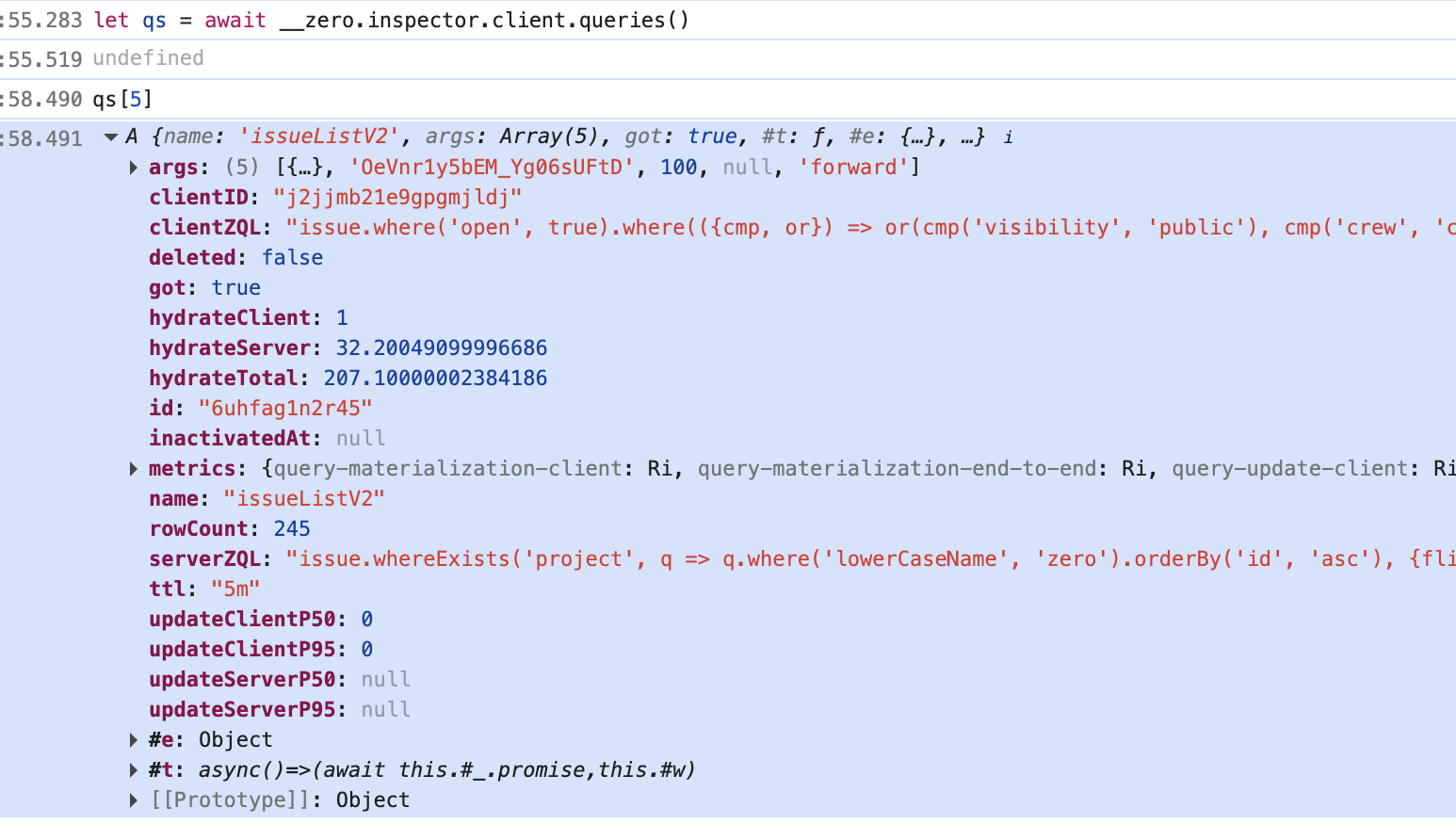
Here are some of the more useful fields:
| Field | Description |
| ----------------------------------- | --------------------------------------------------------------------------------------------------- |
| `name`, `args` | The name and arguments of the synced query. |
| `clientZQL` | The client-side ZQL run to give optimistic results. |
| `serverZQL` | The server-side ZQL that your `get-queries` endpoint returned for this query. |
| `got` | Whether the first authoritative result has been returned. |
| `hydrateClient` | How long the client took to hydrate the first optimistic result. |
| `hydrateServer` | How long the server took to hydrate the first authoritative result. |
| `hydrateTotal` | Total time to hydrate the first authoritative result, including network. |
| `rowCount` | Number of rows the query returns. |
| `ttl` | The ttl specified when the query was created. |
| `inactivatedAt` | If non-null, the UI is no longer actively using this query, but it's still running due to `ttl`. |
| `updateClientP50`,`updateClientP95` | Median and 95th percentile time to update the client-side result after a mutation (optimistically). |
| `updateServerP50`,`updateServerP95` | Median and 95th percentile time to update the server-side result after a mutation. |
## Analyzing Queries
Use the `analyze` method to get information about how a query hydrates:
```ts
await qs[0].analyze()
```
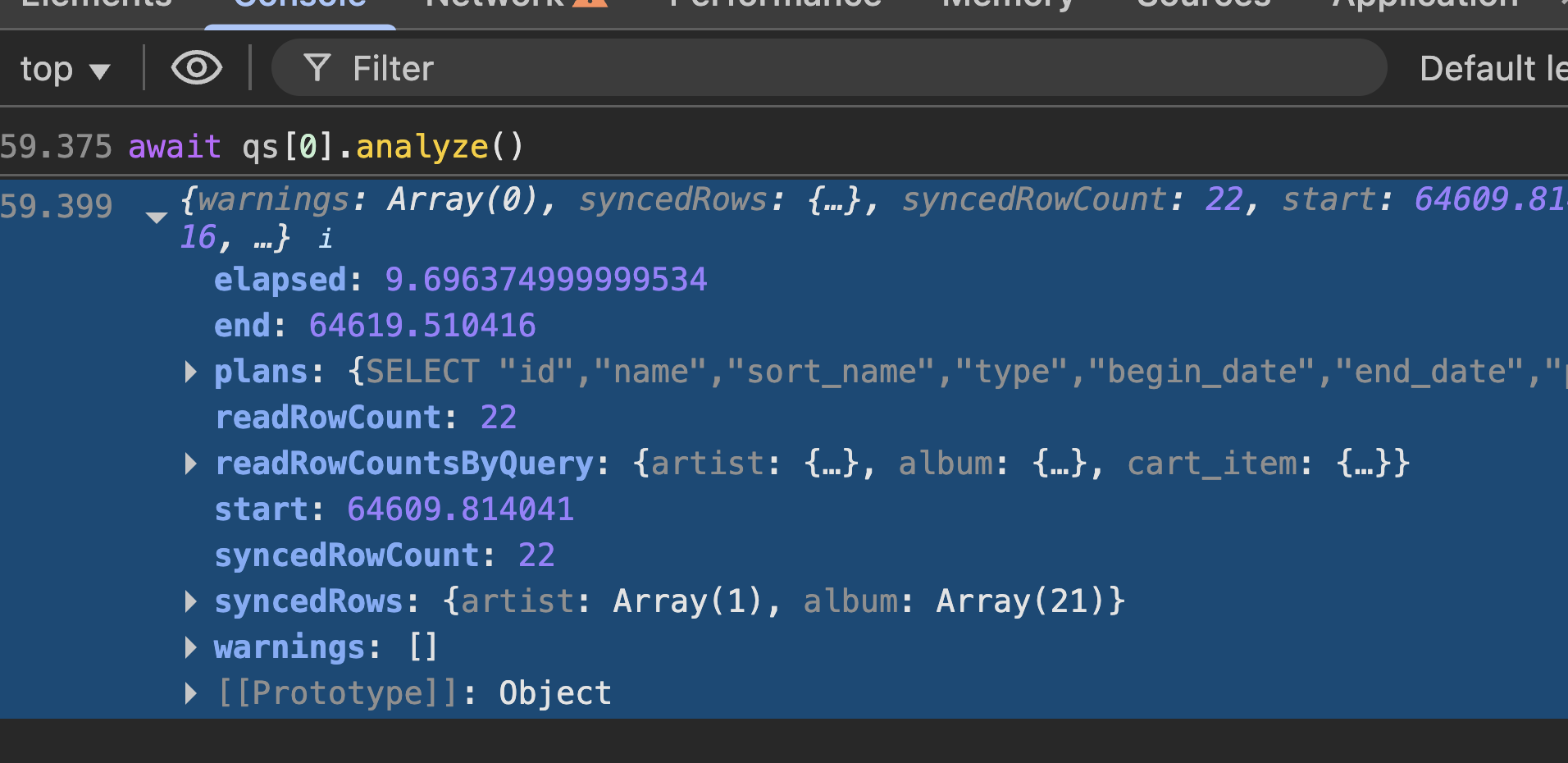
Here are some of the most useful fields in the output:
| Field | Description |
| ---------------------- | --------------------------------------------------------------------------------------------------------------------------------------------------------------------------------------------------------------------------------------------------------------------------------- |
| `elapsed` | Total time to run the analysis in milliseconds. This is a good proxy for how long the query will take to hydrate in your app. |
| `dbScansByQuery` | Number of rows scanned by each SQLite query. |
| `readRowCount` | Total number of rows read from the replica to find the synced rows. This is often the most important number for performance, since it reflects how much work Zero has to do to hydrate the query. We generally want this to be a small single-digit multiple of `syncedRowCount`. |
| `readRowCountsByQuery` | Number of rows read by each SQLite query. |
| `syncedRowCount` | Number of rows actually synced to the client for this query. |
| `syncedRows` | The actual rows synced. |
| `plans` | The output from SQLite's [`EXPLAIN QUERY PLAN`](https://www.sqlite.org/eqp.html) for each SQLite query used, which can help you understand why the query is reading more rows than necessary |
## Interpreting Query Analysis
A Zero query is composed of one or more single-table queries connected by joins (`related`, `whereExists`).
Zero delegates the single-table queries to `SQLite`, which has a sophisticated query planner that chooses the best indexes to use. SQLite will *scan* tables or indexes to find rows to satisfy the single-table query.
Zero then implements its own incremental joins and limits on top of these single-table outputs. It *reads* rows out of the single-table outputs to satisfy the joins and limits.
Generally, you want the number of rows scanned by SQLite and read into JavaScript by Zero to be small multiples of the number of rows synced to the client. Most Zero query performance problems come from either too many active queries (visible from [`inspector.client.queries()`](#queries)), or queries that scan or read too many rows (visible by looking at the [SQLite](#viewing-sqlite-plans) or [Zero](#viewing-zero-plans) respectively).
## Viewing SQLite Plans
To view the plans selected by `SQLite`, see the `sqlitePlans` field returned by `analyze()` or `analyzeQuery()`. This contains the output of SQLite's [`EXPLAIN QUERY PLAN`](https://www.sqlite.org/eqp.html) command for each SQLite query used:
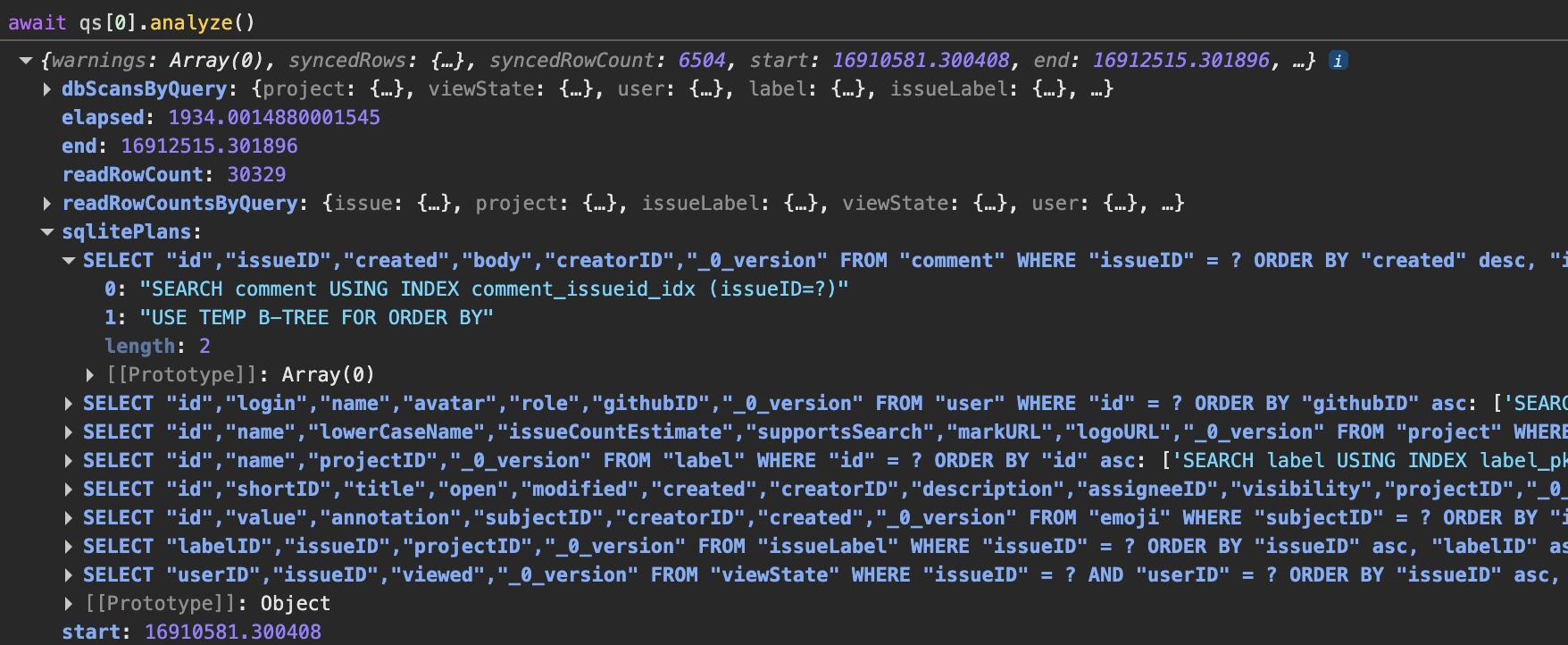
If SQLite is scanning too many rows, it probably means that SQLite lacks a good index to use. Add the index to Postgres – Zero copies indexes from Postgres to the SQLite replica.
Another common problem visible in SQLite plans is `TEMP B-TREE` entries: SQLite had to build a temporary index to satisfy the `ORDER BY` clause. This is not always a performance problem, but if you see it you can try adding an index with the correct columns (note that Zero adds all primary key columns to the `ORDER BY` clause, so the index must include all primary key columns).
## Viewing Zero Plans
To view the join plan selected by Zero, call `analyze()` or `analyzeQuery()` with the `joinPlans` option set to true and see the `joinPlans` field in the output:
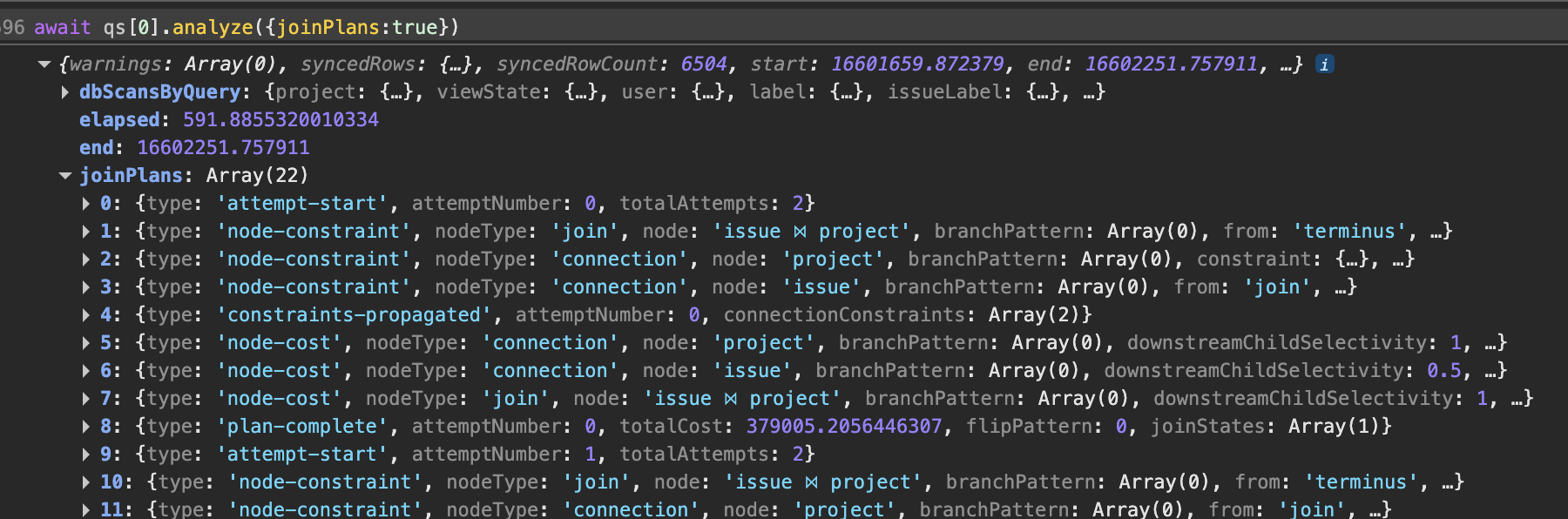
This output is mostly useful to the Zero team for debugging query performance problems.
## Analyzing Arbitrary ZQL
You can also analyze arbitrary ZQL, not just queries that are currently active:
```ts
await __zero.inspector.analyzeQuery(
__builder.issues.whereExists('labels', q =>
q.id.equals('sync')
)
)
```
This is useful for exploring alternative query constructions to optimize performance.
To use this, you will first have to expose your `builder` as a property of the global object, so that you can access it from the console. For example:
```ts
// schema.ts
// ...
const g = globalThis as any
g.__builder = builder
```
## Table Data
In addition to information about queries, you can get direct access to the contents of the client side database.
```ts
const client = __zero.inspector.client
// All raw k/v data currently synced to client
console.log('client map:')
console.log(await client.map())
// kv table extracted into tables
// This is same info that is in z.query[tableName].run()
for (const tableName of Object.keys(__zero.schema.tables)) {
console.log(`table ${tableName}:`)
console.table(await client.rows(tableName))
}
```
## Server Version
Ask the server to confirm what version it is:
```ts
console.log(
'server version: ',
await inspector.serverVersion()
)
```
---
# Analyze Query CLI
Source: https://zero.rocicorp.dev/docs/debug/analyze-query-cli
Besides the query analyzer built into the [inspector](https://zero.rocicorp.dev/docs/debug/inspector#analyzing-queries), you can also analyze queries from a terminal. This is useful for repeatable debugging, sharing command output, and running analysis from agent workflows.
> 💡 **Looking for the old analyze-query command?**: The standalone `npx analyze-query` CLI has been deprecated and replaced by the `runAnalyzeCLI` function. This new approach makes it easier to wire the analyzer into your app's schema, and also enables analyzing a remote zero-cache.
## Set Up
Create a small script in your app that imports your schema and calls `runAnalyzeCLI`:
```ts
// scripts/analyze.ts
import {runAnalyzeCLI} from '@rocicorp/zero/analyze'
import {schema} from '../src/zero/schema.ts'
await runAnalyzeCLI({schema})
```
The schema lets the CLI evaluate query strings using your client-side table names, column names, and relationships.
If you use a TypeScript runner such as `tsx`, add a package script:
```json
{
"scripts": {
"analyze-query": "tsx scripts/analyze.ts"
}
}
```
## Run ZQL Queries
Pass `--zero-cache-url` plus a query in chain form:
```bash
npm run analyze-query -- \
--zero-cache-url='http://localhost:4848' \
--auth-token="$ZERO_AUTH_JWT" \
--query='albums.where("artistId", "artist_1").orderBy("createdAt", "asc").limit(10)'
```
If your app authenticates with cookies, pass the cookie header instead:
```bash
npm run analyze-query -- \
--zero-cache-url='http://localhost:4848' \
--cookie="$COOKIE" \
--query='albums.where("artistId", "artist_1").orderBy("createdAt", "asc").limit(10)'
```
## Production Use
Production Zero servers require a [`ZERO_ADMIN_PASSWORD`](https://zero.rocicorp.dev/docs/zero-cache-config#admin-password). To analyze queries on a production server, pass `--admin-password`:
```bash
npm run analyze-query -- \
--zero-cache-url='https://zero.example.com' \
--admin-password="$ZERO_ADMIN_PASSWORD" \
--query='albums.where("artistId", "artist_1").orderBy("createdAt", "asc").limit(10)'
```
If your deployment resolves auth from custom headers, use `--headers-json`:
```bash
npm run analyze-query -- \
--zero-cache-url='https://zero.example.com' \
--admin-password="$ZERO_ADMIN_PASSWORD" \
--headers-json="{\"My-Custom-Header\":\"$CUSTOM_HEADER_VALUE\"}" \
--query='albums.where("artistId", "artist_1").orderBy("createdAt", "asc").limit(10)'
```
## Env Var Shorthand
Options fall back to `ZERO_*` environment variables, so if you are running against your dev server, many flags can be dropped:
```bash
# ZERO_CACHE_URL, ZERO_ADMIN_PASSWORD picked up from .env
npm run analyze-query -- --cookie="$COOKIE" --query='issue.limit(10)'
```
## Other Input Modes
Use `--query-name` and `--query-args` to analyze a server-registered named query:
```bash
npm run analyze-query -- \
--zero-cache-url=http://localhost:4848 \
--query-name=issueList \
--query-args='[]'
```
Use `--ast` when you already have a query AST:
```bash
npm run analyze-query -- \
--zero-cache-url=http://localhost:4848 \
--ast='{"table":"issue","limit":5}'
```
## Output
```txt
=== Query Stats: ===
total synced rows: 10
albums vended: {
'SELECT "id","title","artist_id","release_year","cover_art_url","created_at","_0_version" FROM "albums" WHERE "artist_id" = ? ORDER BY "created_at" asc, "id" asc': 10
}
Rows Read (into JS): 10
time: 3.12ms
=== Rows Scanned (by SQLite): ===
albums: {
'SELECT "id","title","artist_id","release_year","cover_art_url","created_at","_0_version" FROM "albums" WHERE "artist_id" = ? ORDER BY "created_at" asc, "id" asc': 25
}
total rows scanned: 25
=== Query Plans: ===
query SELECT "id","title","artist_id","release_year","cover_art_url","created_at","_0_version" FROM "albums" WHERE "artist_id" = ? ORDER BY "created_at" asc, "id" asc
SCAN albums
USE TEMP B-TREE FOR ORDER BY
```
This is the same analysis data returned by the [inspector](https://zero.rocicorp.dev/docs/debug/inspector#analyzing-queries). See the inspector docs for how to interpret row counts, SQLite plans, and join plans.
## Optional Output
Two flags make the output more verbose:
* `--output-synced-rows` includes the rows that would be synced to the client.
* `--output-vended-rows` includes the rows read from the replica while executing the query.
These are useful when you want to confirm exactly which rows are being read and returned.
---
# Slow Queries
Source: https://zero.rocicorp.dev/docs/debug/slow-queries
In the `zero-cache` logs, you may see statements indicating a query is slow:
```shell
hash=3rhuw19xt9vry transformationHash=1nv7ot74gxfl7
Slow query materialization 325.46865100000286
```
Or, you may just notice queries taking longer than expected in the UI. Here are some tips to help debug such slow queries.
## Analyze Queries
Use the [inspector](https://zero.rocicorp.dev/docs/debug/inspector#analyzing-queries) or [analyze query CLI](https://zero.rocicorp.dev/docs/debug/analyze-query-cli) to analyze queries and get detailed information about the query plan and performance.
## Check `ttl`
If you are seeing unexpected UI flicker when moving between views, it is possible that the queries backing these views have a `ttl` of `never`. Set the `ttl` to something like `5m` to [keep data cached across navigations](https://zero.rocicorp.dev/docs/queries#query-caching).
You may alternately want to [preload some data](https://zero.rocicorp.dev/docs/queries#running-queries) at app startup.
Conversely, if you are setting `ttl` to long values, then you may have many backgrounded queries running that the app is not using. You can see which queries are running using the [inspector](https://zero.rocicorp.dev/docs/debug/inspector). Ensure that only expected queries are running.
## Locality
If you see log lines like:
```shell
flushed cvr ... (124ms)
```
this indicates that `zero-cache` is likely deployed too far away from your [CVR database](https://zero.rocicorp.dev/docs/self-host#networking). If you did not configure a CVR database URL then this will be your product's Postgres DB. A slow CVR flush can slow down Zero, since it must complete the flush before sending query result(s) to clients.
Try moving `zero-cache` to be deployed as close as possible to the CVR database.
## Check Storage
`zero-cache` is effectively a database. It requires fast (low latency and high bandwidth) disk access to perform well. If you're running on network attached storage with high latency, or on AWS with low IOPS, then this is the most likely culprit.
Some hosting providers scale IOPS with vCPU. Increasing the vCPU will increase storage throughput and likely resolve the issue.
Fly.io provides physically attached SSDs, even for their smallest VMs. Deploying zero-cache there (or any other provider that offers physically attached SSDs) is another option.
## /statz
`zero-cache` makes some internal health statistics available via the `/statz` endpoint of `zero-cache`. In order to access this, you must configure an [admin password](https://zero.rocicorp.dev/docs/zero-cache-config#admin-password).
---
# Replication
Source: https://zero.rocicorp.dev/docs/debug/replication
## Resetting
During development we all do strange things (unsafely changing schemas, removing files, etc.). If the replica ever gets wedged (stops replicating, acts strange) you can wipe it and start over.
* If you copied your setup from `hello-zero` or `hello-zero-solid`, you can also run `npm run dev:clean`
* Otherwise you can run `rm zero.db*` to clear the contents of the replica.
It is always safe to wipe the replica. Wiping will have no impact on your upstream database. Downstream zero-clients will get re-synced when they connect.
## Inspecting
For data to be synced to the client it must first be replicated to `zero-cache`. You can check the contents of `zero-cache` via:
```bash
npx @rocicorp/zero-sqlite3 ./zero.db
```
> 💡 **Zero uses the bedrock version of SQLite**: Zero uses a different version of SQLite that runs in WAL2 mode, which means the database files cannot be opened with standard SQLite tools.
>
> To inspect your Zero database, you have two options:
>
> 1. Use our pre-compiled SQLite build `@rocicorp/zero-sqlite3` as described above
> 2. Build SQLite from the SQLite `bedrock` branch yourself
This will drop you into a `sqlite3` shell with which you can use to explore the contents of the replica.
```sql
sqlite> .tables
_zero.changeLog emoji viewState
_zero.replicationConfig issue zero.permissions
_zero.replicationState issueLabel zero.schemaVersions
_zero.runtimeEvents label zero_0.clients
_zero.versionHistory user
comment userPref
sqlite> .mode qbox
sqlite> SELECT * FROM label;
┌─────────────────────────┬──────────────────────────┬────────────┐
│ id │ name │ _0_version │
├─────────────────────────┼──────────────────────────┼────────────┤
│ 'ic_g-DZTYDApZR_v7Cdcy' │ 'bug' │ '4ehreg' │
...
```
## Miscellaneous
If you see `FATAL: sorry, too many clients already` in logs, it’s because you have two zero-cache instances running against dev. One is probably in a background tab somewhere. In production, `zero-cache` can run horizontally scaled but on dev it doesn’t run in the config that allows that.
---
# Query ASTs
Source: https://zero.rocicorp.dev/docs/debug/query-asts
An AST (Abstract Syntax Tree) is a representation of a query that is used internally by Zero. It is not meant to be human readable, but it sometimes shows up in logs and other places.
If you need to read one of these, save the AST to a json file. Then run the following command:
```bash
cat ast.json | npx ast-to-zql
```
The returned ZQL query will be using server names, rather than client names, to identify columns and tables. If you provide the schema file as an option you will get mapped back to client names:
```bash
cat ast.json | npx ast-to-zql --schema schema.ts
```
This comes into play if, in your schema.ts, you use the `from` feature to have different names on the client than your backend DB.
> The `ast-to-zql` process is a de-compilation of sorts. Given that, the ZQL string you get back will not be identical to the one you wrote in your application. Regardless, the queries will be semantically equivalent.
---
# zero-out
Source: https://zero.rocicorp.dev/docs/debug/zero-out
Run the `zero-out` tool to completely remove all traces of Zero from your Postgres database. This is useful for debugging issues with Zero and/or resetting to a clean state.
```bash
npx zero-out
```
`zero-out` reads the same [config](https://zero.rocicorp.dev/docs/zero-cache-config) as `zero-cache` does, so you can just run it where you run `zero-cache`.
## Meta
---
# Release Notes
Source: https://zero.rocicorp.dev/docs/release-notes
* [Zero 1.6: Postgres 17 Replication Failover and Performance](https://zero.rocicorp.dev/docs/release-notes/1.6)
* [Zero 1.5: Schema Change Improvements and Client Group Auth](https://zero.rocicorp.dev/docs/release-notes/1.5)
* [Zero 1.4: Performance and Reliability Improvements](https://zero.rocicorp.dev/docs/release-notes/1.4)
* [Zero 1.3: Faster Initial Sync and Other Perf Improvements](https://zero.rocicorp.dev/docs/release-notes/1.3)
* [Zero 1.2: IVM Performance and Bug Fixes](https://zero.rocicorp.dev/docs/release-notes/1.2)
* [Zero 1.1: Replication Monitoring](https://zero.rocicorp.dev/docs/release-notes/1.1)
* [Zero 1.0: First Stable Release](https://zero.rocicorp.dev/docs/release-notes/1.0)
* [Zero 0.26: Schema Backfill and Scalar Subqueries](https://zero.rocicorp.dev/docs/release-notes/0.26)
* [Zero 0.25: DX Overhaul, Query Planning](https://zero.rocicorp.dev/docs/release-notes/0.25)
* [Zero 0.24: Join Flipping, Cookie Auth, Inspector Updates](https://zero.rocicorp.dev/docs/release-notes/0.24)
* [Zero 0.23: Synced Queries and React Native Support](https://zero.rocicorp.dev/docs/release-notes/0.23)
* [Zero 0.22: Simplified TTLs](https://zero.rocicorp.dev/docs/release-notes/0.22)
* [Zero 0.21: PG arrays, TanStack starter, and more](https://zero.rocicorp.dev/docs/release-notes/0.21)
* [Zero 0.20: Full Supabase support, performance improvements](https://zero.rocicorp.dev/docs/release-notes/0.20)
* [Zero 0.19: Many, many bugfixes and cleanups](https://zero.rocicorp.dev/docs/release-notes/0.19)
* [Zero 0.18: Custom Mutators](https://zero.rocicorp.dev/docs/release-notes/0.18)
* [Zero 0.17: Background Queries](https://zero.rocicorp.dev/docs/release-notes/0.17)
* [Zero 0.16: Lambda-Based Permission Deployment](https://zero.rocicorp.dev/docs/release-notes/0.16)
* [Zero 0.15: Live Permission Updates](https://zero.rocicorp.dev/docs/release-notes/0.15)
* [Zero 0.14: Name Mapping and Multischema](https://zero.rocicorp.dev/docs/release-notes/0.14)
* [Zero 0.13: Multinode and SST](https://zero.rocicorp.dev/docs/release-notes/0.13)
* [Zero 0.12: Circular Relationships](https://zero.rocicorp.dev/docs/release-notes/0.12)
* [Zero 0.11: Windows](https://zero.rocicorp.dev/docs/release-notes/0.11)
* [Zero 0.10: Remove Top-Level Await](https://zero.rocicorp.dev/docs/release-notes/0.10)
* [Zero 0.9: JWK Support](https://zero.rocicorp.dev/docs/release-notes/0.9)
* [Zero 0.8: Schema Autobuild, Result Types, and Enums](https://zero.rocicorp.dev/docs/release-notes/0.8)
* [Zero 0.7: Read Perms and Docker](https://zero.rocicorp.dev/docs/release-notes/0.7)
* [Zero 0.6: Relationship Filters](https://zero.rocicorp.dev/docs/release-notes/0.6)
* [Zero 0.5: JSON Columns](https://zero.rocicorp.dev/docs/release-notes/0.5)
* [Zero 0.4: Compound Filters](https://zero.rocicorp.dev/docs/release-notes/0.4)
* [Zero 0.3: Schema Migrations and Write Perms](https://zero.rocicorp.dev/docs/release-notes/0.3)
* [Zero 0.2: Skip Mode and Computed PKs](https://zero.rocicorp.dev/docs/release-notes/0.2)
* [Zero 0.1: First Release](https://zero.rocicorp.dev/docs/release-notes/0.1)
---
# Reporting Bugs
Source: https://zero.rocicorp.dev/docs/reporting-bugs
## zbugs
You can use [zbugs](https://bugs.rocicorp.dev/)! (password: `zql`)
Our own bug tracker built from the ground up on Zero.
## Discord
Alternately just pinging us on Discord is great too.
---
# Zero is Open Source Software
Source: https://zero.rocicorp.dev/docs/open-source
Specifically, the Zero client and server are Apache-2 licensed. You can use, modify, host, and distribute them freely:
[https://github.com/rocicorp/mono/blob/main/LICENSE](https://github.com/rocicorp/mono/blob/main/LICENSE)
## Business Model
We make money by [running Zero as a service](https://zero.rocicorp.dev/#pricing). We also have paid support options.
We may have other commerical projects in the future. For example, we may build closed-source companion software – similar to how Docker, Inc. charges for team access to Docker Desktop.
But we have no plans to ever change the licensing of the core product: We're building a general-purpose sync engine for the entire web, and we can only do that if the core remains completely open.
---
# Agent Support
Source: https://zero.rocicorp.dev/docs/agents
Zero's documentation is available as plain text for LLMs and AI coding assistants.
## Options
* **[/llms.txt](https://zero.rocicorp.dev/llms.txt)**: Index of all documentation pages with descriptions and links.
* **[/llms-full.txt](https://zero.rocicorp.dev/llms-full.txt)**: Complete documentation in a single file.
* **`/docs/{slug}.md`**: Any individual page as markdown (e.g., [/docs/introduction.md](https://zero.rocicorp.dev/docs/introduction.md), [/docs/schema.md](https://zero.rocicorp.dev/docs/schema.md)).